Radioddity Extended manual for Radioddity DB25-D, DB40-D & GD-88 v3.0
© Radioddity 2023 page 42 of 252
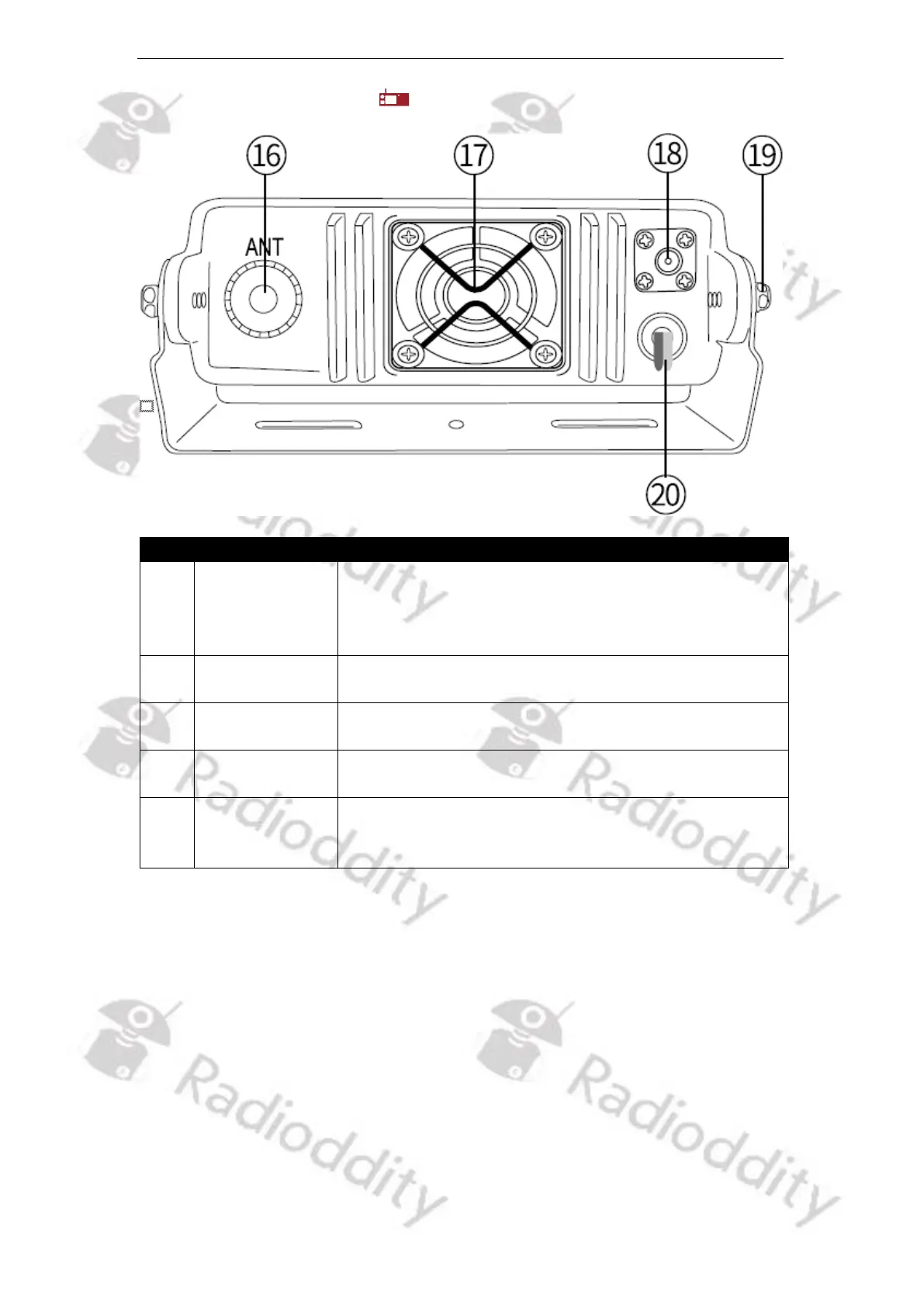
5.5.3 Rear panel of DB25-D
Function description and applications
Install the external antenna to this port. In TX testing,
please install a dummy load to replace the antenna.
The antenna or dummy load should be with 50 Ω
impedance.
Cool the internal power tube to avoid too high
temperature to damage the related components
Install the GPS antenna to this port for GPS receiving.
Loosen the left and right screws to set the correct
viewing angle, then re-fasten them.
Carefully check the polarity (Red: +, Black: -) and
power ratings (13.8 V DC +/- 15%) of the power supply
before connecting to the radio.



 To Next Page