Radioddity Extended manual for Radioddity DB25-D, DB40-D & GD-88 v3.0
© Radioddity 2023 page 66 of 252
7 Using the radio menu
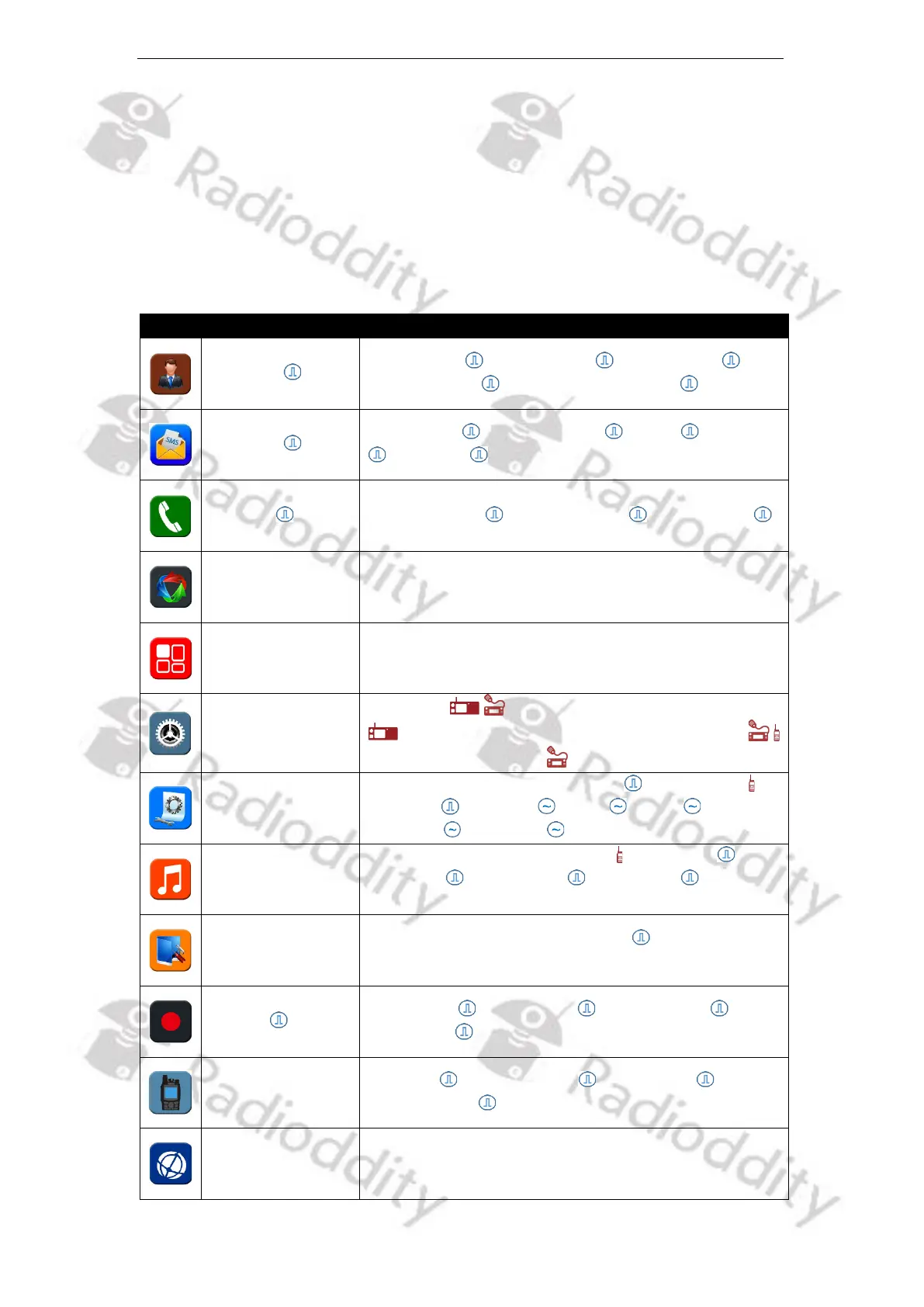
Set various functions and parameters by accessing the main menu and submenu
of the radio. The menu function options supported by the Radioddity DB25-D,
DB40-D and GD-88 are shown in the table below.
The programmable [P]-keys are function shortcut keys, for specific functions and
may be pre-programed using the Radioddity CPS.
Contact List , New contact , Manual Dial ,
Ham contacts , Ham Group Contacts
Create Msg , Common Msg , lnbox , Outbox
, Draftbox
Dialed Numbs , Received Calls , Missed Calls
Scan (On/Off), Scan List, Scan Mode, Roam Setting
Language , Keypad Lock, Back Light, LEDs
, Display Mode, VOX, Channel Sw, ABRepeat
, Semi Repeater Mode , Factory Reset,
TOT, Power, Slot/Repeat Setting , Sleep Mode ,
EncLevel , Sq Level , Band , BCLO ,
Signaling , Ctcss Tail
Profiles, Key Tone, Power Tone , Msg Tone , P
Call Tone , G Call Tone , Alert Tone , FM Call
Tone / PowerOn Tone
GPS, FM Radio, Time, DMR DTMF ,
Headset+Speaker HandMic+Speaker, APRS, BT
Record Set , Record List , Clear Record ,
Space Info
Radio ID , RX Group List , CH contact ,
Version, Alias
Edit the parameters of the current VFOs channel or
activated VFO-mode.



 To Next Page