Radioddity Extended manual for Radioddity DB25-D, DB40-D & GD-88 v3.0
© Radioddity 2023 page 57 of 252
5.14 Using the numeric keypad
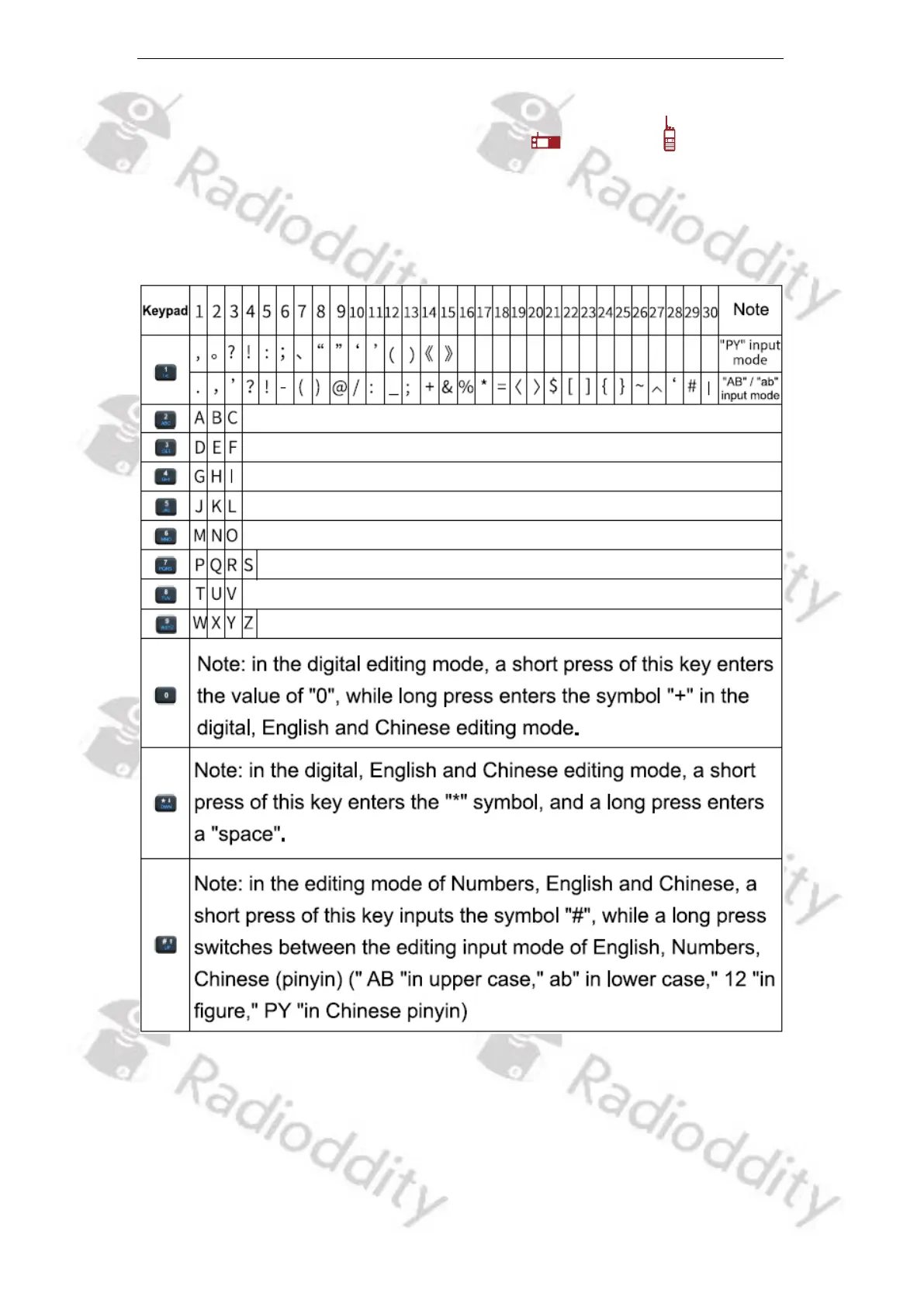
The numeric keypad of the Speaker-Microphone / the radio can be used
to input frequencies/channel numbers, user alias or ID or SMS. Almost all
characters require pressing a key for several times (up to 30 times).
5.14.1 Alphanumerical input of characters
5.14.2 Programmable Function keys
There are more than 25 different functions that may be assigned to the
programmable [P]-keys. For more details on how to program these keys, please
check chapter 12.6 Preset Keys on page 140.



 To Next Page