Radioddity Extended manual for Radioddity DB25-D, DB40-D & GD-88 v3.0
© Radioddity 2023 page 38 of 252
5.3.3 Install Radioddity GD-88 battery pack
Slide in the battery with its two noses sliding into the notches underneath the
blank metal piece on the backside of the radio. Firmly push it down on its lower
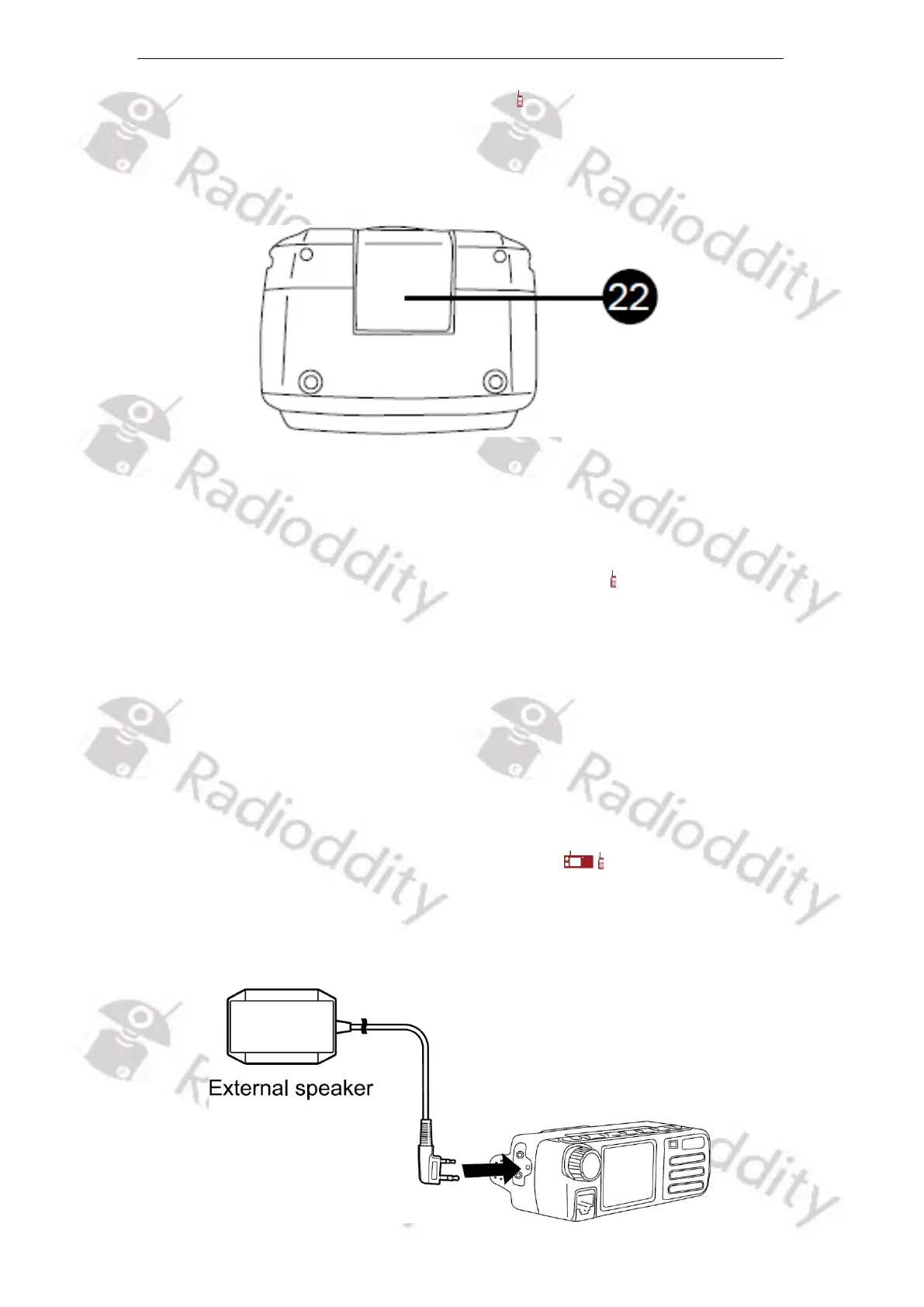
end. Finally close the battery latch (22) until you hear a ‘click’.
To remove the battery, turn off the radio, clip open the battery latch and then
remove the battery by lifting it up, starting with the bottom side. Next carefully
move it off the upper metal. Avoid breaking the battery noses.
5.3.4 Install Radioddity GD-88 hand strap and belt clip
1. Take out the hand strap and mount it to the radio using the eyelet just above
the blank metal piece on the backside of the radio.
2. Take out the belt clip and two screws from the equipped bag.
3. Align the belt clip mounting holes with the threaded holes on the main unit,
insert screws, and carefully tighten the screws to hold the belt clip.
5.4 Accessories connection
5.4.1 External speaker/headset and microphone
Please connect a speaker with 8 Ω impedance or a suitable headset. A 2.5 mm
mono TRS plug or a K1-style plug with a 2.5 mm and 3.5 mm TRS plug can be used
to connect an external speaker.



 To Next Page