Radioddity Extended manual for Radioddity DB25-D, DB40-D & GD-88 v3.0
© Radioddity 2023 page 217 of 252
Of course, also define your call sign (4) to be used for APRS-reporting. The defined
SSID will automatically be added to your call sign. For details on the other
parameters, please refer to the chapter on APRS within this addendum.
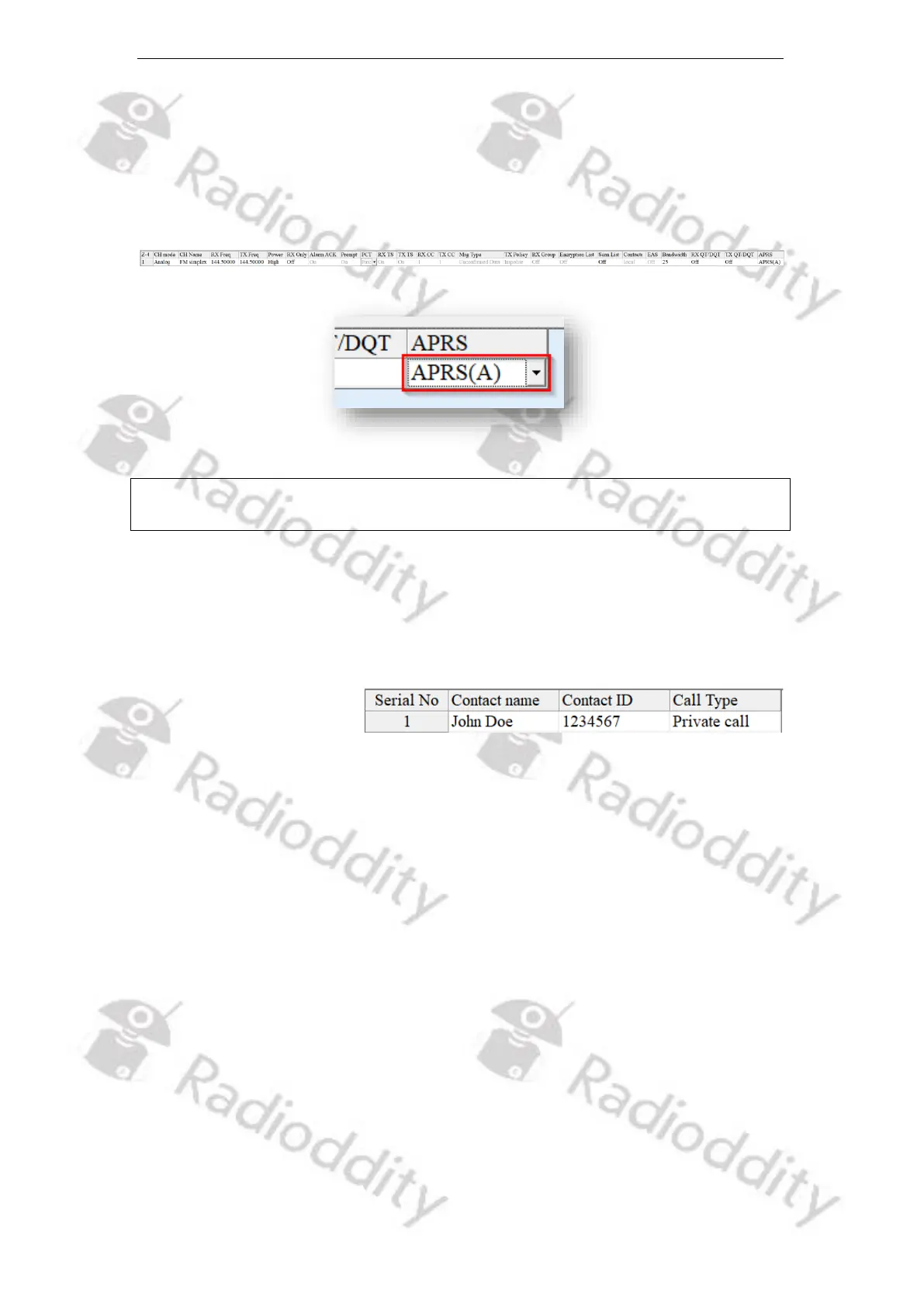
For analog APRS to work, an analog channel needs to be selected and ‘APRS (A)’
needs to be assigned as ‘APRS’ reporting channel for that analog channel.
Notes: Only analog channels are supported by analog APRS.
Only digital channels are supported by digital APRS.
16.4 Simplex digital DMR operation with other station
In order to setup the radio for simplex digital DMR operation, follow these steps:
1. Within the ‘Contacts’ menu define a ‘Contact Name’ with the corresponding
‘Contact ID’ (DMR ID) of the other station you plan to call. Set the ‘Call Type’ to
‘Private Call’.
2. Add a new zone via ‘Zone[Channel]’ → ‘+Add’ and give it a ‘Zone Name’ of
‘simplexDMR’. The new zone will be created and will already contain a channel
of either ‘CH mode’ being ‘analog’ or ‘digital’.
3. Setup the channel for ‘CH mode’ being ‘Digital’.
4. Give the channel a ‘CH Name’ of some name, e.g., ‘DMRsimplex’.
5. Set both frequencies ‘RX Freq’ and ‘TX Freq’ to the very same value (e.g.,
433.45000 MHz). You may choose any frequency that is allowed for your type
of ham radio license, for digital DMR operation and which is not occupied by
some other station. Make sure the other station you want to call is setup for
the very same simplex frequency.
6. Set the output ‘Power’ to ‘Low’ if the other station is close to yours. If the other
station is some miles away, set it to ‘High’.
7. Set ‘PCT’ to ‘Patcs’



 To Next Page