Radioddity Extended manual for Radioddity DB25-D, DB40-D & GD-88 v3.0
© Radioddity 2023 page 201 of 252
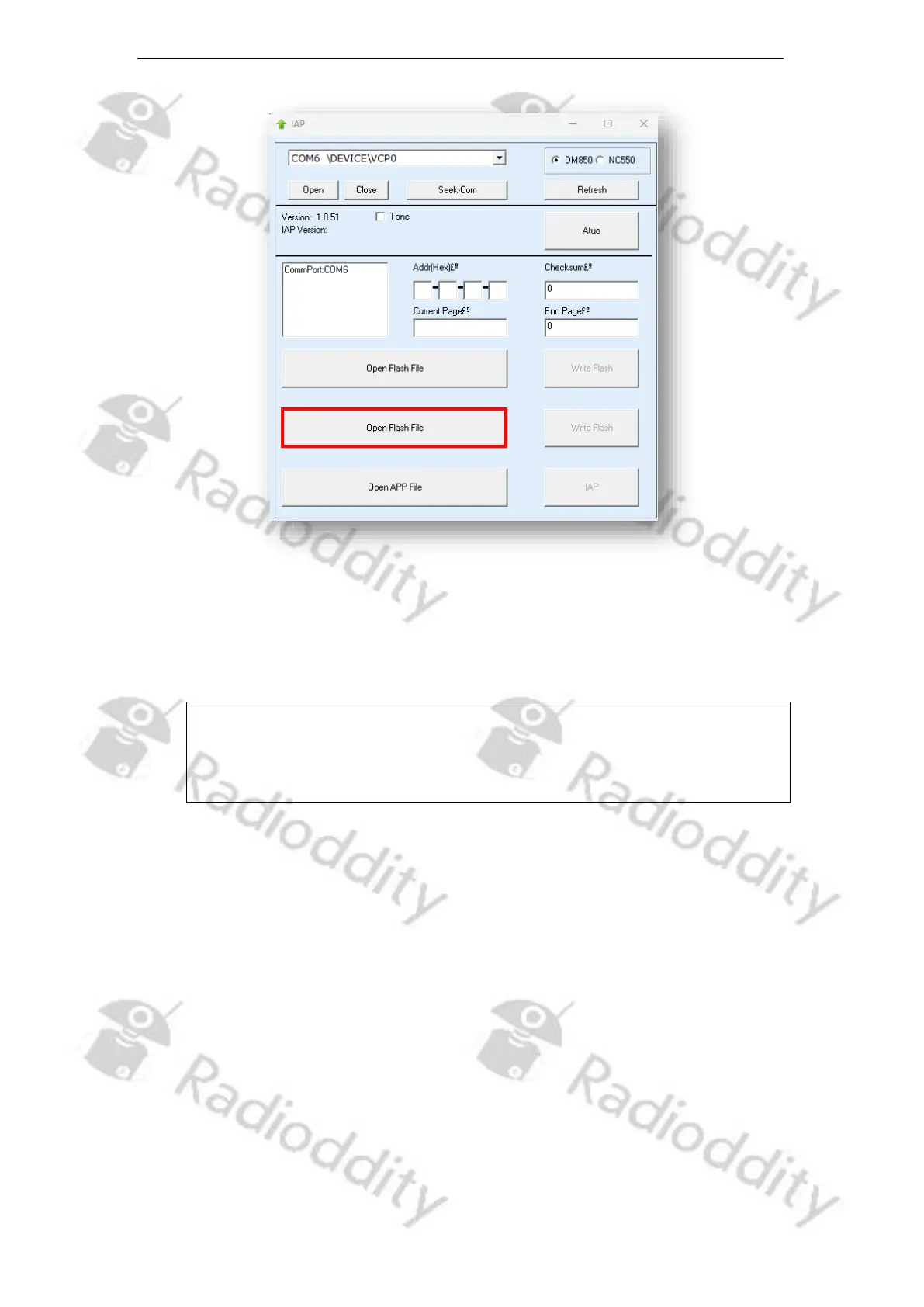
6. Now navigate to the path that does contain the flash file that is intended to
be transferred to the Radioddity DB25-D, DB40-D or GD-88, such as:
‘C7000_IAP_V1.6_for_GD-88.flash’.
Notes: Do not use flash files intended for other radios, even if those radios
may be looking like the Radioddity DB25-D, DB40-D or GD-88. Using
files not intended to be put on a Radioddity DB25-D, DB40-D or
GD-88 may result in a loss of any warranty.
7. Make sure that the radio is in normal operating mode and not in IAP-mode.
Then start the actual update process, click on the ‘Write Flash’ button.



 To Next Page