Radioddity Extended manual for Radioddity DB25-D, DB40-D & GD-88 v3.0
© Radioddity 2023 page 123 of 252
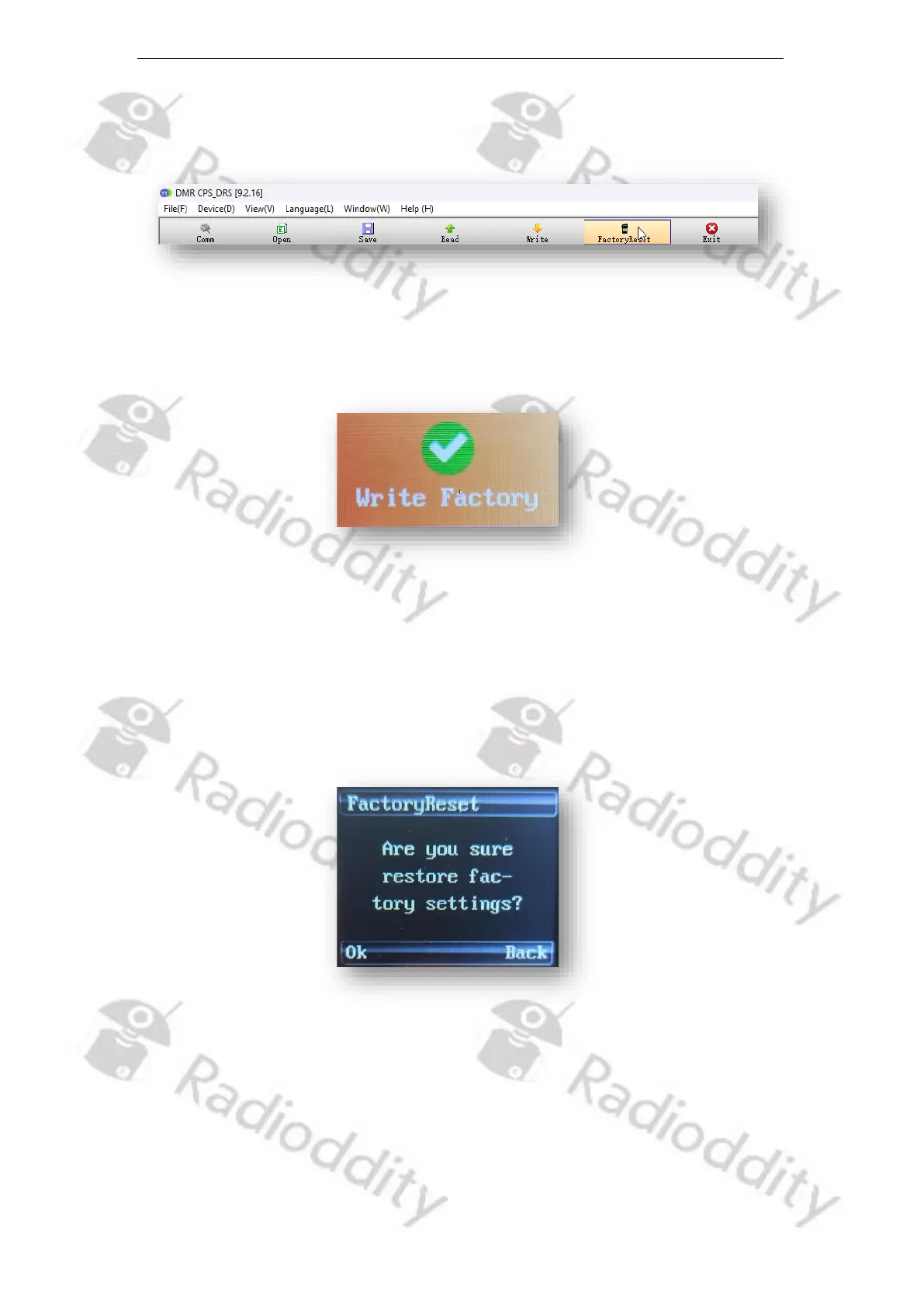
saved to a special area within the radio memory for later use with the
FactoryReset-function of the radio itself.
The radio will display ‘Write Factory’ whilst data is been transferred from the CPS
to the Radioddity DB25-D, DB40-D or GD-88.
As soon as all data has been transferred from the CPS to the Radioddity DB25-D,
DB40-D or GD-88, the text ‘Write Factory’ will disappear.
If you later on do activate the FactoryReset on the radio by using ‘MENU → Local
Set → FactoryReset’, you will first be asked if you are sure to restore the factory-
settings.
Confirm by pushing the MENU-knob.
Now the settings previously stored as factory-defaults will be restored. You will
see a couple of screens (Recovering, Clearing…, This is Set) on your Radioddity
DB25-D, DB40-D and Radioddity GD-88.
The complete process takes about 15 seconds, depending on the size of the
factory-defaults codeplug you previously saved to the radio.



 To Next Page