Radioddity Extended manual for Radioddity DB25-D, DB40-D & GD-88 v3.0
© Radioddity 2023 page 160 of 252
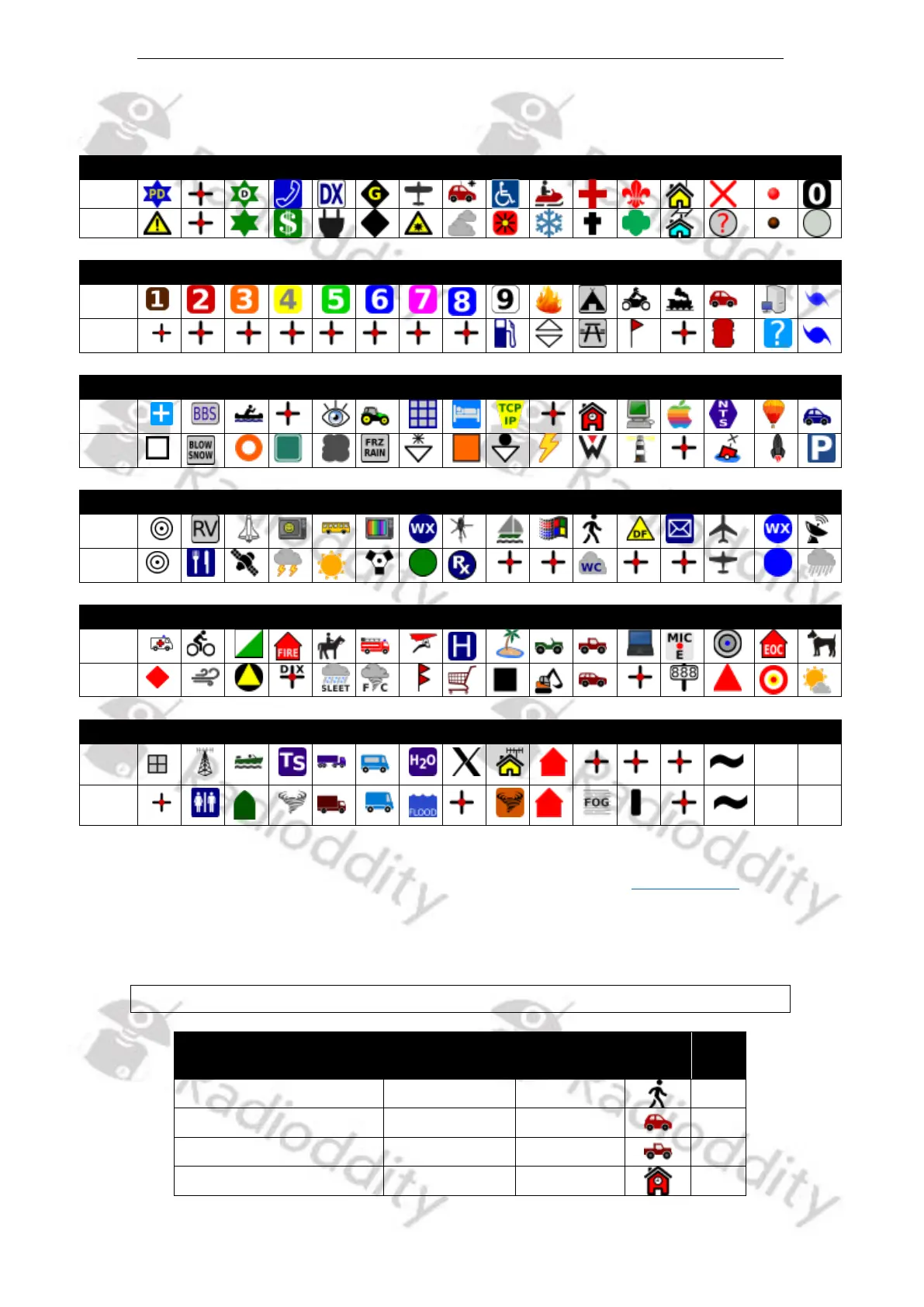
The following table lists the resulting icons according to the selected ‘APRS Symbol
Table’ in combination with the selected ‘APRS Map Icon’.
By selecting the ‘APRS Symbol Table’ and ‘APRS Map Icon’, you define the resulting
icon that will be displayed on APRS service pages such as https://aprs.fi. The
following table list the most used icons and their corresponding ‘APRS Symbol
Table’, ‘APRS Map Icon’ and ‘SSID’ that are applicable for your DB25-D, DB40-D and
GD-88.
Notes: We advise not to take any other combinations besides those listed below.



 To Next Page