SCANNER UNIT
SM 3-11 B291/B295/B296/B297
Replacement
Adjustment
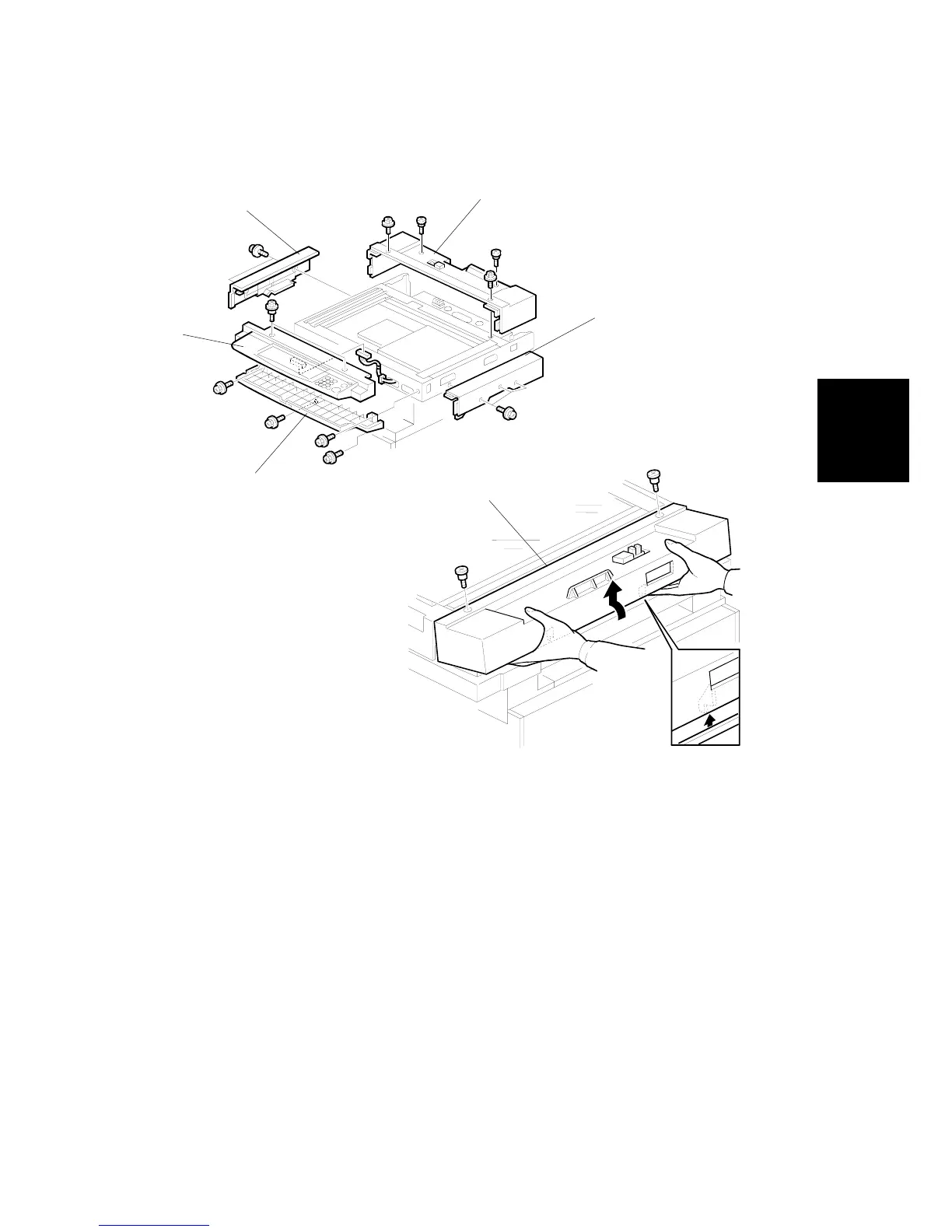
3.9.3 SCANNER EXTERIOR PANELS, OPERATION PANEL
1. ARDF (! 3.9.1)
2. Exposure glass and DF exposure glass (!3.9.2)
3. Operation panel [A] (! x2, " x1)
4. Operation panel base [B] (! x4)
5. Scanner rear cover [C] (! x4). Carefully lift in the direction of the arrow to
disconnect the tab.
6. Right cover [D] (! x3 )
7. Left cover [E] (! x2)
B195R908.WMF
B195R909.WMF
[A]
[B]
[C]
[D]
[E]
[C]












 To Next Page