LCT INSTALLATION (B543)
B291/B295/B296/B297 SM
1-50
1.10.2 LCT INSTALLATION PROCEDURE
!CAUTION
Unplug the main machine power cord before starting the following
procedure.
NOTE: The Paper Tray Unit (B542) or the cabinet (FAC25) must be installed
before installing the LCT.
1. Unpack the LCT and remove the tapes.
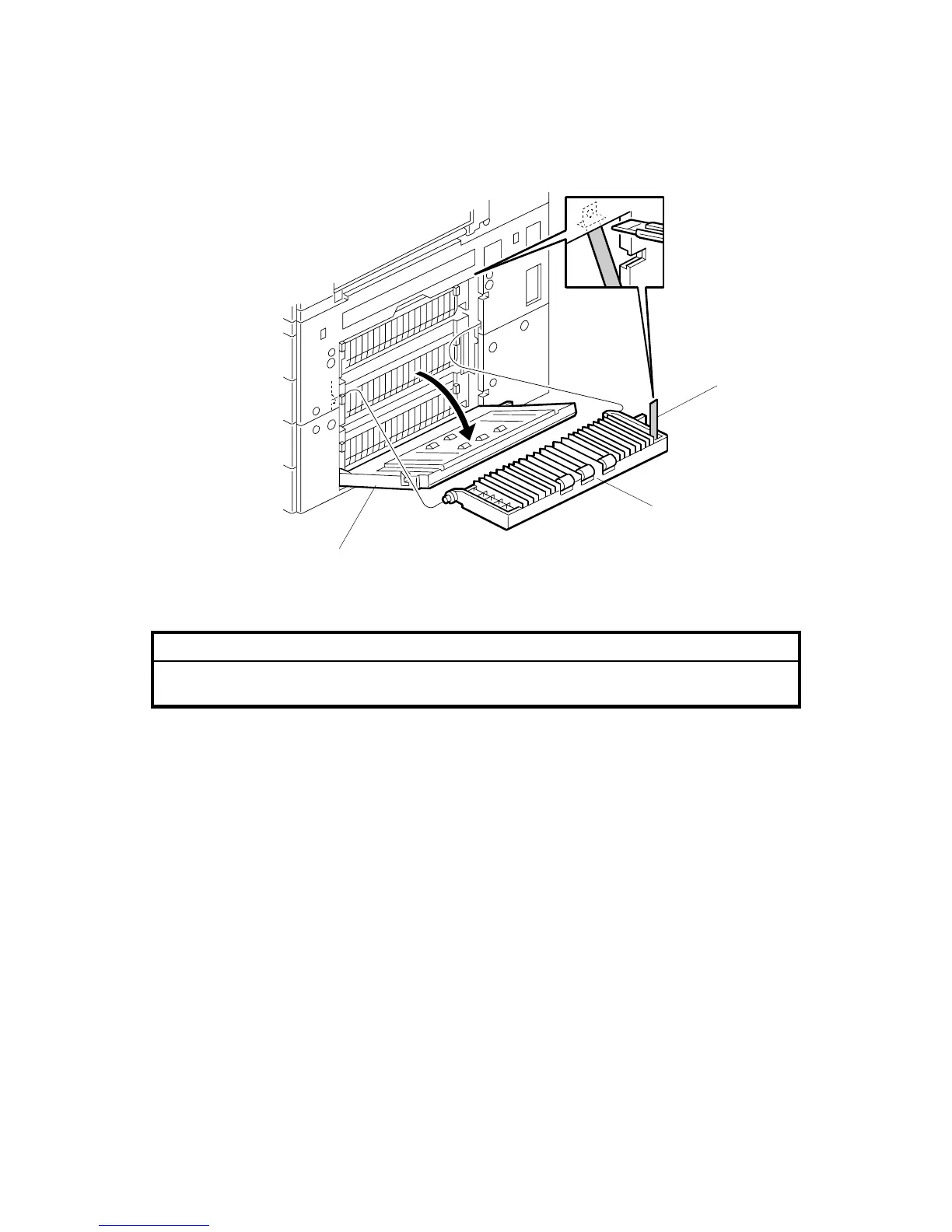
2. Open the right cover of the paper tray unit [A].
3. Open the lower right cover [B] and cut the holding band [C].
NOTE: When cutting the holding band, the upper part of the band should be
cut as shown. Otherwise, paper jams may occur.
4. Remove the lower right cover.
B543I504.WMF
[C]
[B]
[A]












 To Next Page