TRAY HEATER
B291/B295/B296/B297 SM
1-68
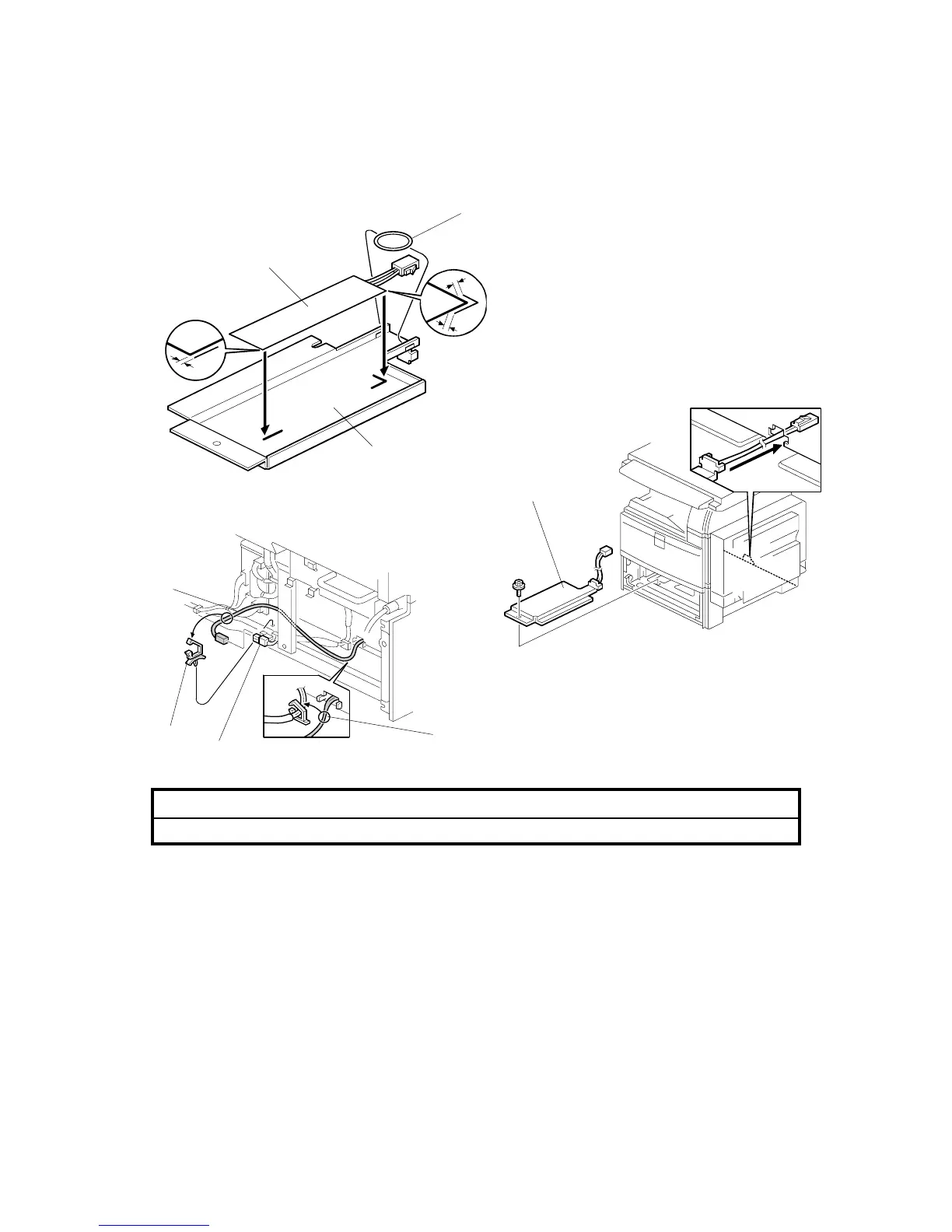
1.16 TRAY HEATER
!CAUTION
Unplug the machine power cord before starting the following procedure.
1. Attach the tray heater [A] to the heater bracket [B].
2. Install the harness holder [C].
3. Remove the rear lower cover.
4. Remove the upper and lower paper trays from the main machine.
5. Install the heater assembly [D] (! x1).
6. Install the harness clamp [E].
7. Fasten the harness [F] with the clamp.
8. Route the heater harness [G] and connect it to the ac harness [H].
B195I202.WMF
B004I531.WMF
B004I203.WMF
[A]
[B]
[C]
[E]
[G]
[F]
[H]
[D]












 To Next Page