REMOVAL
SM 37 B546
Booklet
Finisher
B546
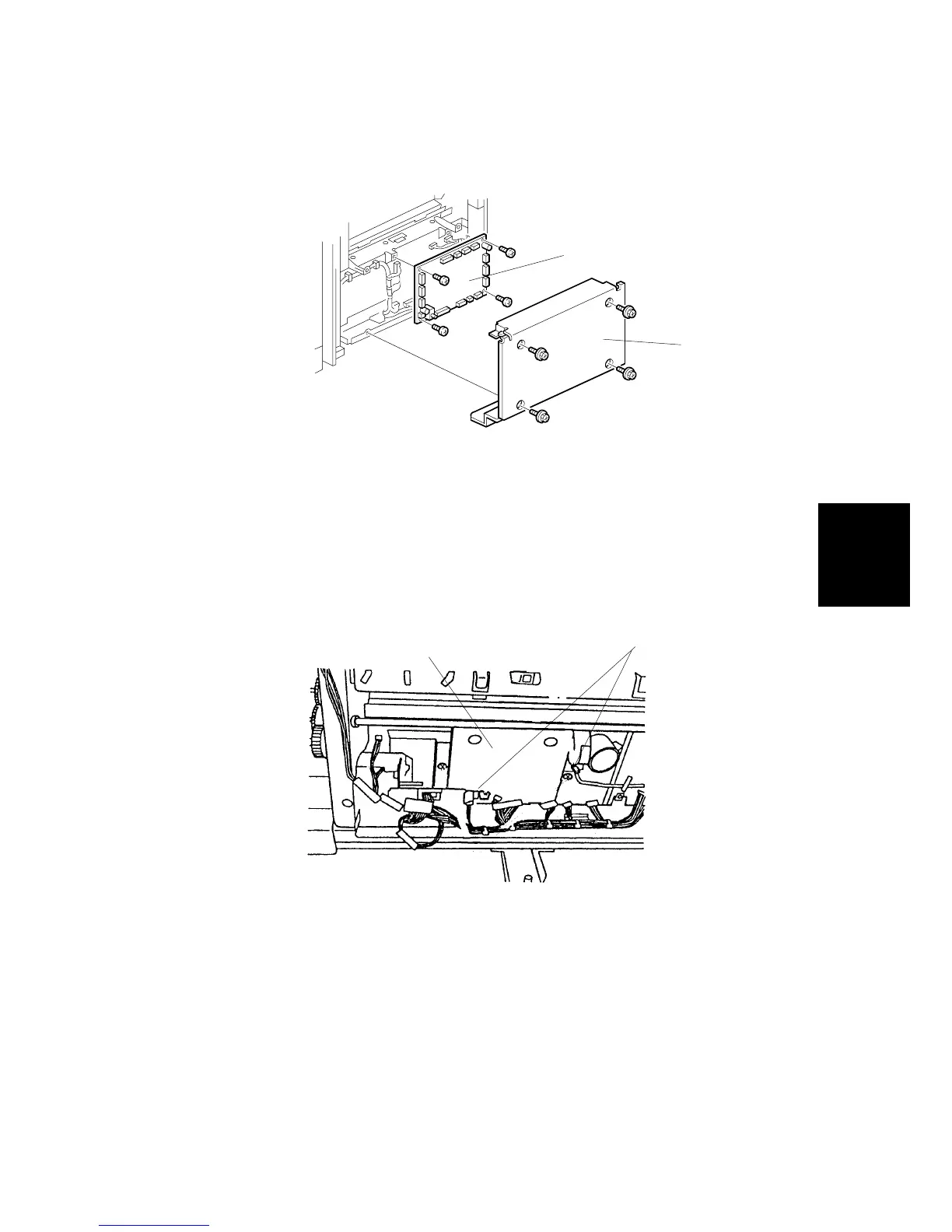
3.1.17 BOOKLET BOARD
1. Remove the lower right cover [A] ( x 4).
2. Remove the booklet board [B] ( x 4, x 14).
NOTE: After replacing the board, adjust the booklet stapling position.
3.1.18 POSITIONING PLATE UNIT
1. Remove the booklet board ( x 4, x 14).
2. Slide the paper positioning unit [C] to the right and remove it ( x 2, x 2
[D]).
B546R115.WMF
B546R571.PCX
[A]
[B]
[C]
[D]












 To Next Page