EXIT SENSOR REPLACEMENT
B538 6 SM
3. REPLACEMENT AND ADJUSTMENT
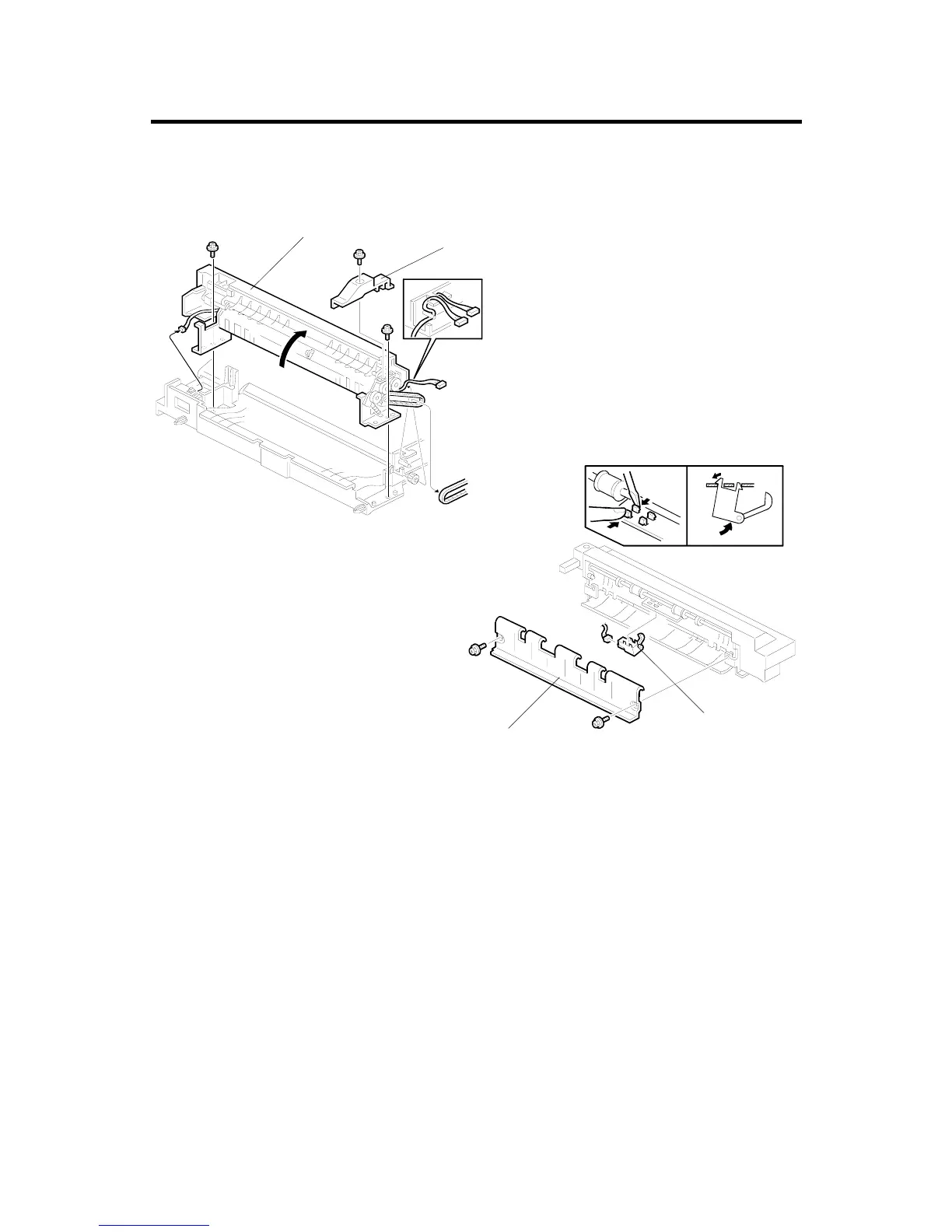
3.1 EXIT SENSOR REPLACEMENT
1. Remove the whole unit from the copier.
2. Remove the rear upper cover [A] (1 screw).
3. Remove the upper cover unit [B] (2 screws, 2 connectors).
4. Remove the exit guide plate [C] (2 screws).
5. Replace the exit sensor [D] (1 connector).
A688R500.WMF
A688R501.WMF
[A]
[B]
[C]
[D]












 To Next Page