1-BIN TRAY UNIT INSTALLATION (B544)
B291/B295/B296/B297 SM
1-26
1.5.2 1-BIN TRAY INSTALLATION PROCEDURE
!CAUTION
Unplug the main machine power cord before starting the following
procedure.
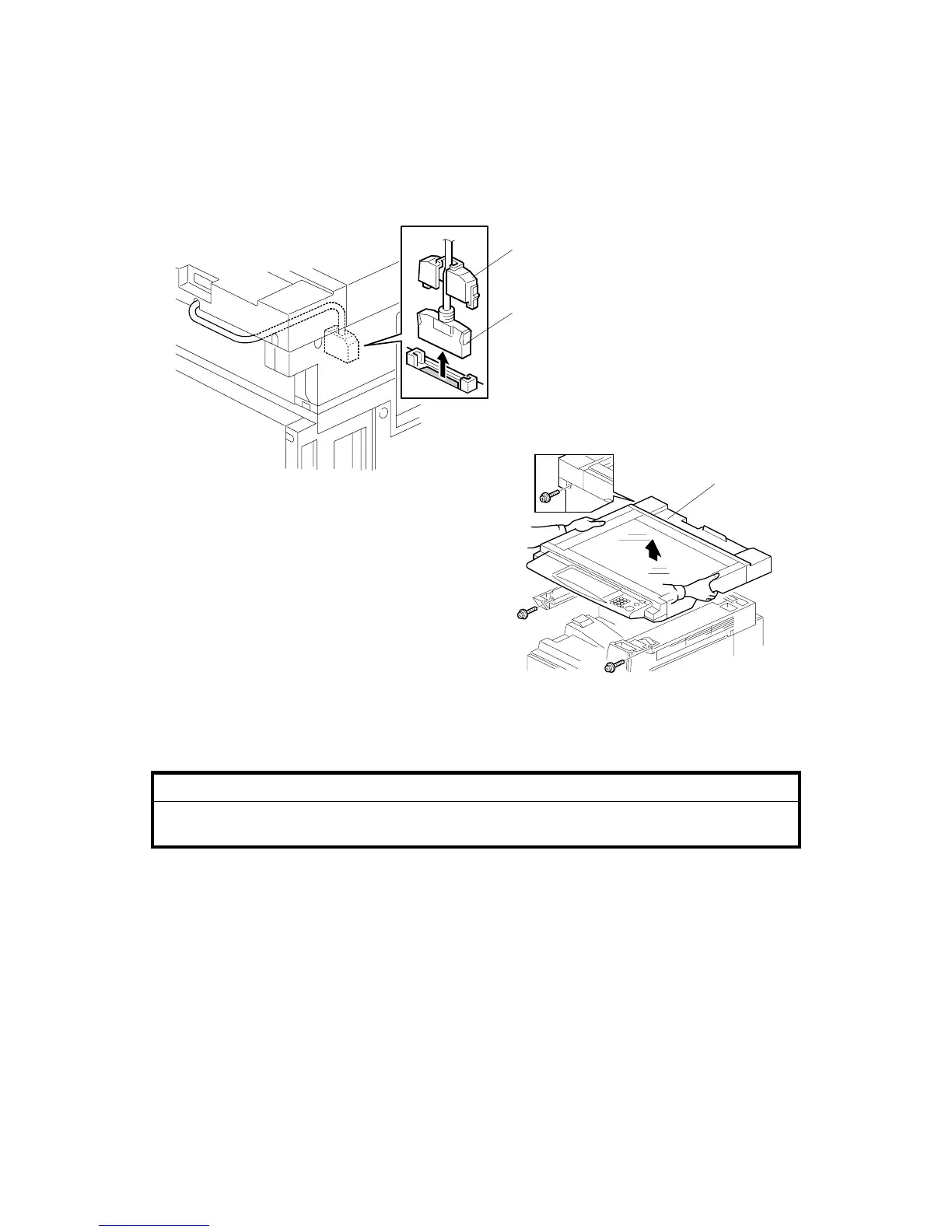
1. Remove Scanner Unit
NOTE: If the ARDF is installed, remove the ARDF before removing the
scanner unit.
• Remove the connector cover [A].
• Disconnect the scanner cable [B].
• Remove the scanner unit [C] (! x 3).
B544I114.WMF
B544I113.WMF
[A]
[B]
[C]












 To Next Page