1-BIN TRAY UNIT INSTALLATION (B544)
SM B291/B295/B296/B297
1-27
Installation
2. Unpack the 1-bin tray unit and remove the tapes.
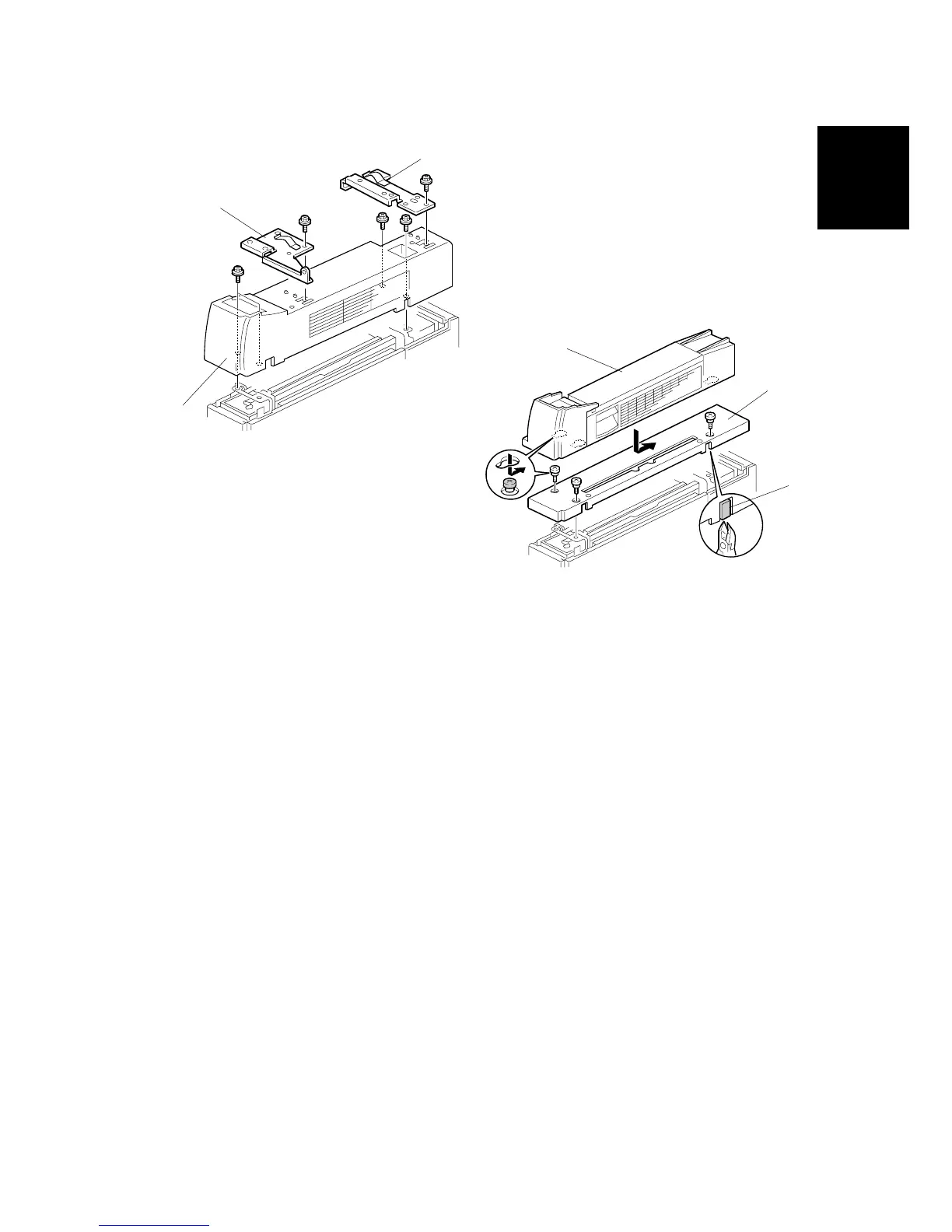
3. Remove the front bracket [A] (! x 1) and rear bracket [B] (! x 1) from the top of
the paper exit cover [C].
4. Remove the paper exit cover [C] (! x 4).
5. Cut away two covers [D] from the base cover [E].
6. Trim the edges so they are smooth.
7. Install the base cover [E] (! x 3: stepped screw).
8. Set the 1-bin tray unit [F] on the base cover and slide onto the heads of the
stepped screws.
B544I201.WMF
B544I102.WMF
[A]
[B]
[C]
[D]
[E]
[F]












 To Next Page