OVERVIEW
SM 25 D315
Printer/
Scanner Unit
D315
3. DETAILS
3.1 OVERVIEW
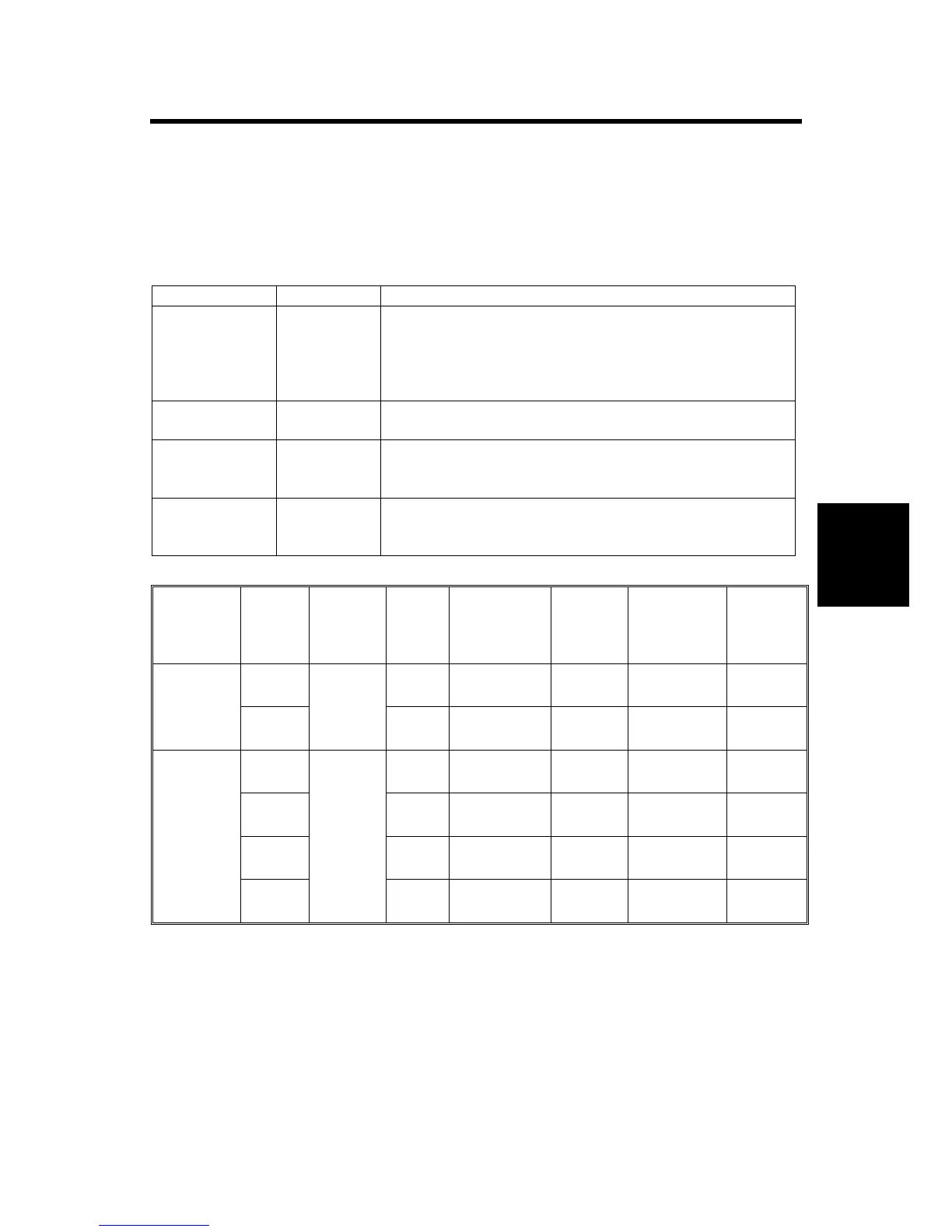
Enhanced and New Printer Features Table for the B291/B295/B296/B297.
The features enhanced for the previous series apply to the B291/B295/B296/B297
as well.
Feature Status Description
Sample Print Enhanced Outputs a single hard copy of the document so it can be
checked for errors or irregularities. If the sample copy
looks acceptable, the user can enter a number to print
additional copies. This feature can be used before
setting up large copy jobs.
Locked Print Enhanced Printing a document requires a password entry. This
feature is useful for protecting sensitive information.
Hold Print New Documents are stored on the printer HDD (similar to a
locked print) but printing does not require a password
entry.
Stored Print New Documents are stored on the printer HDD and printed
as needed. This is useful for documents that are printed
frequently (applications, catalogs, etc.)
Printer Features Comparison Table
Model Feature Storage
Capacity
Sort
by
User
ID
Multiple File
Print/Delete
Save at
Power
Off
File
Password
Save
After
Printing
Sample
Print
No No No Yes (4-digit)
No
B135/B138
Locked
Print
30*
1
No No No NO
No
Sample
Print
Yes Yes Yes Yes (4-8
digits)
No
Locked
Print
Yes Yes Yes No
No
Hold
Print
Yes Yes Yes No
No
B264/B265
B291/B295
B296/B297
Stored
Print
100*
1
Yes Yes Yes Optional (4-
8 digits)
Yes
*
1
Total number of files (includes all job types).












 To Next Page