DEVELOPMENT
B291/B295/B296/B297 3-38 SM
3.12 DEVELOPMENT
3.12.1 DEVELOPMENT UNIT
• Open the right upper cover and front cover.
• PCU. (! 3.11.1)
1. Spread paper on a clean flat surface that is free of pins, paper clips, staples,
screws or any other metal objects.
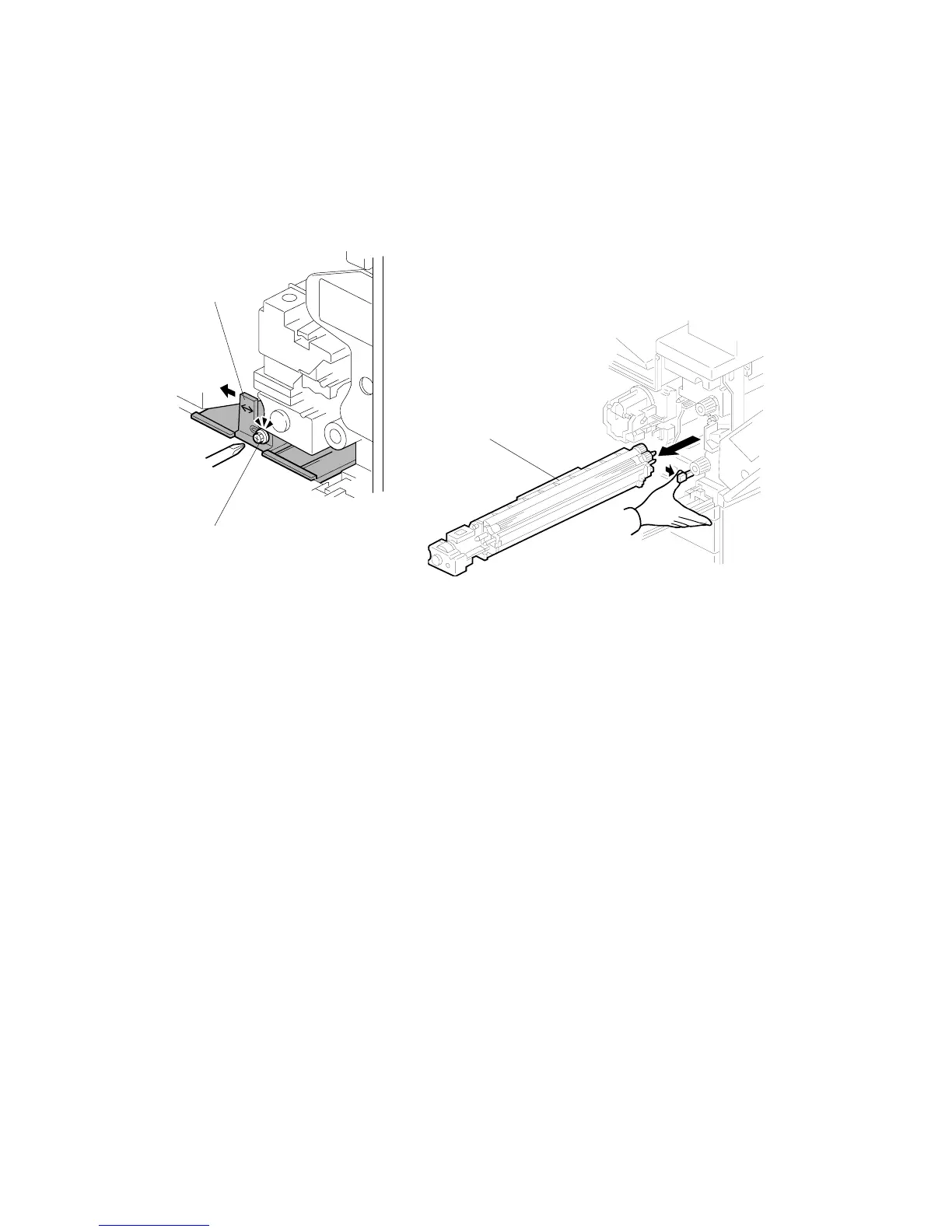
2. Loosen [A] (! x 1).
3. Push [B] slightly to the left.
4. Development unit [C]
NOTE: Pull slowly to avoid scratching or nicking the development roller.
5. Set the development unit on the spread paper.
6. If you are temporarily installing a used development unit for test purposes,
perform SP2-802-1 after installation. For more, see Section "5. Service Tables".
B195R942.WMF
B195R943.WMF
[A]
[B]












 To Next Page