FAX OPTION INSTALLATION PROCEDURE
SM 3 B779
Fax Option
B779
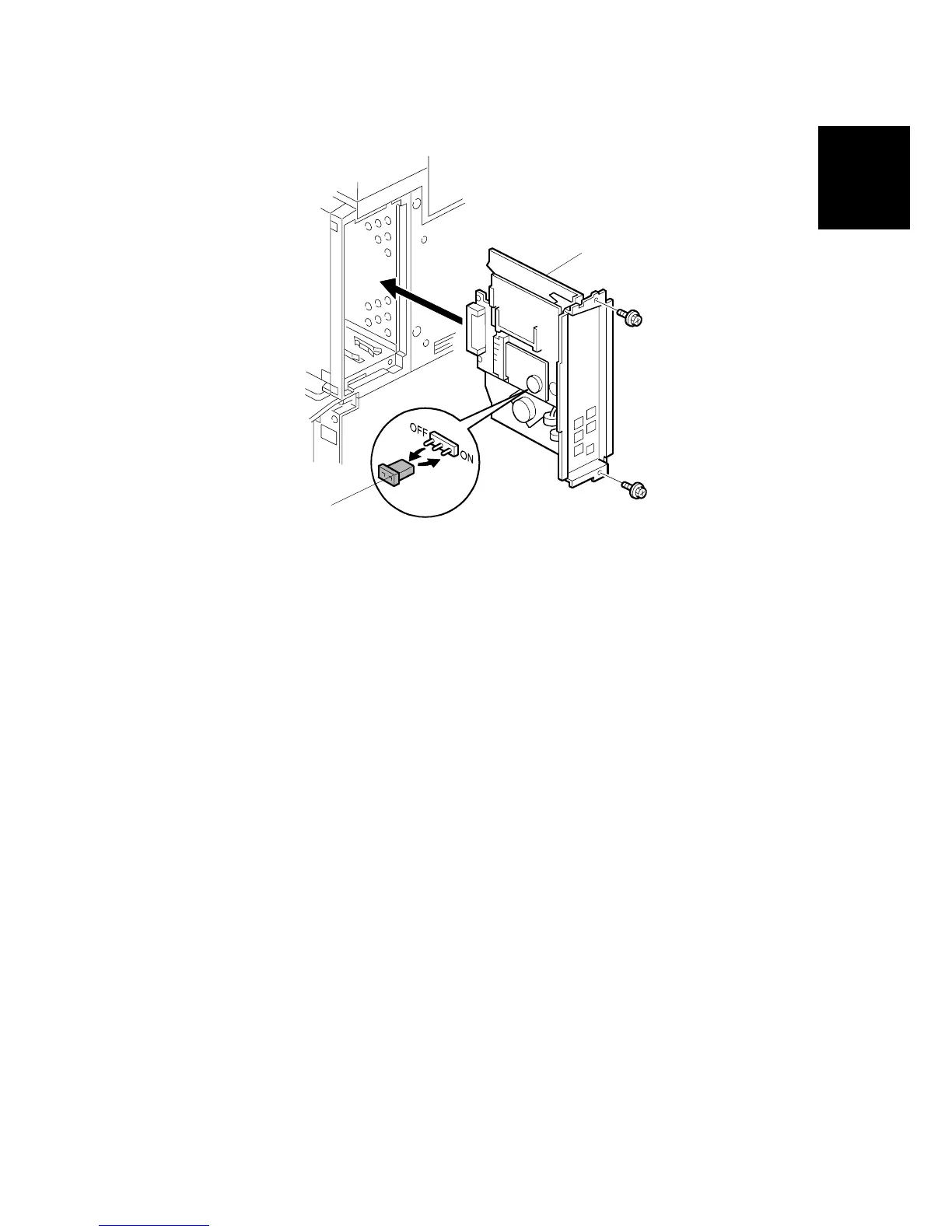
5. Remove the jumper [B] (set to OFF) and set it to ON.
6. If you are going to install one or two G3 Interface Units do this now.
• If you are installing one G3 board, go to page 1-7.
• If you are installing two G3 boards, go to page 1-8.
7. After installing the G3 board, slide the FCU board [A] into the right slot of the
expansion box.
8. Fasten the board with the screws ( x2).
NOTE: Make sure that the MBU is seated correctly. The machine will issue
SC819, SC820 if it is not seated correctly.
9. Re-install the controller board.
B779I103.WMF
[A]
[B]












 To Next Page