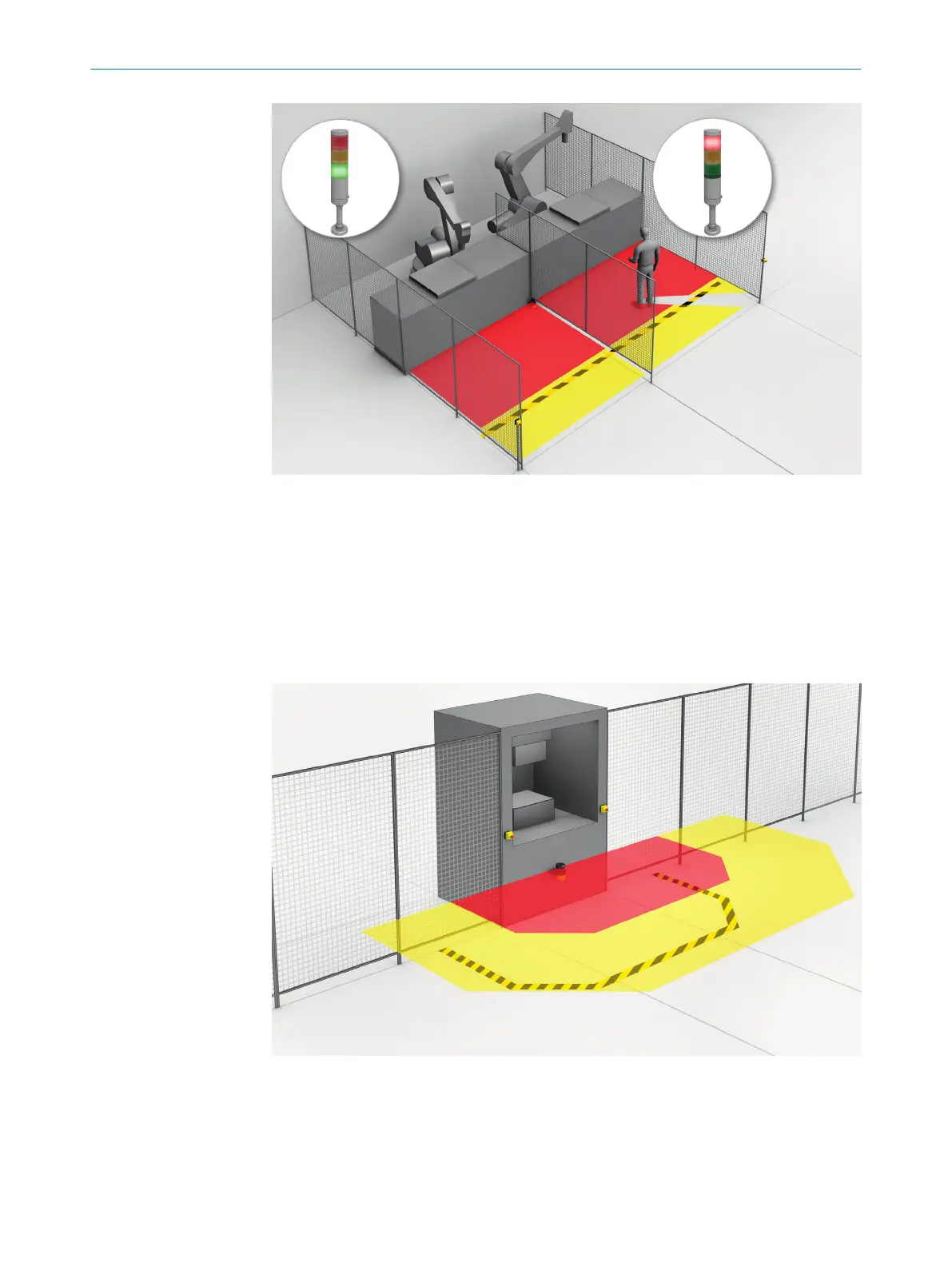
Figure 12: Simultaneous monitoring
3.4 Example applications
Hazardous area protection
In ha
zardous area protection, people are detected if they stay in a defined area.
This type of protective device is suitable for machines, where it is possible to see a
hazardous area completely from the reset pushbutton. When the hazardous area is
entered, a stop signal is triggered and starting is prevented.
Figure 13: Hazardous area protection: detection of the presence of a person in the hazardous
ar
ea
Hazardous point protection
In ha
zardous point protection, the approach is detected very close to the hazardous
point.
3 PRODUCT DESCRIPTION
22
O P E R A T I N G I N S T R U C T I O N S | microScan3 Pro I/O 8025424/1ELL/2022-01-21 | SICK
Subject to change without notice














 To Next Page