ITC Operating mode
5.5 Assigning device parameters
ITC V3, ITC V3 PRO
108 Operating Instructions, 03/2024, A5E42761061-AF
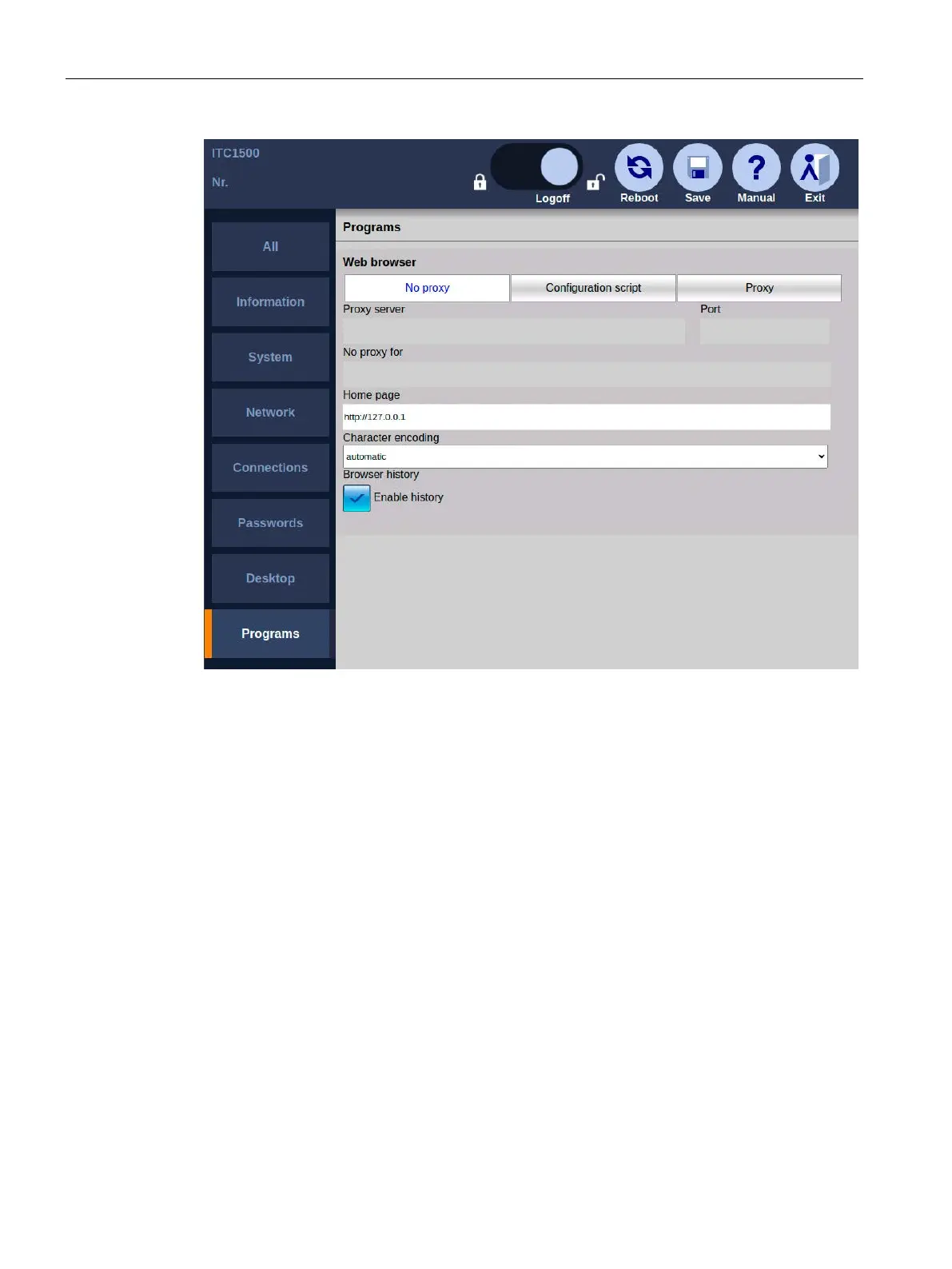
• If "Proxy" is selected: Enter the address of a central connection node in "Proxy" if your
network accesses the Internet from this connection node, e.g., in order to filter web
contents or make them available in the cache. In case of doubt contact your system
administrator.
• If "Configuration script" is selected: In "Configuration script", specify the address of a script
that picks out the appropriate proxy server for each web address. The configuration script
contains a JavaScript function with proxy specifications, e.g., for the case that a server
does not answer. The configuration script is provided by your network administrator.
• For addresses that you enter in "No proxy for", there is no proxy server request, and a
direct connection to the Internet or an intranet will be established instead. Use a comma
to separate multiple addresses (see "Proxy bypass").
• If "No proxy" is selected, there is no proxy server request, and a direct connection to the
Internet or an intranet will be established instead.
• Under "Port", specify the internal port at which the proxy server can be reached: The
default is 8080.
• In "Home page", specify an Internet address that will be called automatically when the
web browser starts.










 To Next Page