p2576 EPOS modulo correction modulo range
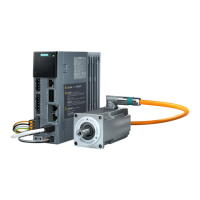
S200 Basic PN (EPOS
Lastseite r
otierend),
S200 PN (EPOS
Lastseite rotierend)
Data type: FloatingPoint32 Visible in: Standard display
Read permission: Read drive data or acknowledge messages
Write permission: Edit device congur
ation or driv
e applications
Can be changed in the operating
stat
e:
Ready for operation
Parameter group: Basic positioner, Mechanics, Actual position value preprocessing
Unit: °
Min:
0.0001 [°]
Max:
2.1474828e+09 [°]
Factory setting:
360.0000 [°]
Description: Sets the modulo range for axes with modulo correction.
Dependency: See also: c2577
c2577 EPOS modulo correction activation
Data type: Unsigned8 Visible in: S
tandard display
Read permission: Read drive data or acknowledge messages
Write permission: Edit device congur
ation or driv
e applications
Parameter group: Basic positioner, Mechanics, Actual position value preprocessing
Unit: -
Description: Signal to activate modulo correction.
Dependency: See also: p2576
Note
When the signal st
ate changes, this only becomes eective in the "ready for switching on" state.
Selecting modulo correction:
The actual position setpoint in the modulo range is corrected. The position actual value diers from the position setpoint
by the following error and can also leave the modulo range.
Deselecting modulo correction:
It is based on the actual position actual value.
c2578 EPOS negative software limit switch
Data type: FloatingPoint32 Visible in: S
tandard display
Read permission: Read drive data or acknowledge messages
Write permission: Edit device congur
ation or driv
e applications
Parameter group: Limit
Unit: mm
Description: Signal for the negative software limit switch.
Dependency: See also: c2579, p2580, p2581, c2582
NOTICE
A change to the software limit switch immediately becomes eectiv
e.
If the sof
tware limit switch is changed, then this results in the positions in the traversing blocks being checked.
Note
The following applies f
or the setting of the software limit switch:
Negative software limit switch < positive software limit switch
Appendix
A.3Parameters
SINAMICS S200 PROFINET servo drive system with SIMOTICS S-1FL2
794 Operating Instructions, 11/2023, FW V6.3, A5E51646752B AB



 To Next Page