Conf600 Plus Interface
12.5
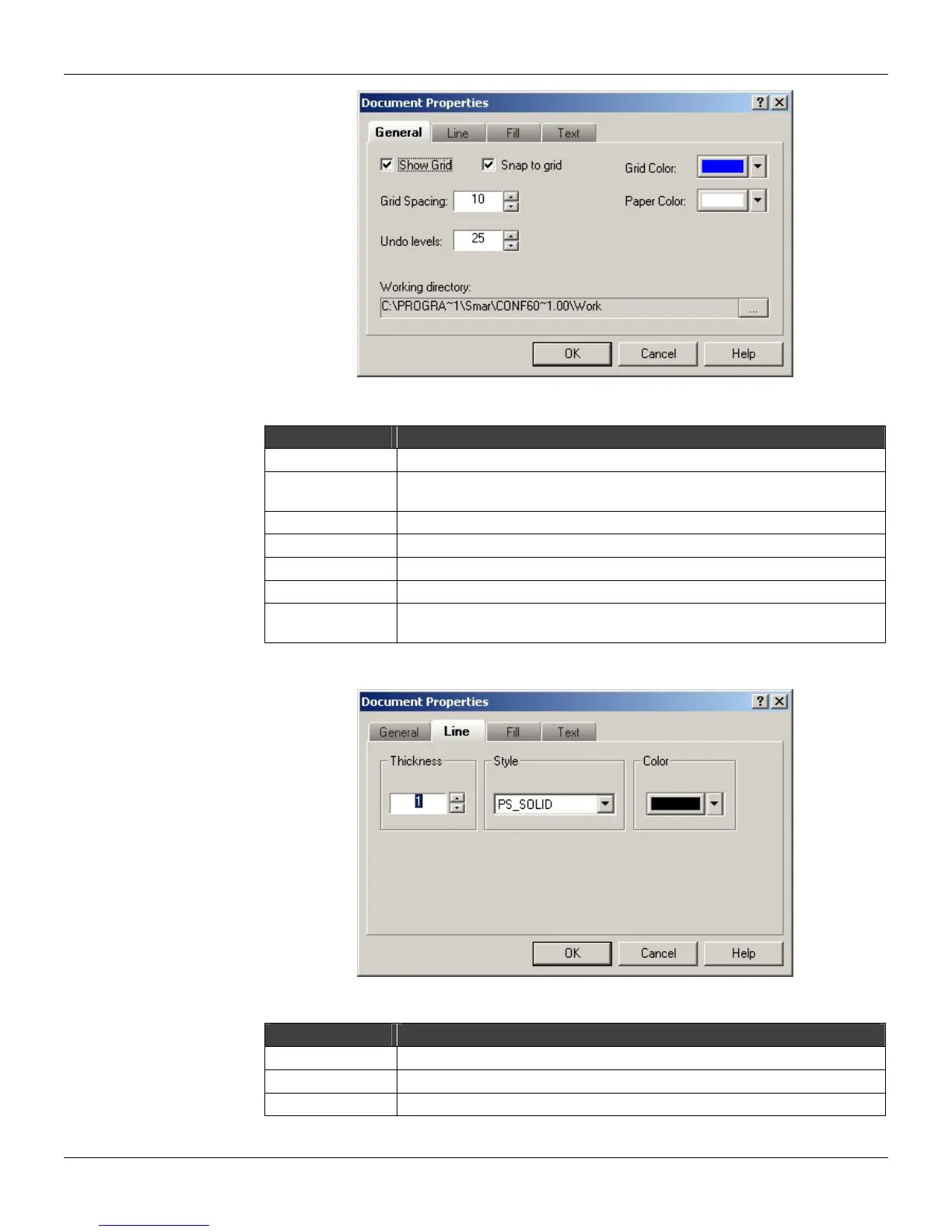
Figure 12.10 - Document Properties: General
Option Description
Show Grid Select this option to display the grid lines on the drawing area.
Snap to Grid
If this option is selected, objects will be drawn on the line grid. Otherwise,
objects will float on the drawing area.
Grid Spacing Set the grid line spacing.
Paper Color Set the paper background color.
Grid Color Set the grid lines color.
Undo levels Set the number of changes to that can be undone. (Maximum 100 changes)
Working Directory
Select the deault directory to be used after the upload to check if the
configuration file exists.
At the Line Attributes tab:
Figure 12.11 - Document Properties: Line Attributes
Option Description
Thickness Set the line thickness of the objects.
Style Set the line style of the objects: solid, dashed, dot, dash-dot, etc.
Color Set the line color of the objects.



 To Next Page