Programming
3.3
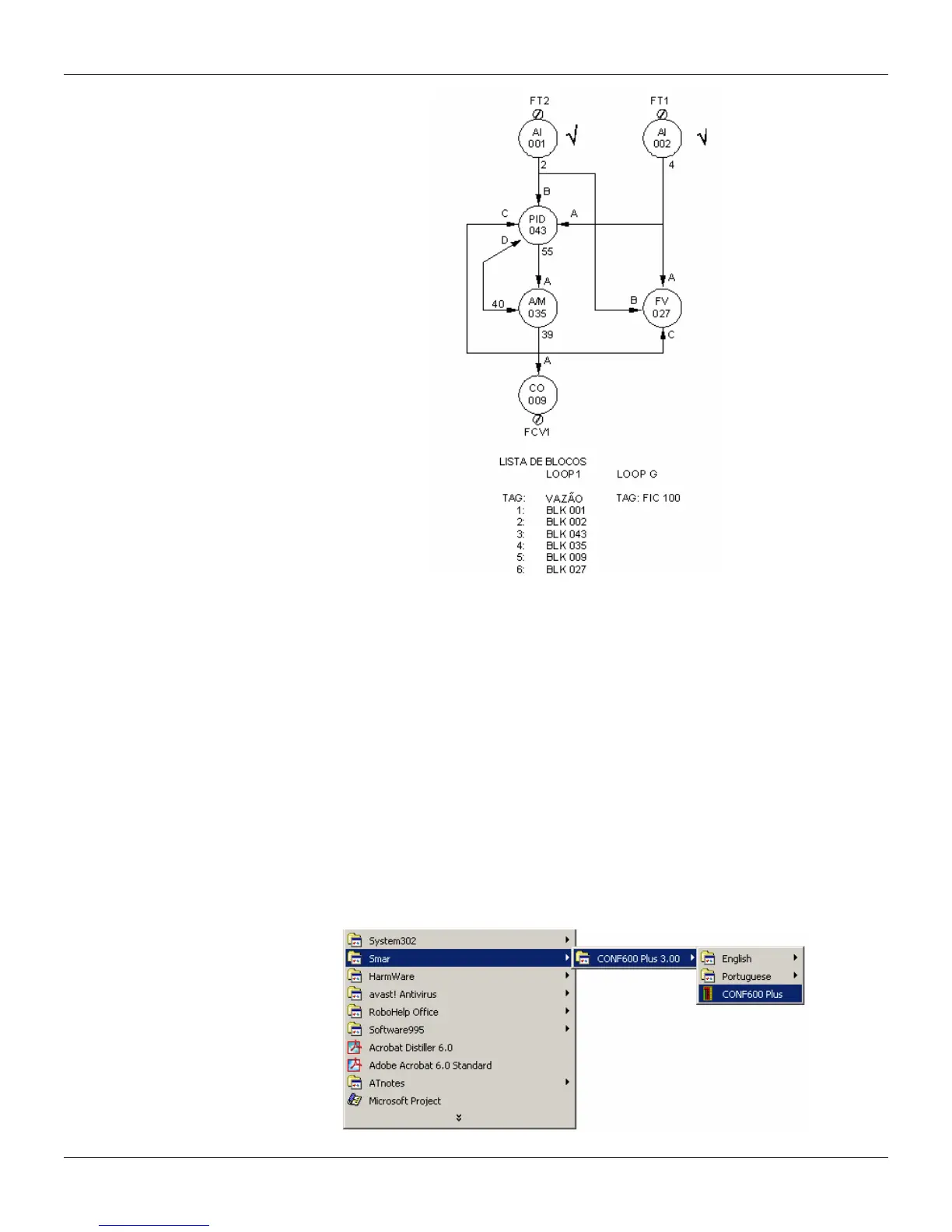
Figure 3.2. Configuration of a Control Loop
The procedures above described are used to configure the controller through the CONF600 Plus.
There will be only one loop in the new configuration. It is necessary to adjust the identification
address of the CD600 Plus.
A) Adjusting the identification address of the CD600 Plus:
• Press the <ACK> key in the front panel of the CD600 Plus and keep it pressed for a few
seconds until the display changes its message.
• Then, press the <ACK> and <DSP> keys together, the panel will show the controller’s ID
address.
• Adjust the numeric values on the display using the keys <Δ> or <∇>. When the address is “1”, it
means the controller only accepts communication from the Hand-Held Terminal. Addresses
from “2” to “30” are the addresses programmed for the controller on the serial communication
network.
• Click on the <LP> key to return to normal operation.
B) Starting up the CONF600 Plus:
• From the Start menu, open Programs > Smar > CONF600 Plus > CONF600 Plus.



 To Next Page