14215700-IG, Edition 8.0
April 2018, Original document
210
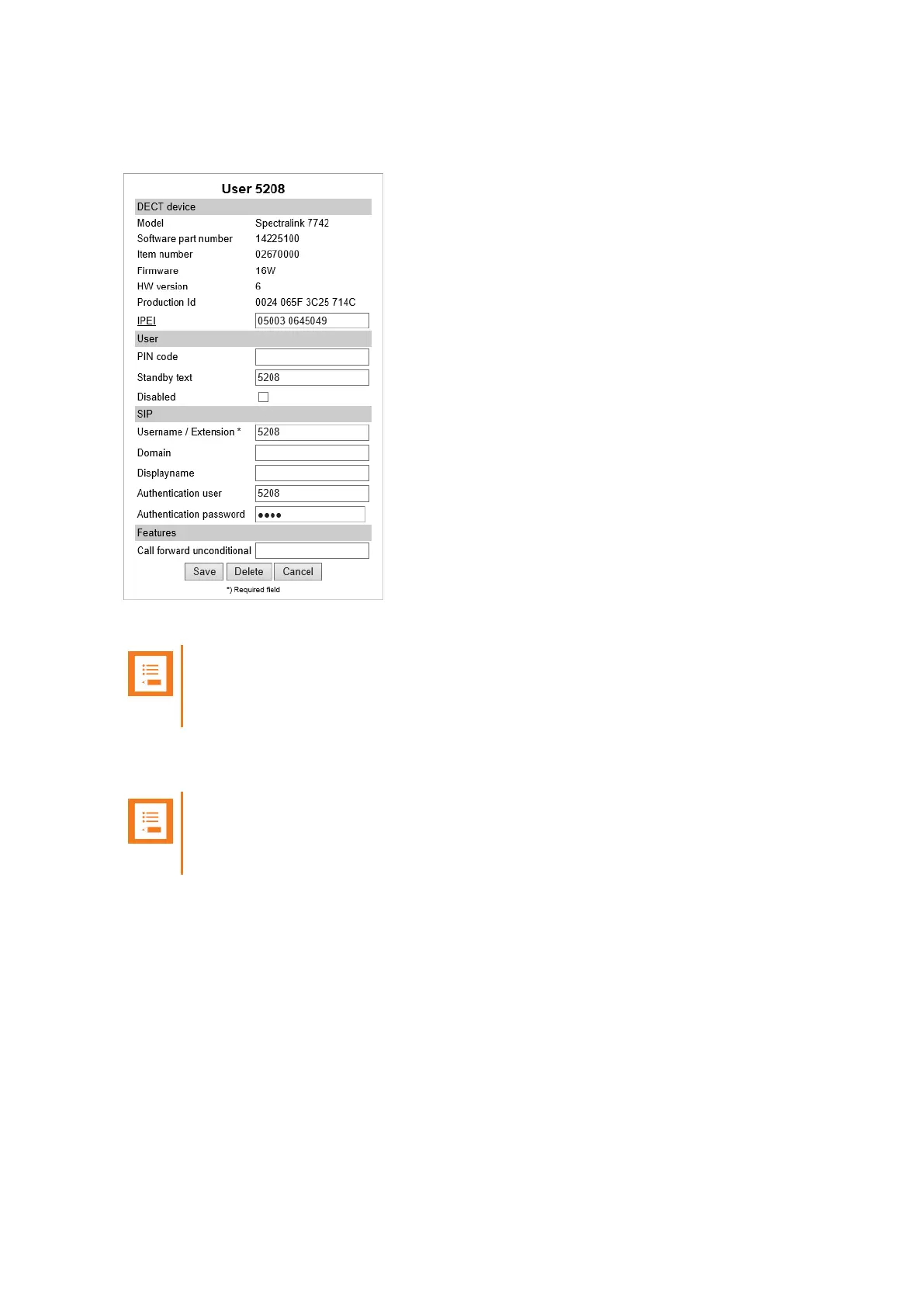
When clicking on a User under the List Users menu, you see that the User profile is very similar to
the User profile without Handset Sharing License installed. See image below.
The IPEI field is still there, now with a new IPEI link and optional new PIN code field.
Note:
You may fill the new PIN code field for added security to prevent other users from linking
a handset with your user profile.
When a user is linked to a handset, the IPEI link is active and can be clicked upon, and the IPEI text
field holds the IPEI number of the linked handset.
Note:
A User with no linked handset will show an inactive IPEI link and no IPEI number in the
IPEI text field.
Spectralink IP-DECT Server 200/400/6500 Installation and Configuration Guide



 To Next Page