Configure the prober project:
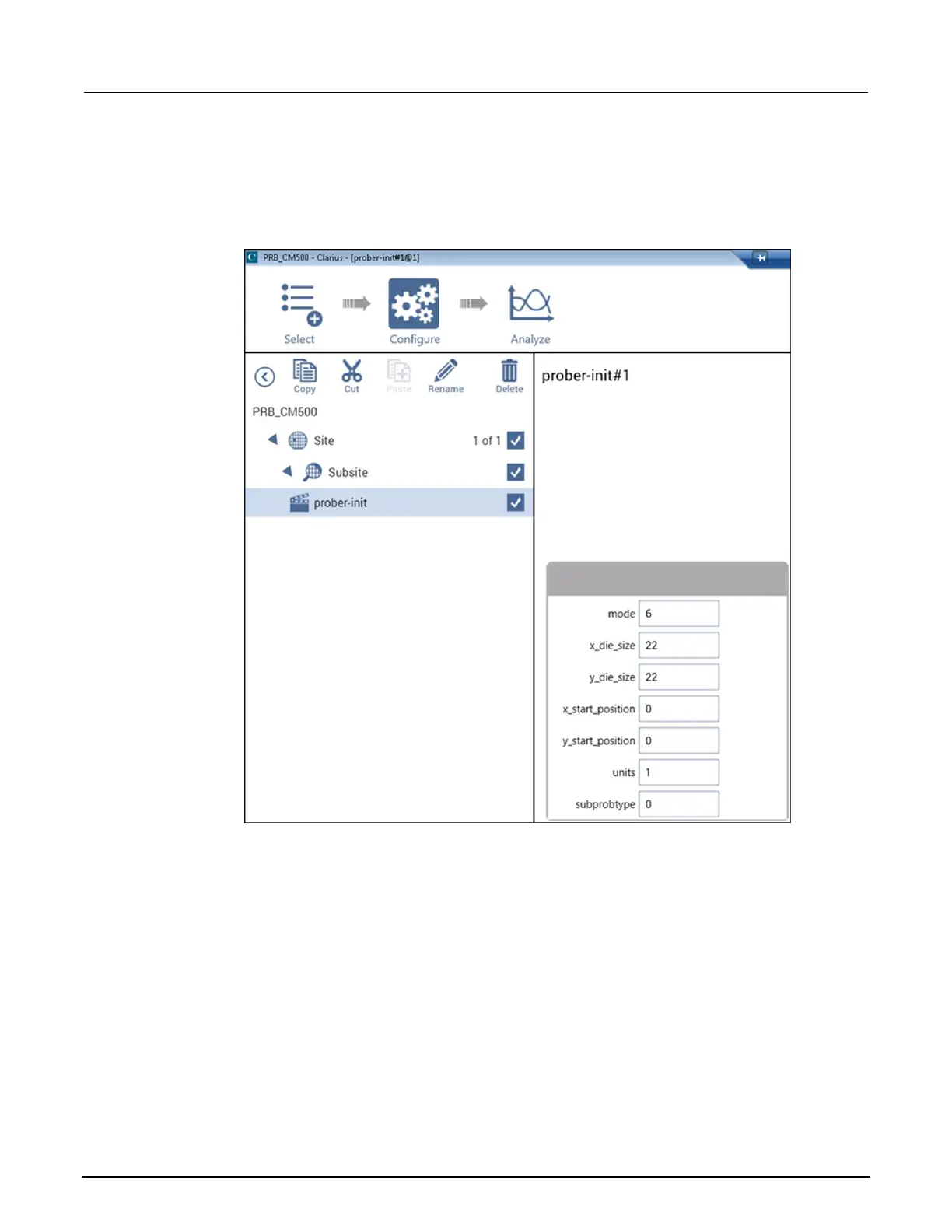
1. Select Configure. Make sure prober-init is selected in the project tree.
Figure 321: Set prober-init parameters
2. Set the mode to 6.
3. Set the xdie_size and ydie_size for your wafer.
4. Set units to either 0 for English or 1 for metric.
5. Check the subprobtype. If the CM500 prober is presently not at its first site, set subprobtype to
1; otherwise, set it to 0.
Set up actions:
1. In the project tree, select Subsite.
2. Choose Select.
3. Select the Actions library.
4. Add the Prober Chuck Position (prober-contact) action twice.



 To Next Page
 Loading...