Model 100E Instruction Manual Operating Instructions
045150102 Rev XB1 117
6.10.3. Remote iDAS Configuration
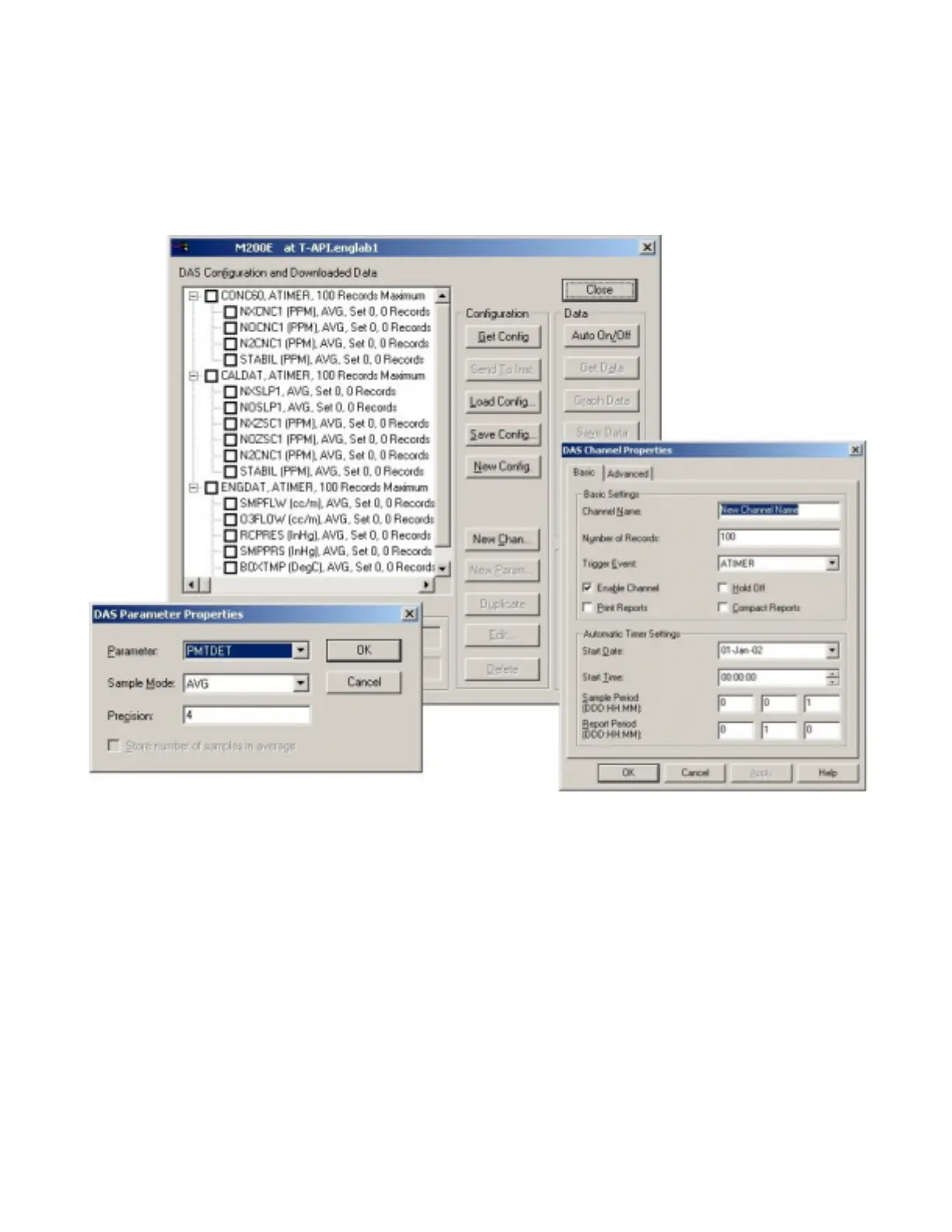
Editing channels, parameters and triggering events as described in this section is can be
performed via the APICOM remote control program using the graphic interface shown in
Figure 6-8. Refer to the next Section 6.11 for details on remote access to the M100E
analyzer.
Figure 6-8: APICOM user interface for configuring the iDAS.
Once an iDAS configuration is edited (which can be done offline and without interrupting
DAS data collection), it is conveniently uploaded to the instrument and can be stored on
a computer for later review, alteration or documentation and archival. Refer to the
APICOM manual for details on these procedures. The APICOM user manual (T-API part
number 039450000) is included in the APICOM installation file, which can be downloaded
at http://www.teledyne-api.com/software/apicom/.
Although T-API recommends the use of APICOM, the iDAS can also be accessed and
configured through a terminal emulation program such as HyperTerminal (Figure 6-9).
However, all configuration commands must be created following a strict syntax or be
pasted in from of a text file, which was edited offline and then uploaded through a
specific transfer procedure.



 To Next Page