Model 100E Instruction Manual Theory Of Operation
045150102 Rev XB1 191
10.6.1. Front Panel Interface
POWER
FAULT
CAL
SAMPLE
UV FLUORESCENCE SO2 ANALYZER - MODEL 100E
ADVANCED POLLUTION INSTRUMENTATION, INC.
MODE FIELD
KEY
DEFINITIONS
MESSAGE FIELD
CONCENTRATION FIELD
STATUS
LED’s
KEYBOARD
ON / OFF
SWITCH
FASTENER
FASTENER
HINGE
SAMPLE RANGE=500.000 PPB SO2 =X.XXX
< TST TST > CAL SETUP
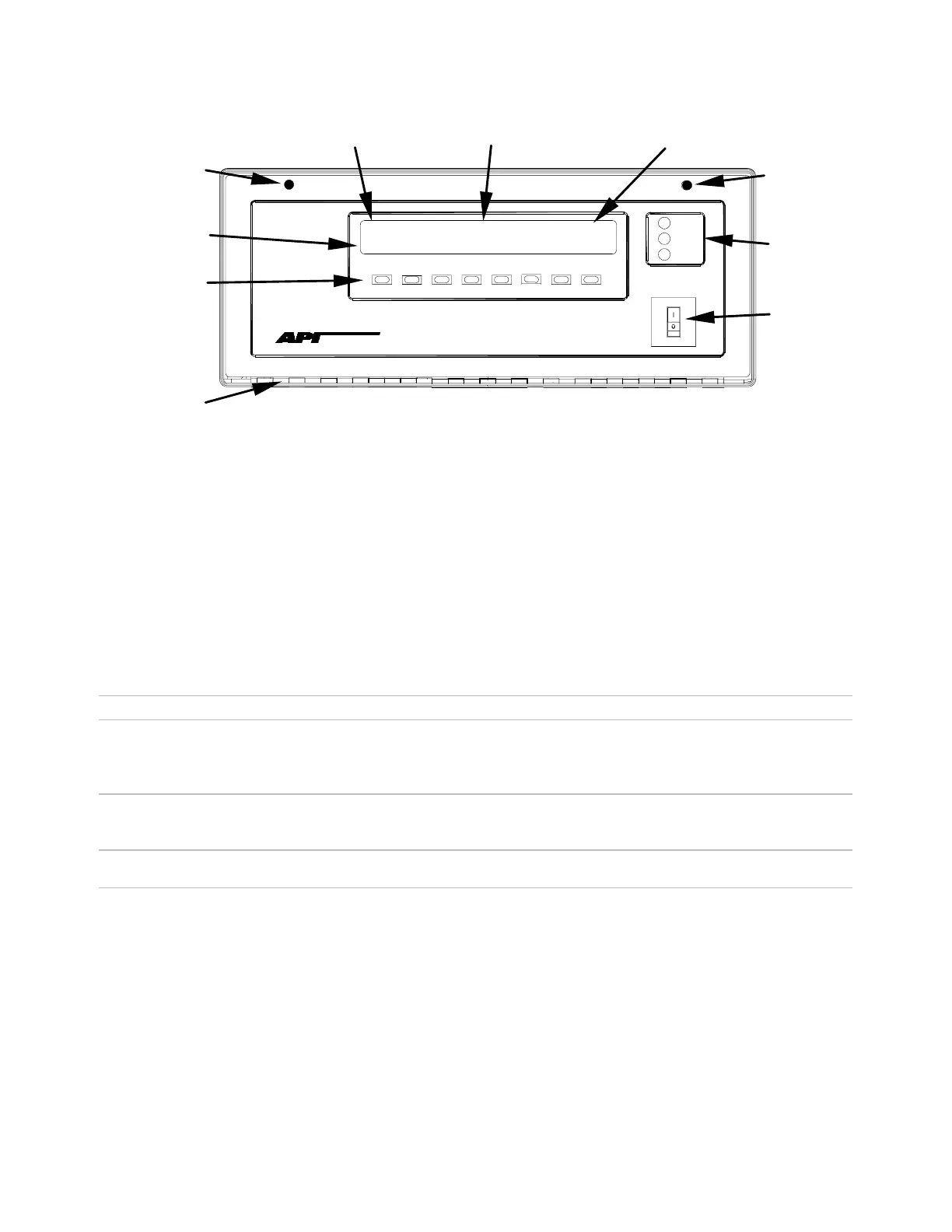
Figure 10-20: M100E Front Panel Layout
The most commonly used method for communicating with the M100E UV Fluorescence
SO2 Analyzer is via the instrument’s front panel which includes a set of three status
LEDs, a vacuum florescent display and a keyboard with 8 context sensitive keys.
10.6.1.1. Analyzer Status LED’s
Three LEDS are used to inform the user of the instruments basic operating status
Table 10-2: Front Panel Status LED’s
Name Color State Definition
SAMPLE Green Off
On
Blinking
Unit is not operating in sample mode, iDAS is disabled.
Sample Mode active; Front Panel Display being updated, iDAS data being stored.
Unit is operating in sample mode, front panel display being updated, iDAS hold-off
mode is ON, iDAS disabled
CAL Yellow Off
On
Blinking
Auto Cal disabled
Auto Cal enabled
Unit is in calibration mode
FAULT Red Off
Blinking
SO
2
warnings exist
Warnings exist
10.6.1.2. Keyboard
A row of eight keys just below the vacuum florescent display (see Figure 10-20) is the
main method by which the user interacts with the analyzer. As the software is operated,
labels appear on the bottom row of the display directly above each active key, defining
the function of that key as it is relevant for the operation being performed. Pressing a
key causes the associated instruction to be performed by the analyzer.
Note that the keys do not auto-repeat. In circumstances where the same key must be
activated for two consecutive operations, it must be released and re-pressed.



 To Next Page