Model 100E Instruction Manual Operating Instructions
045150102 Rev XB1 83
Similar to the voltage calibration, the software allows this current adjustment to be made
in 100, 10 or 1 count increments. Since the exact current increment per voltage count
varies from output to output and from instrument to instrument, you will need to
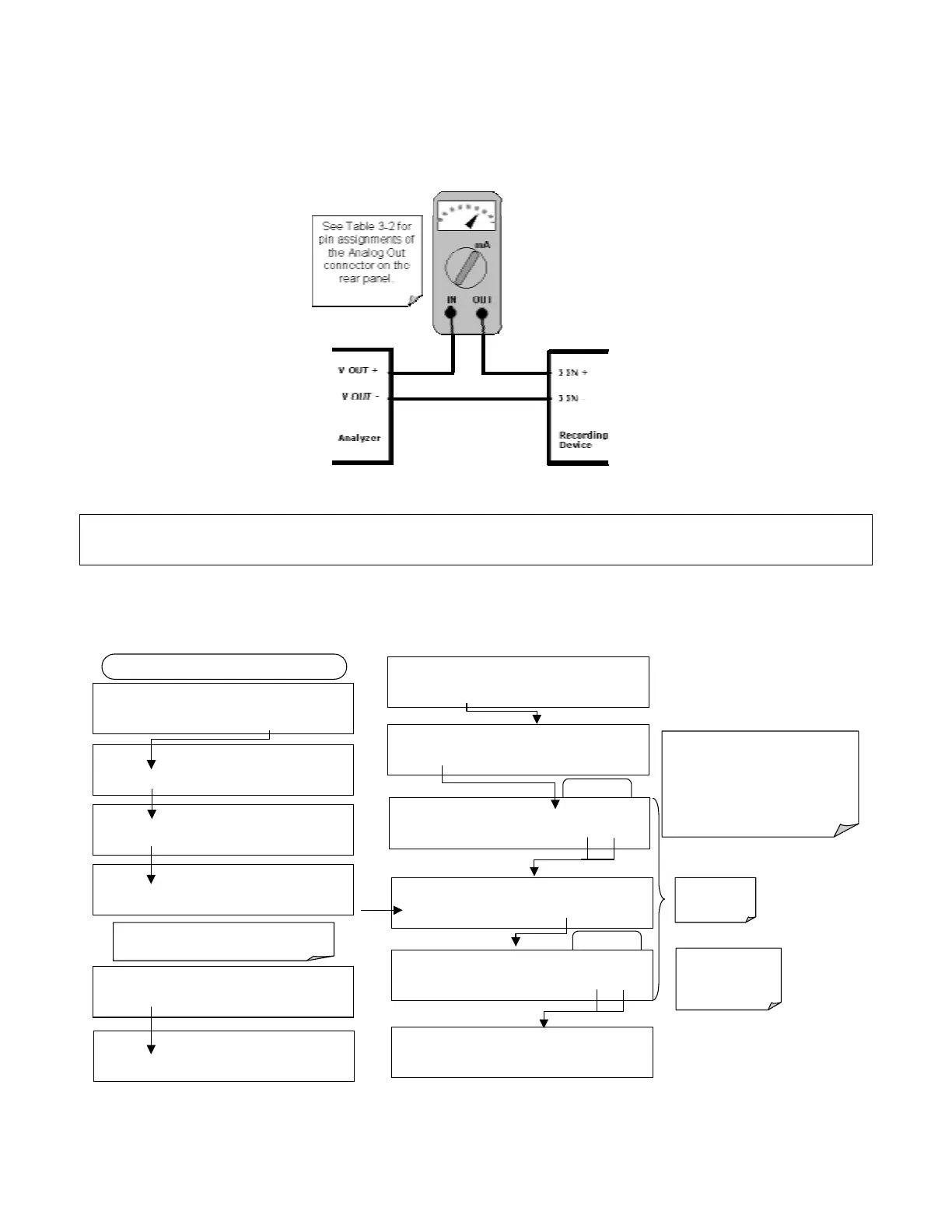
measure the change in the current with a current meter placed in series with the output
circuit (Figure 6-3).
Figure 6-3: Setup for Calibrating Current Outputs
NOTE
Do not exceed 60 V between current loop outputs and instrument ground.
To adjust the zero and span values of the current outputs, activate the ANALOG I/O
CONFIGURATION MENU (see Section 6.7.1), then press:
EXAMPLE
DIAG ANALOG I / O CONFIGURATION
PREV NEXT ENTR EXIT
DIAG AIO AIN A/C FREQUENCY: 60 HZ
SET> EDIT EXIT
DIAG AIO AOUT CALIBRATED: NO
< SET SET> CAL EXIT
FROM ANALOG I/O CONFIGURATION MENU
DIAG AIO CONC_OUT_2 RANGE: CURR
<SET SET> EDIT EXIT
DIAG AIO CONC_OUT_2 CALIBRATED: NO
< SET CAL EXIT
DIAG AIO CONC_OUT_2 ZERO: 0 mV
U100 UP10 UP DOWN DN10 D100 ENTR EXIT
DIAG AIO CONC_OUT_CURR, NO CAL
< SET SET> EDIT EXIT
Press SET> to select the analog output channel
to be configured:. Then press EDIT to continue
DIAG AIO AIN CALIBRATED: NO
SET> EDIT EXIT
ENTR returns
to the previous
menu.
Increase or decrease the current
output by 100, 10 or 1 counts. The
resulting change in output voltage is
displayed in the upper line.
Continue adjustments until the correct
current is measured with the current
meter.
DIAG AIO CONC_OUT_2 ZERO: 27 mV
U100 UP10 UP DOWN DN10 D100 ENTR EXIT
EXIT ignores the
new setting, ENTR
accepts the new
setting.
DIAG AIO CONC_OUT_2 CALIBRATED: YES
< SET CAL EXIT
DIAG AIO CONC_OUT_2 SPAN: 10000 mV
U100 UP10 UP DOWN DN10 D100 ENTR EXIT
EXAMPLE
DIAG AIO CONC_OUT_2 ZERO: 9731 mV
U100 UP10 UP DOWN DN10 D100 ENTR EXIT



 To Next Page