X35 Monitor Air Seeder Setup
6.15
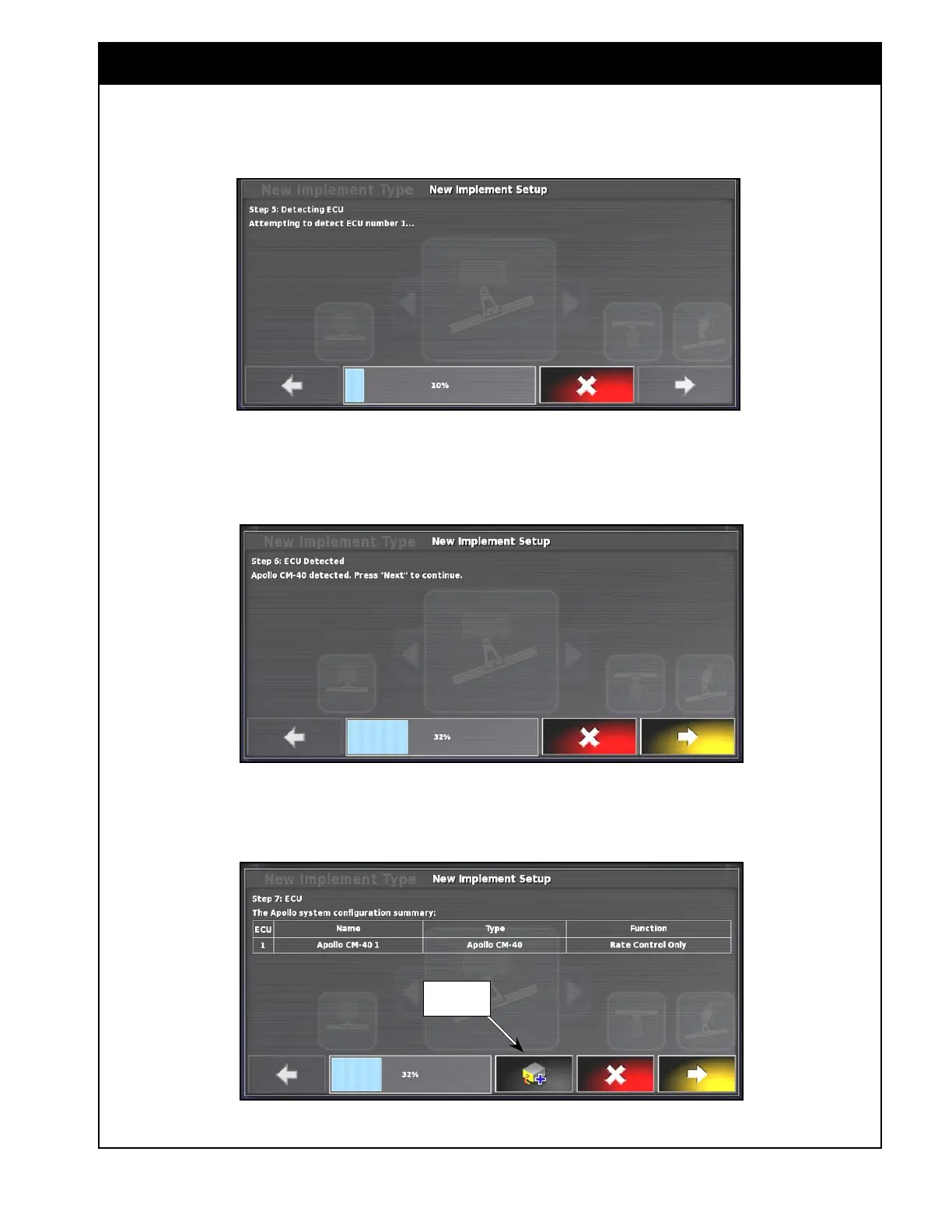
Figure 6.17 - Detecting ECU #1
b. Press the right arrow and the X35 will try to detect the main ECU. Refer to Figure 6.17.
c. Once detected, the X35 will confirm that in the new window. Refer to
Figure 6.18
d. Press next to continue.
add ECU
button
Figure 6.19 - Apollo System Configuration Summary
e. The next window will display the Apollo system configuration summary. Refer to Figure 6.19.
Figure 6.18 - ECU Detected


 To Next Page
 Loading...

