X35 ConsoleOverview
2.10
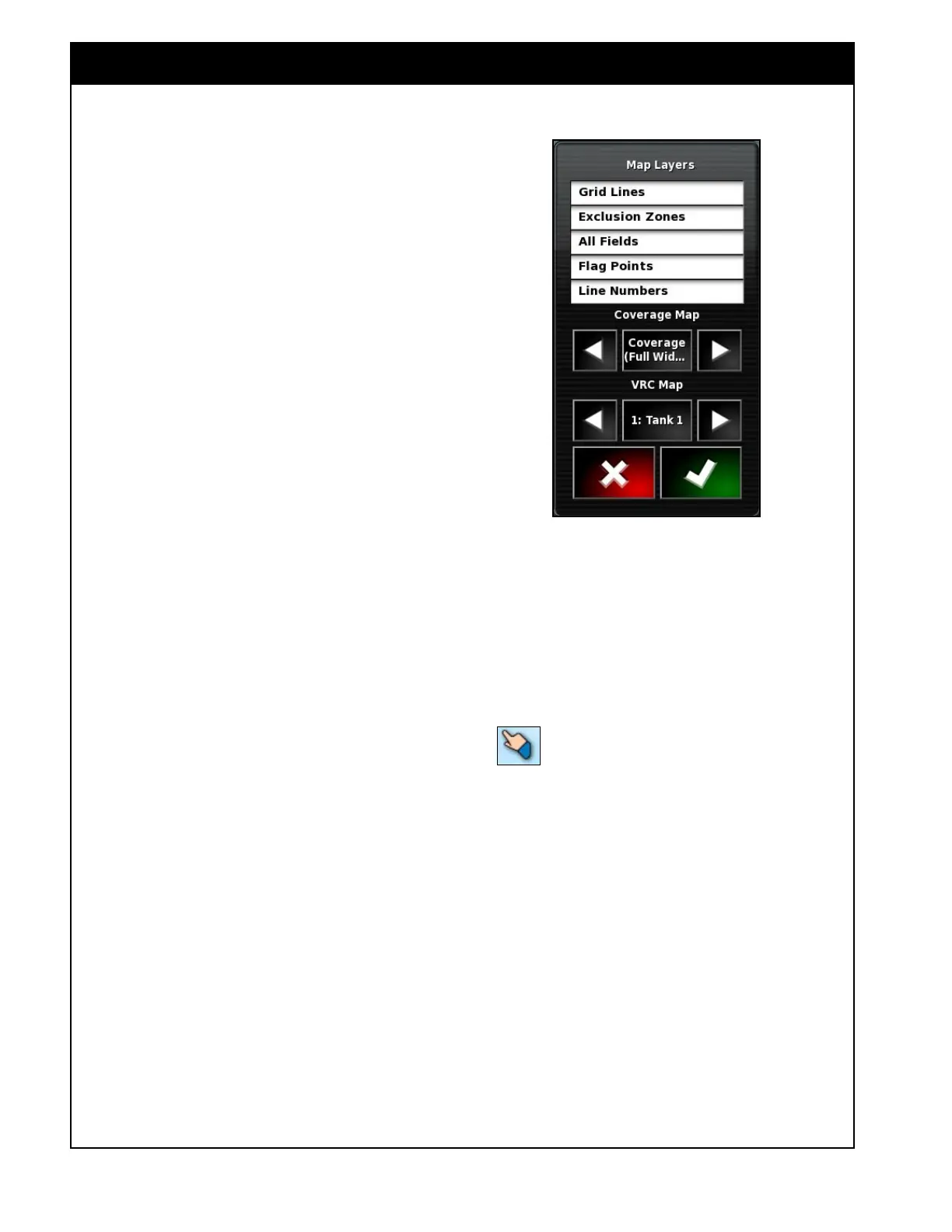
D Map Layers - in this window you can select
what will be displayed in the main area of the
guidance screen, refer to Figure 2.14. The
selected items will have white background.
There are several layers available:
i. Grid Lines - will display grid lines on the
guidance screen.
ii. Exclusion Zones - will display zones,
where product will not be applied.
iii. All Fields - will display boundaries of the
fields, that are adjacent to the field being
worked on.
iv. Flag Points - will display obstacles and
other items on the field.
v. Line Numbers - will display all steering
guidelines.
vi. Coverage Map - allows you to select
which coverage layer will be displayed
on the guidance screen. Each layer maps
the coverage for the corresponding boom
or the applied rate for each tank or Down
Force if equipped. The ASC control
for each product or drill lift/lower will
be controlled based on their respective
coverage layer. The options will depend
on the configuration of your machine.
a. Coverage (Full Width)
b. Coverage (Granular)
c. Coverage (Liquid or NH3)
d. Coverage (Drill Control)
e. Tank Rate (includes layer for each
tank enabled)
f. Down Force
If an Applied Rate layer is selected a rate
legend will be displayed on the guidance
screen (refer to item F).
vii. VRC Map - will display a VRC map (if
Variable Rate Control has been set up with
a X35 controller and has been enabled)
The VRC map for a specific tank can be
selected using left and right arrows.
Figure 2.14 - Map Layers
E. Selection Mode - by pressing and holding
for half a second on the guidance screen you
enter the selection mode then by sliding your
finger over features such as boundaries and
flag points you can view info on them and if
you release over them you bring up an edit
window.
The pointer in the top panel is
highlighted when in selection mode.



 To Next Page