7: PATHPILOT TOOLS AND FEATURES
5. If you saved the backup .zip file on the PathPilot
controller, you must manually transfer it — along with
other files you want to back up (like G-code programs)
— to a USB drive. From the PathPilot interface, on the
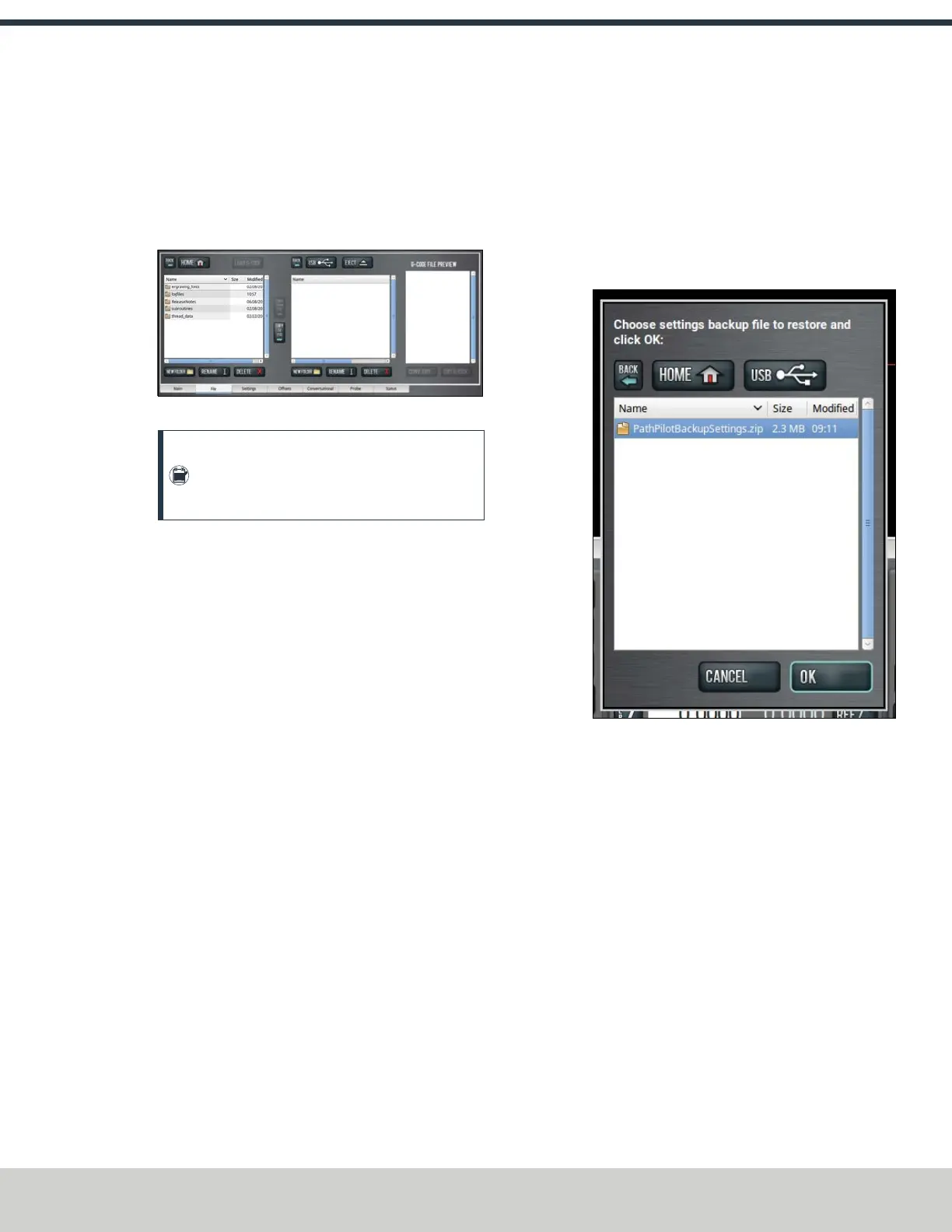
File tab, in the Controller Files window, select the
backup .zip file and any other files you want to back up.
Figure 7-97: Controller Files window on the File tab.
Note: Files must have unique names. If they
don't, PathPilot prompts you to overwrite or
rename files, or cancel the file transfer.
6. To prevent errors, make sure you don't include the
following folders:
l logfiles
l media
l ReleaseNotes
l subroutines
l USB
7. Select Copy to USB.
The files are copied and display in the USBFiles window.
8. Eject the USB drive from the PathPilot controller.
9. From the PathPilot interface, select Exit.
10. Verify that all files are properly saved: insert the USB
drive on a device other than the PathPilot controller, and
review the list of files on the USB drive.
11. (Optional) As an extra precaution, copy all the files onto
the device.
About Backup Files
Make a regular backup of all tool offset and fixture information
and machine settings stored on your PathPilot controller. Store
the file externally to use if you replace your controller or
restore it to factory settings.
7.6.3 Restore Backup Files
1. Insert the USBdrive with your backup files into the
PathPilot controller.
2. From the PathPilot interface, on the Main tab, in the
MDI Line DROfield, type ADMIN SETTINGS
RESTORE. Then select the Enter key.
The Admin Settings Restore dialog box displays.
Figure 7-98: Admin SettingsRestore dialog box.
3. From the Admin SettingsRestore dialog box, navigate to
the backup .zip file on the USB drive, and then select OK.
The PathPilot operating system restores the backup, then
restarts.
©Tormach® 2024
Specifications subject to change without notice.
Page 157 UM10811: 1500MX Operator's Manual (Version 0424A)
For the most recent version, see tormach.com/support



 To Next Page