1.6.2 Setup Mode (Mode 2)
It's the machine owner's responsibility to verify that only
personnel who are trained in operation, maintenance, or both
shall access setup mode. Setup mode is intended only for
qualified machinery operators and maintenance professionals,
and only to set up a program or do maintenance procedures.
When you're not using setup mode, you must verify that the
machine is in run mode.
l
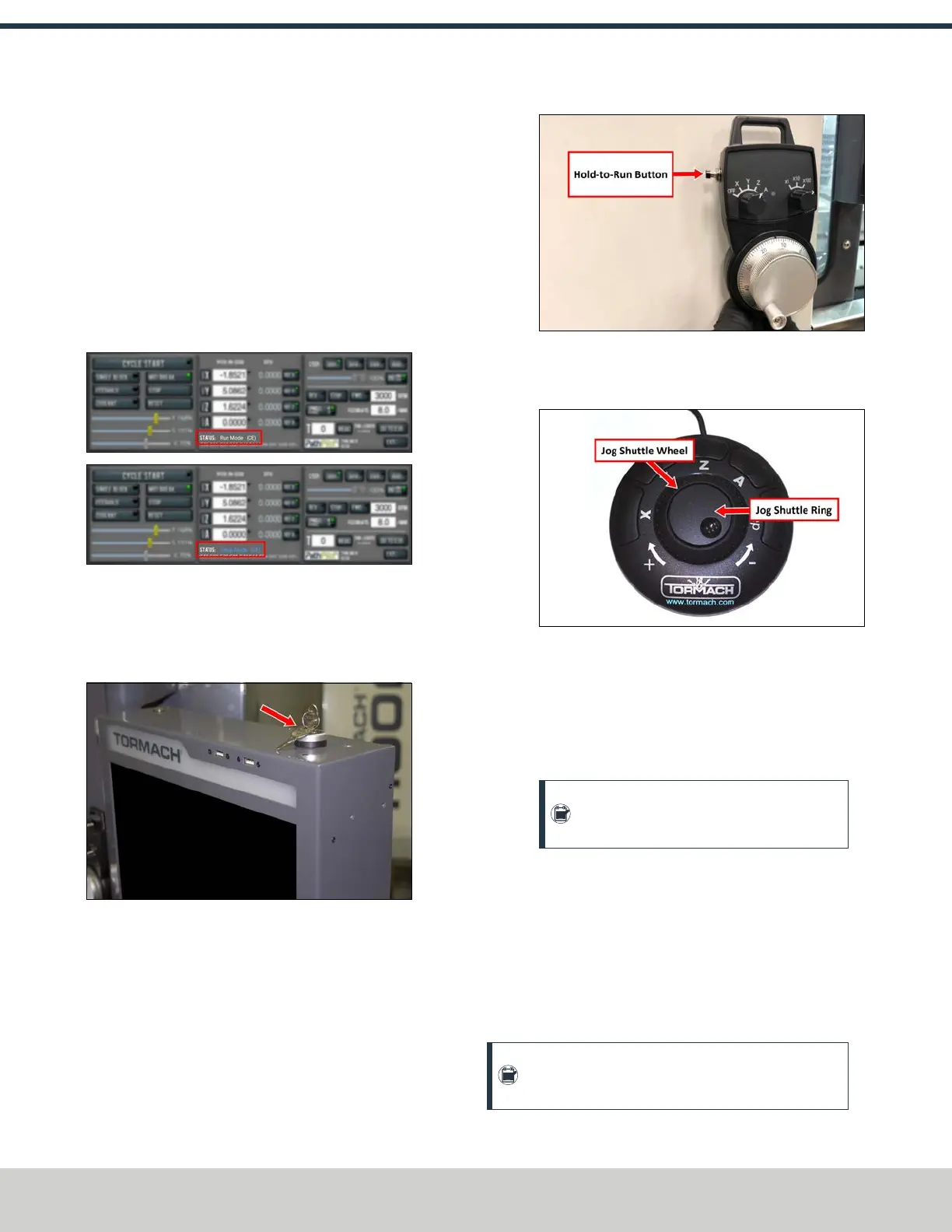
Mode Identification To identify which mode the
machine is in, read the Status read-only DRO field.
Figure 1-5: PathPilot indicates the controller's current
mode.
l
Key Use To access setup mode, you must have a key.
Use the key on the top of the operator console to switch
between modes.
Figure 1-6: Setup mode key in the operator console.
l
Hold-to-Run Device Use For machine motion to occur
in setup mode, you must use a hold-to-run device. Hold-
to-run devices include:
o
The button on the side of the operator console's
pendant.
Figure 1-7: Hold-to-run button on the pendant.
o
The jog shuttle wheel (the outer portion), which
springs back to neutral when you release it.
Figure 1-8: Jog shuttle components.
l
Machine Motion Restrictions When the enclosure
doors are open, and the machine is in setup mode,
machine motion is restricted:
o
Maximum Feed Rate 2 m/min, on a maximum of
one axis, with a hold-to-run device.
Note: To jog an axis with the keyboard, also
use a hold-to-run device.
o
Maximum Spindle Speed 700 rpm with a hold-to-
run device.
1.6.3 Mode Constraints
Both operating modes restrict some machine activities while
the enclosure doors are open. To understand how to use the
machine with the enclosure doors open, read the following
table.
Note: This table assumes that the enclosure door is
open and stays open during each activity.
©Tormach® 2024
Specifications subject to change without notice.
Page 26 UM10811: 1500MX Operator's Manual (Version 0424A)
For the most recent version, see tormach.com/support
1: SAFETY



 To Next Page