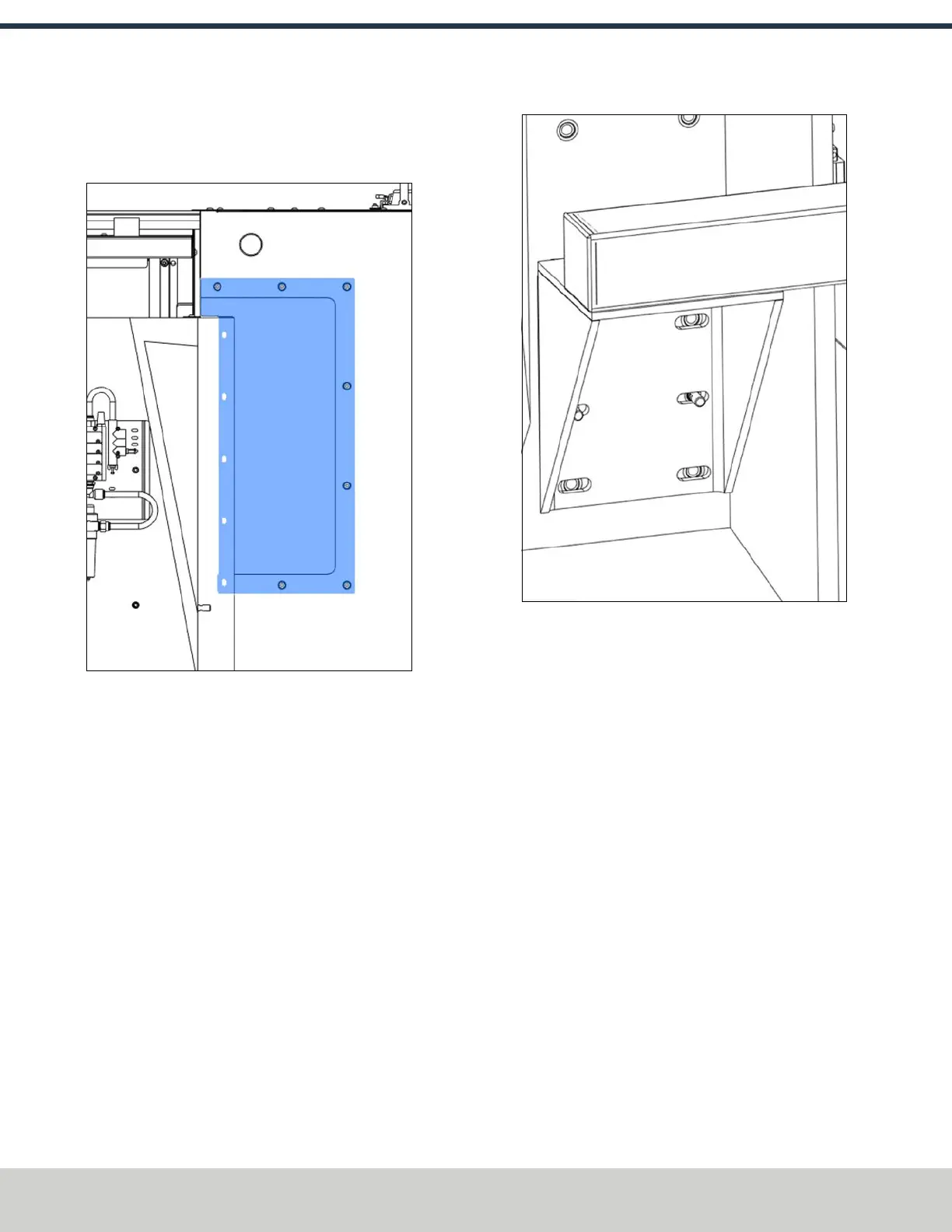
4. If the machine's enclosure is already installed, remove
the 7 screws securing the ATC panel to the enclosure
with a 4 mm hex wrench.
Figure 4-109: ATC panel on the machine's enclosure.
5. Find the column mount that you set aside earlier. Then,
put the column mount on the 10 mm standoffs, making
sure that they're centered within the column mount's
holes.
Figure 4-110: Column mount on the 10 mm slide pins.
6. Align the standoffs in the central slots of the column
mount.
7. From the accessory kit, and remove the four washers
and M12 × 30 mm screws. Attach the mount to the
column with the hardware and 10 mm hex wrench. Wait
to fully tighten the screws until the mount is completely
aligned.
Assemble the ATC
1. Install the pneumatic actuator on the slide plate with
two M6 × 10 mm screws and a 12 mm hex wrench.
Make sure the pneumatic fittings point toward the back
of the ATC. (screws in the accessory bag)
©Tormach® 2024
Specifications subject to change without notice.
Page 70 UM10811: 1500MX Operator's Manual (Version 0424A)
For the most recent version, see tormach.com/support
4: INSTALLATION



 To Next Page