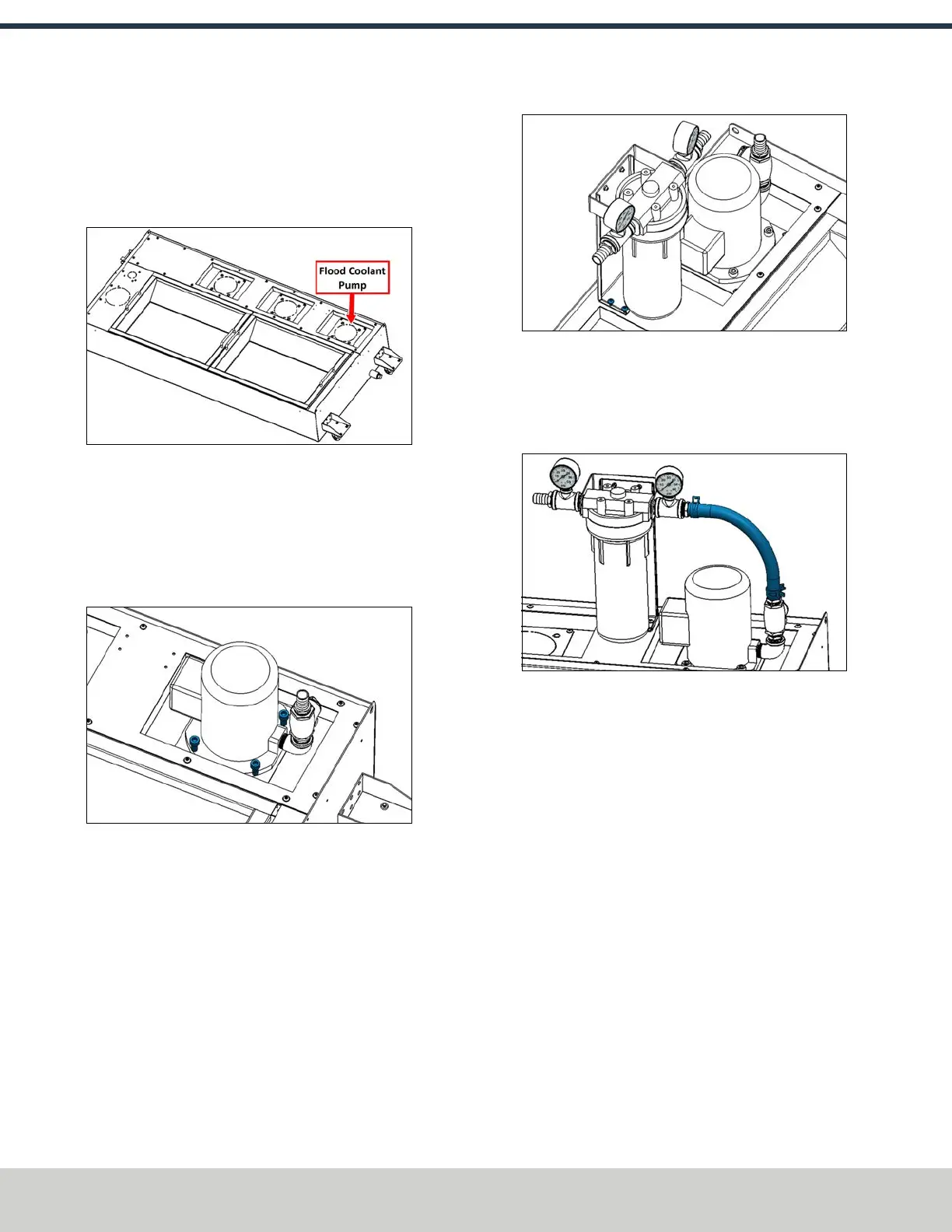
2. On the coolant tank, identify the location for the flood
coolant pump as shown in the following image. Remove
the mounting plate, and knock out the center with a
hammer and punch. Then, reinstall the mounting plate
onto the coolant tank.
Figure 4-87: First mounting plate used for the flood
coolant pump.
3. Put the coolant pump into its mounting plate. Orient the
pump so that the elbow fitting is nearest to the end of
the coolant tank. Secure the coolant pump to the
mounting plate with four M10 × 1.5 - 20 socket head cap
screws (PN32625) and an 8 mm hex wrench.
Figure 4-88: Flood coolant pump installed into the
coolant tank.
Install the Flood Coolant Filter
1. Identify the flood coolant filter included with this kit.
Place it next to the flood coolant pump on the coolant
tank, and secure it to the rear mounting holes with four
M5 × 0.8 - 10 flanged button head cap screws
(PN38205) and a 3 mm hex wrench.
Figure 4-89: Filter installed next to the pump.
2. Identify the 1 ft long, 1 in. OD hose included with this kit.
Install it between the barbed fittings on the outlet of the
coolant pump and the inlet of the coolant filter with
hose clamp springs (PN51558) and a pair of pliers.
Figure 4-90: Hose installed between the filter and the
pump.
3. Move the coolant tank off to the side of the machine.
You'll move it to its final location behind the machine
later in this procedure.
Make Coolant Connections
1. Roll the coolant tank behind the machine and push it up
to the back of the machine against the base casting.
Center the tank behind the machine, making sure that
the chip chutes dump into the chip baskets.
©Tormach® 2024
Specifications subject to change without notice.
Page 64 UM10811: 1500MX Operator's Manual (Version 0424A)
For the most recent version, see tormach.com/support
4: INSTALLATION



 To Next Page