1: SAFETY
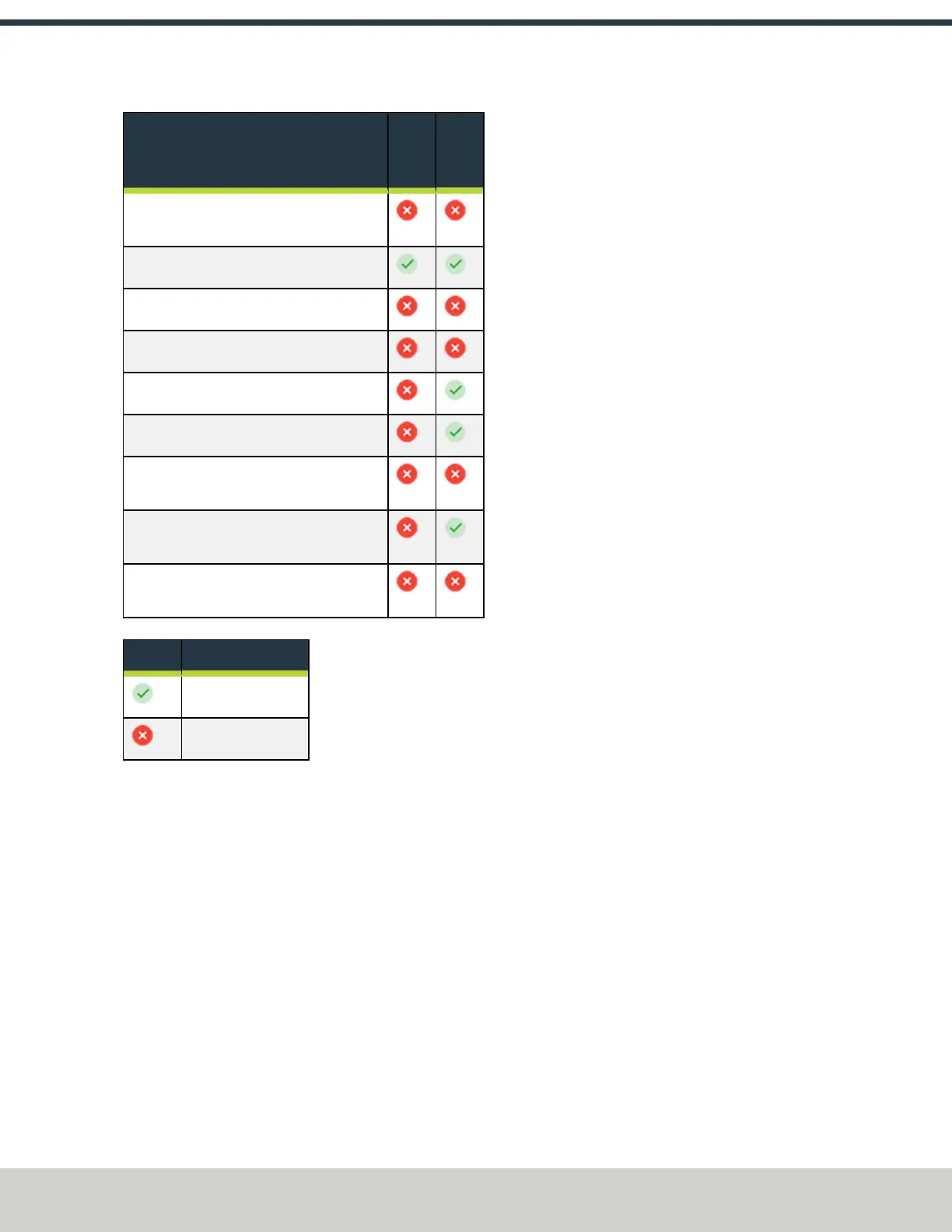
To ... with the Enclosure Doors Open
In
Run
Mode
In
Setup
Mode
Move the (optional) Automatic Tool
Changer (ATC) tray in or out
Release a tool from the spindle
Start a program
Use an ATC air blast
Use coolant
Use a hold-to-run device to move one axis
Use a hold-to-run device to move more
than one axis
Use a hold-to-run device to rotate the
spindle less than 700 rpm
Use a hold-to-run device to rotate the
spindle more than 700 rpm
Key to the symbols used in the above table:
Symbol Meaning of Symbol
Allowed
Not allowed
1.6.4 Automatic Tool Changer (ATC) Constraints
While the enclosure doors are open, the ATC tray won't rotate,
move toward the spindle, or back to its retracted position.
To load tools into the tray, do one of the following:
l
Load One Tool
1. Open the enclosure doors and put a tool in the
spindle. Then, close the enclosure doors.
2. From the PathPilot interface, in the Tool DROfield,
type the number of the tool that you put in the
spindle in Step 1.
3. Select M6 G43.
4. On the ATC tab, select Store Current Tool.
5. Repeat Steps 1 through 4 for each tool that you
want to load.
l
Load an Entire Tool Tray
1. Remove the tool from the spindle.
2. Close the enclosure doors.
3. From the PathPilot interface, on the ATC tab,
select Go To Tray Load Position.
The ATC tray moves under the spindle, and the ATC
door opens to the tool fork.
4. Open the enclosure doors.
5. Put the tool into the tool fork.
6. On the ATC tab, in the Tool Number DRO field,
type the number of the tool that you put into the
tool fork in Step 5.
7. Select Insert.
8. Select Tray Fwd or Tray Rev to rotate the tray to
the next open tool fork.
9. Repeat Steps 5 through 8 for each tool that you
want to load.
10. Close the enclosure doors.
11. On the ATC tab, select Retract.
The ATC tray moves away from the spindle.
©Tormach® 2024
Specifications subject to change without notice.
Page 27 UM10811: 1500MX Operator's Manual (Version 0424A)
For the most recent version, see tormach.com/support



 To Next Page