5. Close the enclosure door. The door switch latches closed.
To open the enclosure door, remove the grommet on top
right panel's Manual Door Unlock access hole, and use a
screwdriver or other tool to unlatch the switch’s release
lever.
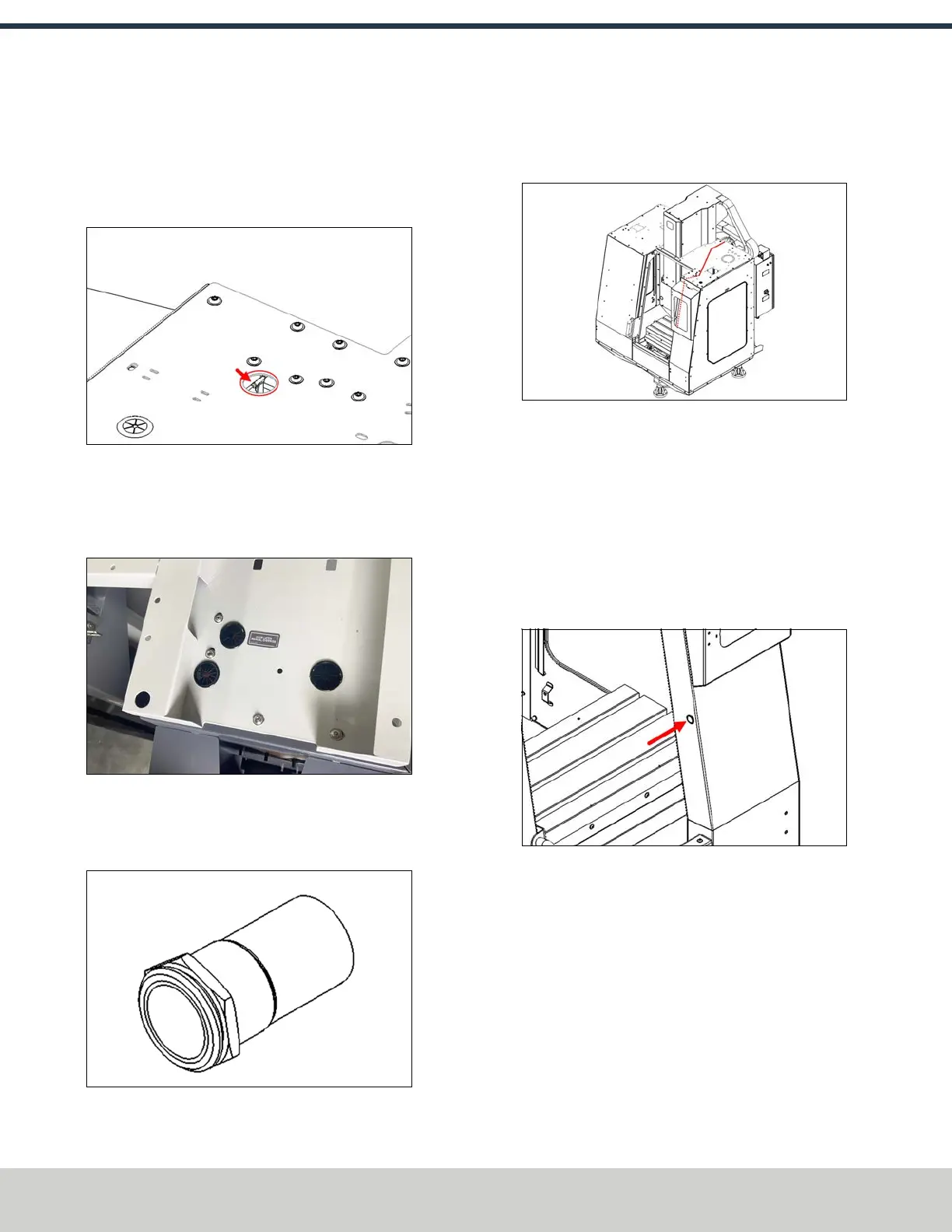
Figure 4-56: Door switch latch release lever.
Install the Door Latch Push Button
1. Identify three grommets. Then, install them into the
open holes on the top right enclosure panel.
Figure 4-57: Three grommets installed on the top
right enclosure panel.
2. Identify the door switch push button (PN51239) and its
wire harness.
Figure 4-58: Door switch push button.
3. Route the wire harness along the top of the top right
enclosure panel, through the wire grommet, and along
the inside edge of the front right enclosure panel.
Figure 4-59: Routing the door switch push button's
wire harness.
4. Remove the panel mount nut from the door switch push
button and set it aside. Find the indexing tab that aligns
with the connector on the wire harness. Put the push
button into the front right enclosure with the indexing
switch facing toward the top of the enclosure. Loosely
install the panel mount nut onto the push button, and
then connect the wire harness. Once the connection is
made, securely tighten the panel mount nut.
Figure 4-60: Installing the door switch push button
into the front right enclosure panel.
5. Connect the male and female connectors from the wire
harness to the door switch itself.
6. Secure the wire harness to the provided wire tie slots
using four 4 in. cable ties (PN31719).
7. Connect the loose end of the wire harness into the
Machine Door outlet inside of the electrical cabinet.
©Tormach® 2024
Specifications subject to change without notice.
Page 56 UM10811: 1500MX Operator's Manual (Version 0424A)
For the most recent version, see tormach.com/support
4: INSTALLATION



 To Next Page