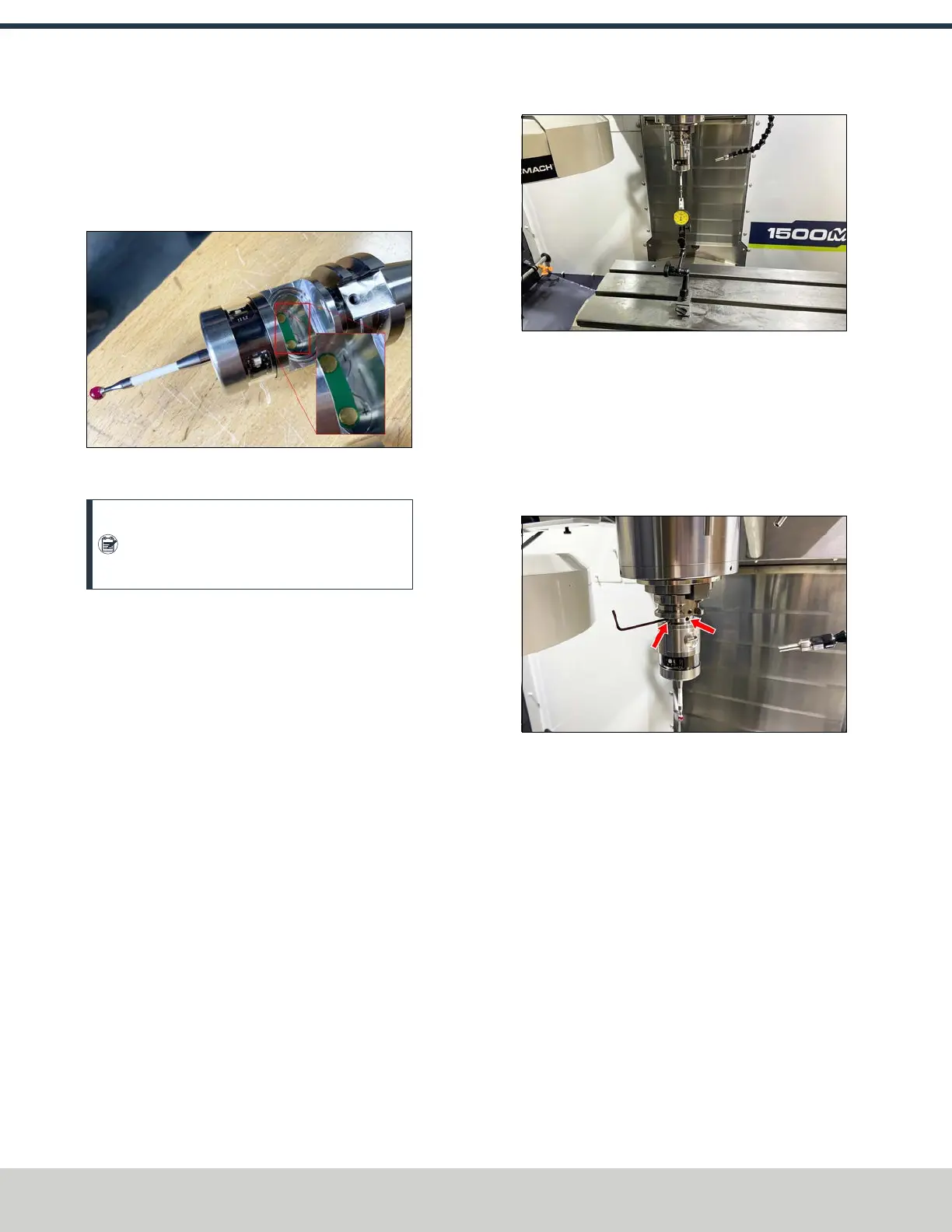
3. Remove the probe's battery door using a flat-blade
screwdriver or similar object.
4. Insert two batteries into the wireless probe. The probe
lights should illuminate; if they don't, you may need to
swap the battery placement.
Figure 4-226: Battery door removed off of the
wireless probe.
Note: While installing the cover, be careful not
to deflect the probe tip. If you do, leave the
probe for 30 seconds until the lights turn off.
5. Power on the machine and the PathPilot controller.
a. Turn the Main Disconnect switch to ONon the side of
the electrical cabinet.
b. Twist out the machine's red Emergency Stop button,
which enables movement to the machine axes and
the spindle.
c. Press the Reset button.
d. Bring the machine out of reset and reference it.
6. Load the probe into the spindle.
Adjust Probe Tip Concentricity
1. Place a dial indicator on the machine table, and carefully
jog the indicator's tip into the probe's tip to check for
concentricity.
Figure 4-227: Dial indicator set up to check the
probe's tip concentricity.
2. Identify the two sets of screws on the probe body. When
you loosen one set screw, tighten the opposite set
screw. Make adjustments as needed to the screws,
manually rotate the probe by hand, and check the
alignment again. Continue adjusting until the probe is
aligned within 0.005 in. of concentric.
Figure 4-228: Both sets of screws are shown; not
shown are each set's opposing screw.
Set Probe Length and Diameter
1. Identify the calibration tool (PN51149) included with
this kit. Load the calibration tool into the spindle. Make
note of the diameter and length, which is engraved on
the tool itself.
©Tormach® 2024
Specifications subject to change without notice.
Page 100 UM10811: 1500MX Operator's Manual (Version 0424A)
For the most recent version, see tormach.com/support
4: INSTALLATION



 To Next Page