l
Recommended Circuit Amperage30 A breaker
Note: At minimum, you can operate the
1500MX on a 20 A circuit, but you'll need a
second circuit to power accessories like the
chip conveyor, if present.
2. Connect the machine's mains power cable to the verified
electrical service.
3. Find the Main Disconnect switch, and then remove the
hang tag.
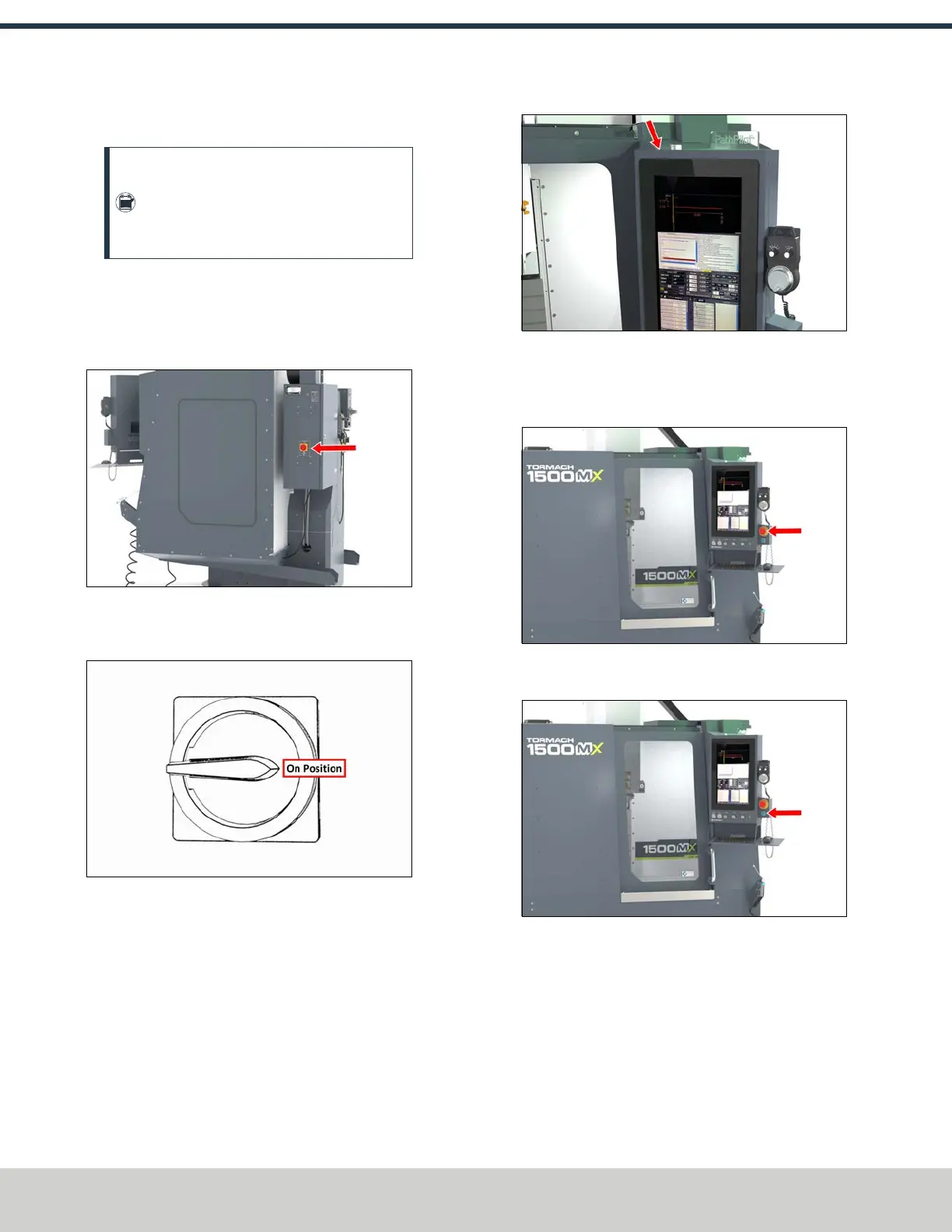
Figure 4-95: The Main Disconnect switch on the side
of the machine's electrical cabinet.
4. Turn the Main Disconnect switch to ON.
Figure 4-96: Example of the Main Disconnect switch
in the On position.
Mains power is now connected to the machine.
5. Push the Power button on the PathPilot operator console,
if it's not already powered on.
Figure 4-97: Power button on the top of the operator
console (to the left of the key).
6. Rotate the Emergency Stop button one-quarter turn
clockwise to release it.
Figure 4-98: Emergency Stop button.
7. Push the blue Reset button to enable the machine.
Figure 4-99: Reset button.
The axis drives are now powered on.
©Tormach® 2024
Specifications subject to change without notice.
Page 66 UM10811: 1500MX Operator's Manual (Version 0424A)
For the most recent version, see tormach.com/support
4: INSTALLATION



 To Next Page