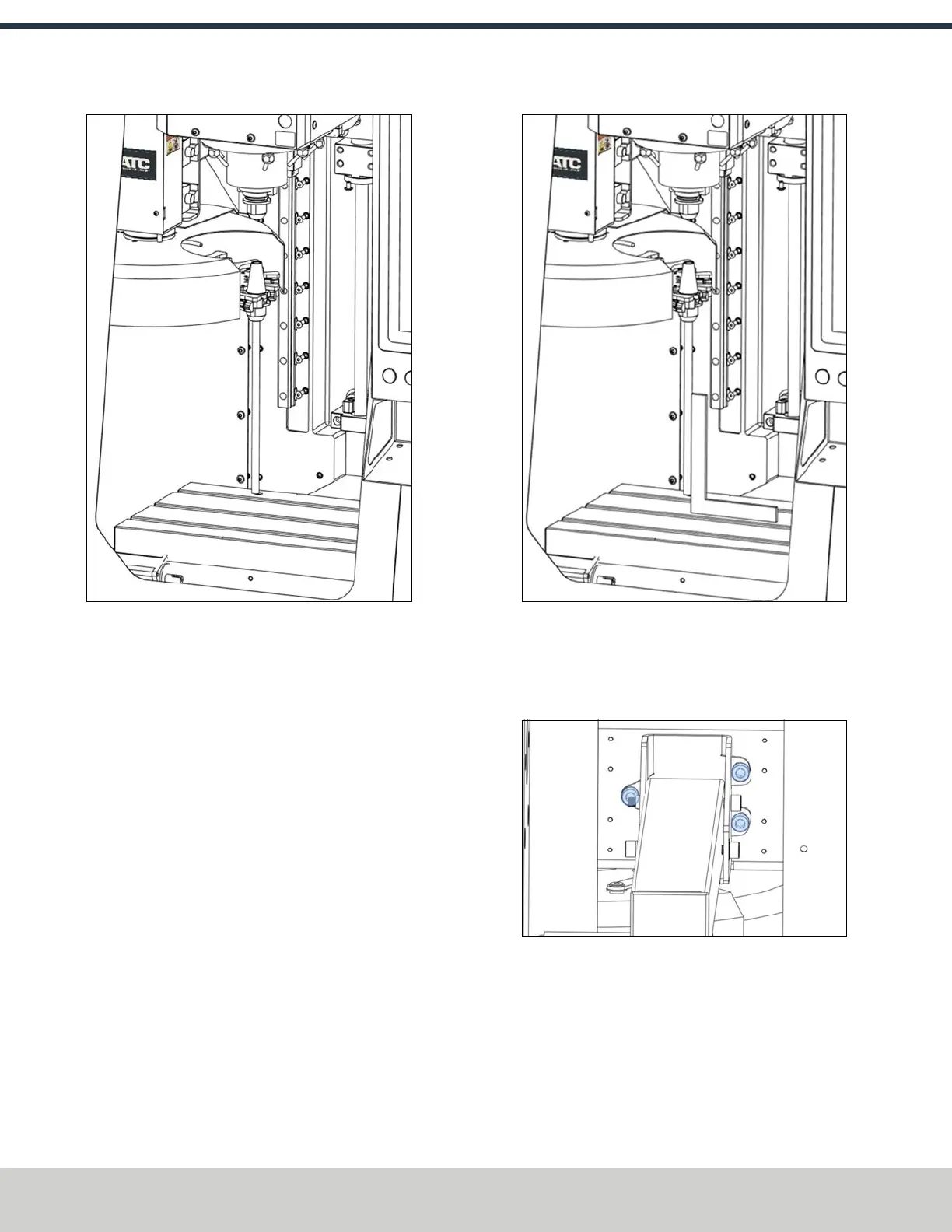
Figure 4-131: BT30 tool holder with a rod installed
into the tool tray.
2. Put a machinist's square on the machine table, and
verify that the rod is perpendicular to the machinist's
square in the X-axis.
Figure 4-132: Verifying the perpendicularity of the
tool holder with the X-axis.
3. If the ATC isn't correctly aligned to the X-axis, adjust the
angle by loosening the screws shown in the following
image. This will allow the slide plate to move freely.
Figure 4-133: Screws used to adjust the alignment of
the X-axis.
4. Adjust the jack screw to adjust the ATC level with a 13
mm wrench.
5. Once aligned, re-tighten the three screws that you
loosened in Step 4.
©Tormach® 2024
Specifications subject to change without notice.
Page 76 UM10811: 1500MX Operator's Manual (Version 0424A)
For the most recent version, see tormach.com/support
4: INSTALLATION



 To Next Page