Trend AuroraPlus User Guide
4-24 429850
Choose the type of Call Forwarding you wish to deactivate.
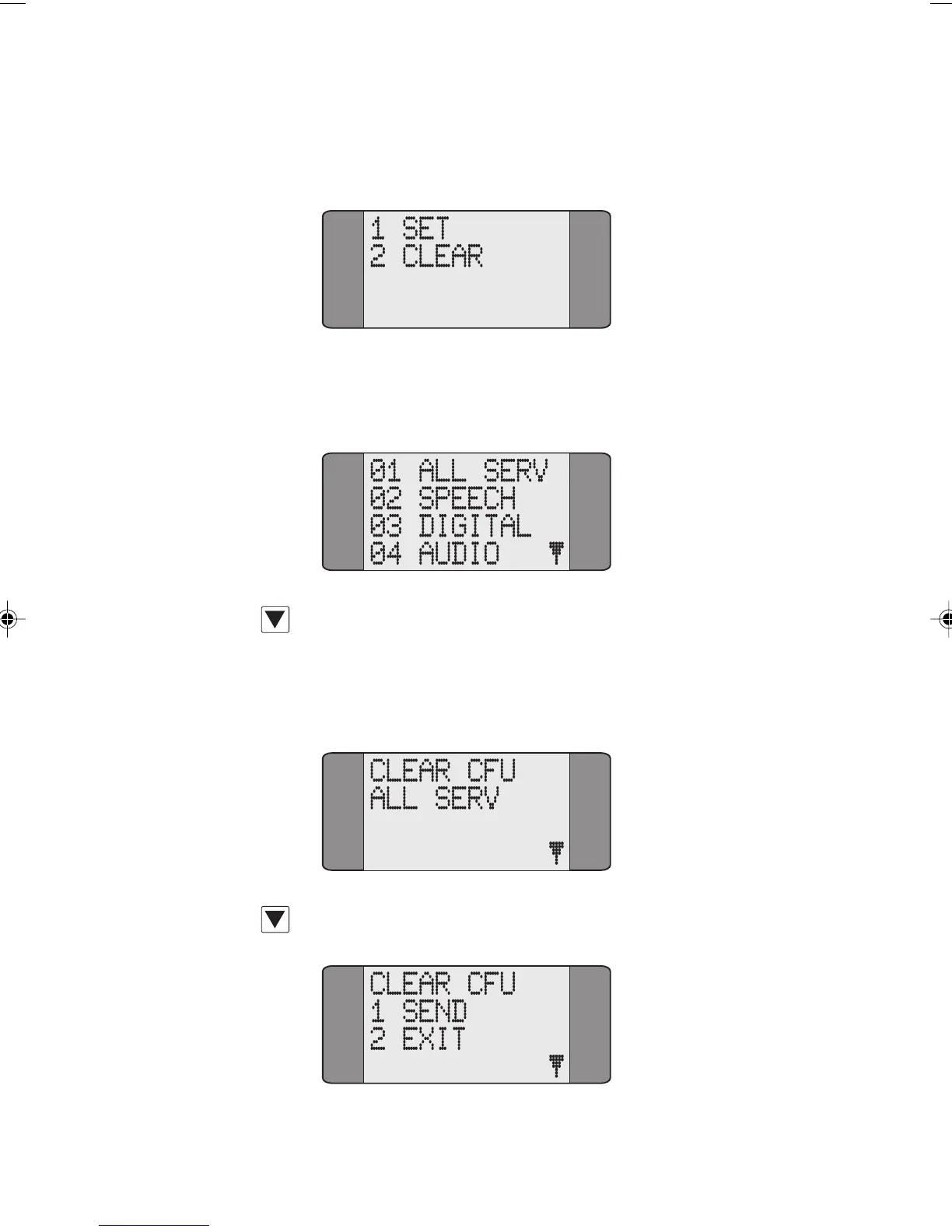
The following screen is displayed:
Choose CLEAR. Now select the service type for which you
wish to deactivate Call Forwarding.
Press the SCROLL key repeatedly to scroll through the
various service types. Enter a two digit service type code. If
you choose
ALL SERV Call Forwarding is deactivated on all
services. A screen similar to the following is displayed:
Press SCROLL to display the SEND/EXIT options:
Chap04s2.P65 30/04/01, 16:3524



 To Next Page