7 Troubleshooting intheField
UTS tracking status Meaning
Multiple UTS detected The radio network ID/channel number combination setup for your machine
and instrument is also being used by another instrument within radio
range.
Quick Searching ... The UTS instrument is carrying out a quick search for the machine target.
Search Error System error.
Target Lost The UTS instrument has lost track of the machine target.
Tracking The UTS instrument is correctly tracking the machine target.
Waiting for UTS Occurs when you first start the UTS and when you enter the
UTS
dialog.
The system is waiting for information from the UTS instrument.
Waiting for start Waiting for the UTS system to start.
To view detailed UTS diagnostics:
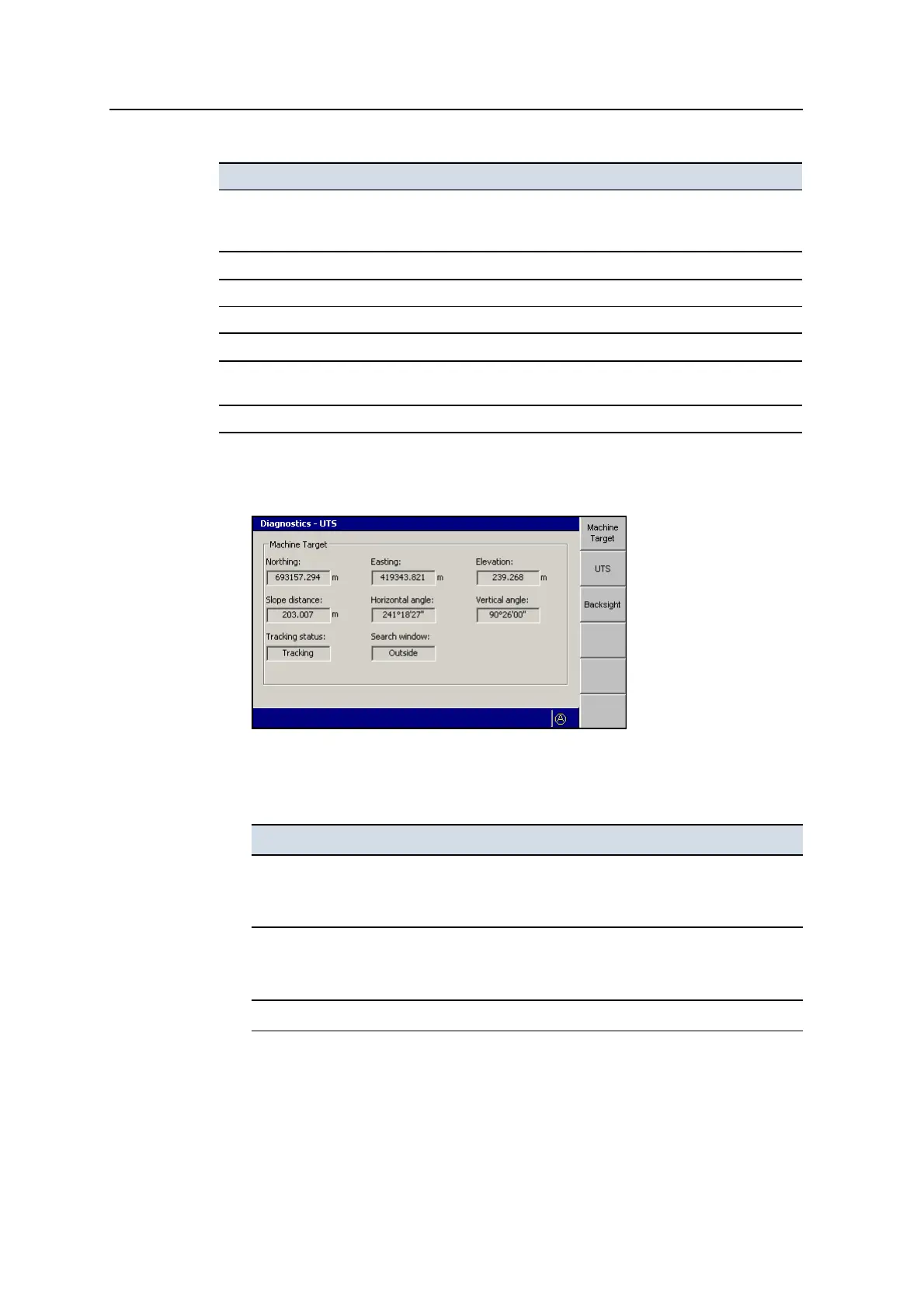
1. From the Diagnostics dialog, press UTS.
The first Diagnostics – UTS screen is Machine Target. This is the screen that
appears if you press Machine Target. The fields in this screen are described
below:
Field Explanation
Northing
Easting
Elevation
The computed location of the machine target, in terms of Northing, Easting
and Elevation.
Slope distance
Horizontal angle
Vertical angle
The observed location of the machine target relative to the UTS, in terms
of slope distance, horizontal angle and vertical angle.
Tracking status UTS tracking status. See
7.3.1
.
158 GCS900 GradeControl System for Excavators Operator's Manual



 To Next Page