5.FUNCTION SETTINGS
60
5-7. Zero Tracking (ZT)
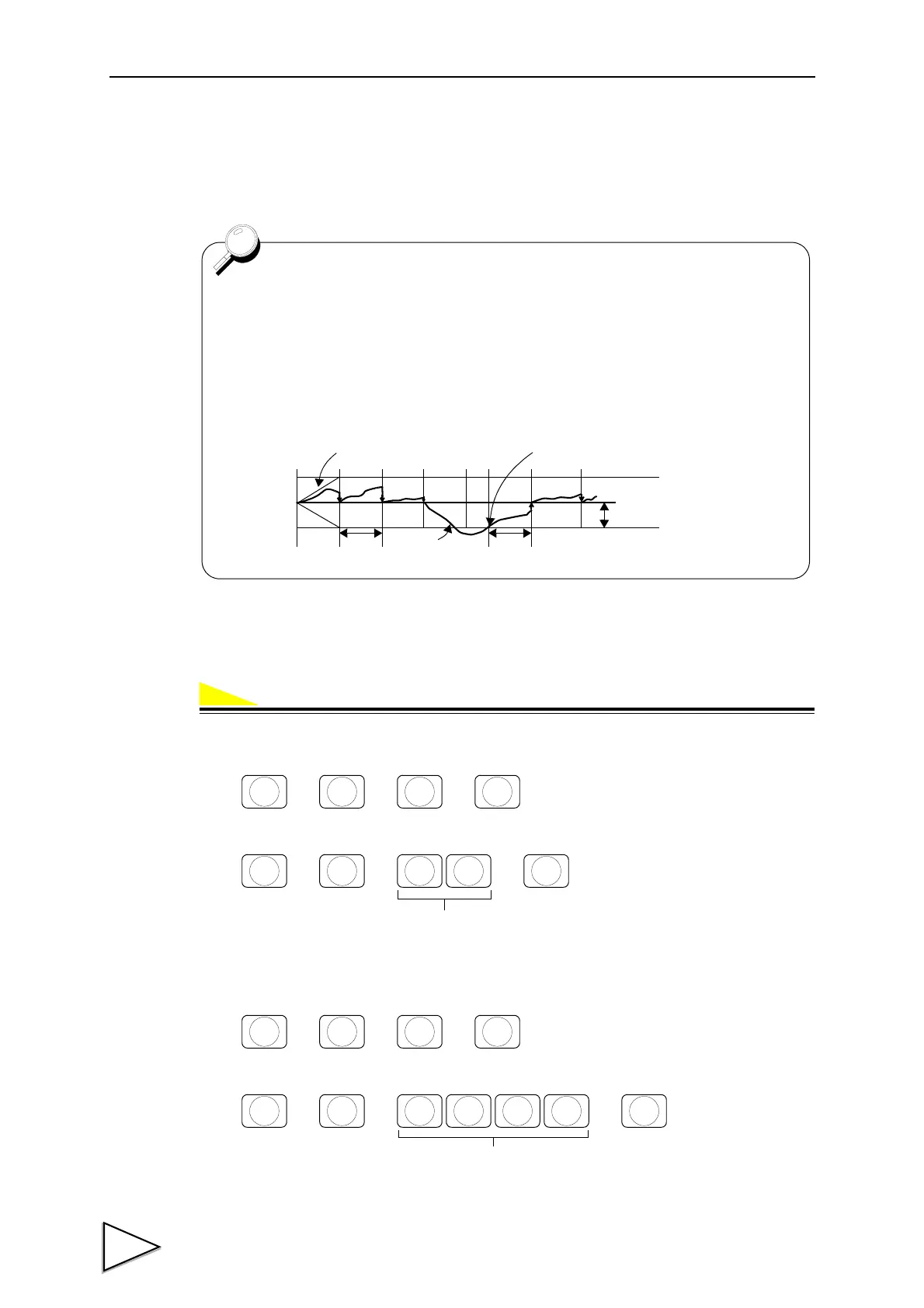
This function automatically adjusts slow drifts and slight shifting of the zero point due to small
amounts of accumulation on a scale.
a) Zero Tracking Period (Input range / 0.0 ~ 9.9)
b) Zero Tracking Range (Input range / 0 ~ 9999)
a)
1) Select setting mode 2.
2) Input the Zero Tracking Period. (8-Zero Tracking Period)
b)
1) Select setting mode 2.
2) Input the Zero Tracking Range. (9-Zero Tracking Range)
- Zero Tracking adjusts the zero point every set period when the shifting of the
zero point is within the set point.
- The Tracking Period must be set between 0.0 and 9.9 seconds. The Tracking
Range (digit) must be set from 0 ~ 9999 using a 1/4 scale division as a unit.
(0002=0.5 divisions, 0012=3 divisions)
Zero Tracking does not work when the period is set 0.0 or the range is set to
00.
Boundary of zero track
Tracking period
Weighing value
Tracking range
+
0
-
Tracking period
From the point when it returned within the range,
counting will be resumed.
→→→
F
CNG/ENT CNG/ENT
2
LOWER
Period (sec.)
(0.0 ~ 9.9)
→→ →
8
UNDER
CNG/ENT CNG/ENT
→→→
F
CNG/ENT CNG/ENT
2
LOWER
→→ →
Range
(0 ~ 9999)
9
FINAL
CNG/ENT CNG/ENT


 To Next Page