4-6
Maintenance > Maintenance Parts replacement procedure
2
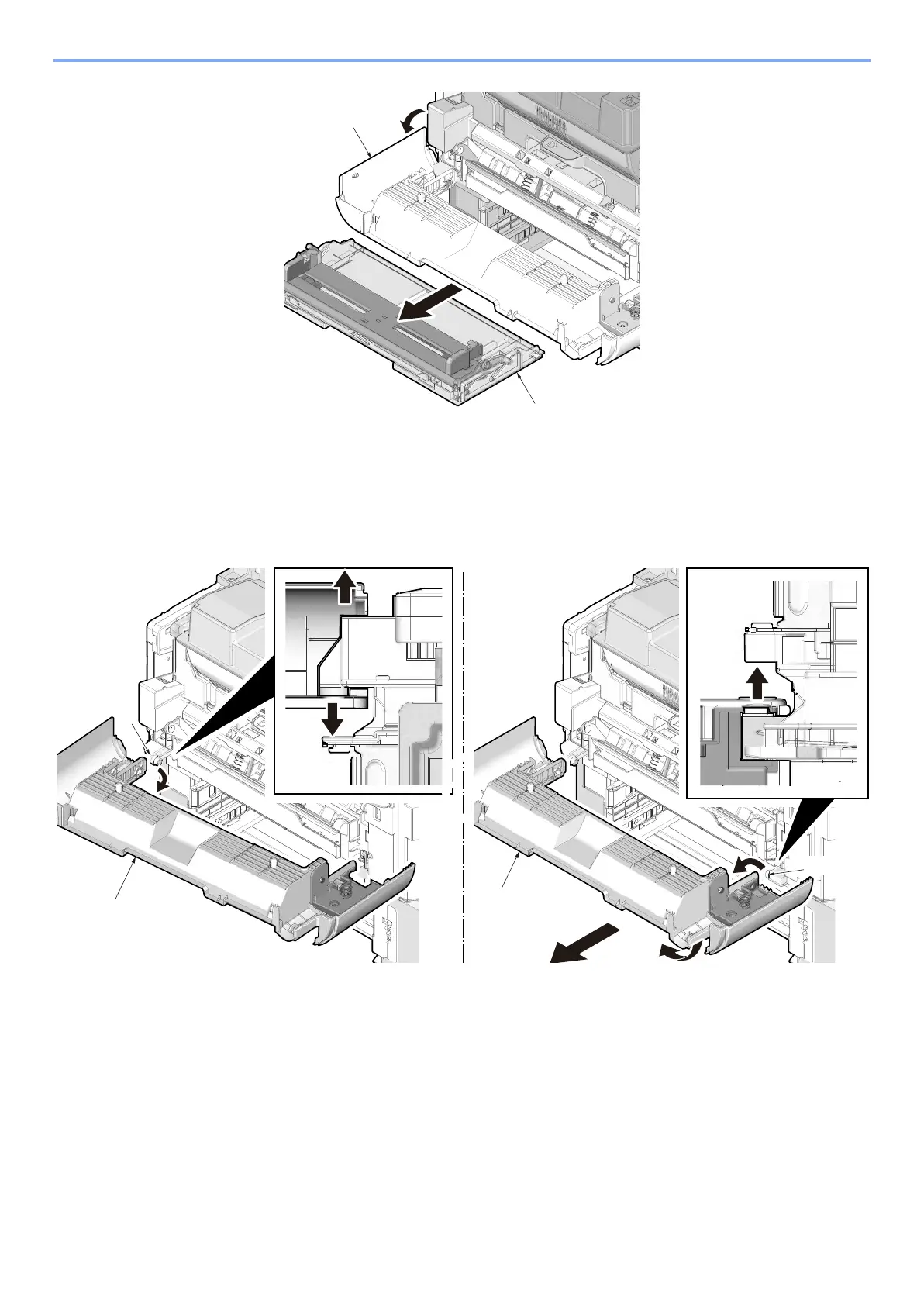
Detach the left upper cover.
1 Remove the fulcrum (b) of left side by extending the cover (a).
2 Twisting the cover (a) and remove the fulcrum (c) of right side.
3 Pull the front cover (a) frontward.
3
Remove the MP paper feed unit (a).
1 Remove two screws (b) on the MP paper feed unit (a). (M3x8)
2 Remove the MP paper feed unit (a) from the printer.
b



 To Next Page