4-32
Maintenance > Assembly and disassembly
(4-4)Detaching and refitting the power source PWB
1
Remove the right cover.
(See Page 4-15)
2
Detach the left cover.
(See Page 4-18)
3
Detach the top cover assembly.
(See Page 4-21)
4
Detach the main PWB.
(See Page 4-26)
5
Detach the wire guide 1.
(See Page 4-28)
6
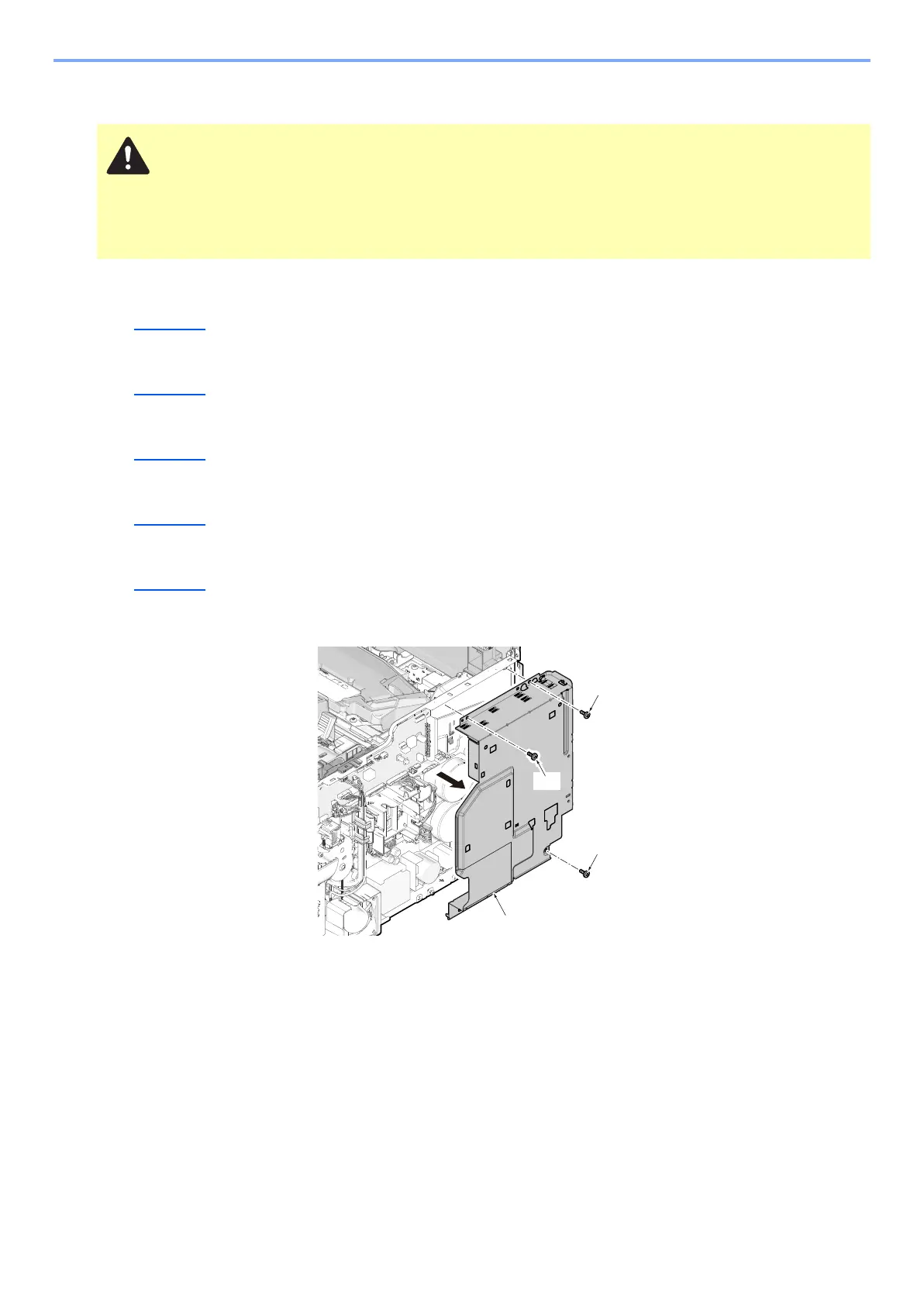
Remove three screws (a) and detach the controller box cover (b). (M3x8)
7
Detach the power supply PWB.
1 Remove the screw (a) and then the grounding wire (b).
2 Remove 3 screws (c) and remove the power supply PWB (d).
3 Check or replace the power supply PWB and refit all the removed parts.
Before replacing the PWB, be sure to take the following procedures. Otherwise, The PWB may get damaged.
Disconnect the power cord.
Press the power switch one second or more. (discharge the electric charge inside the main unit)



 To Next Page