4-49
Maintenance > Assembly and disassembly (Optional items)
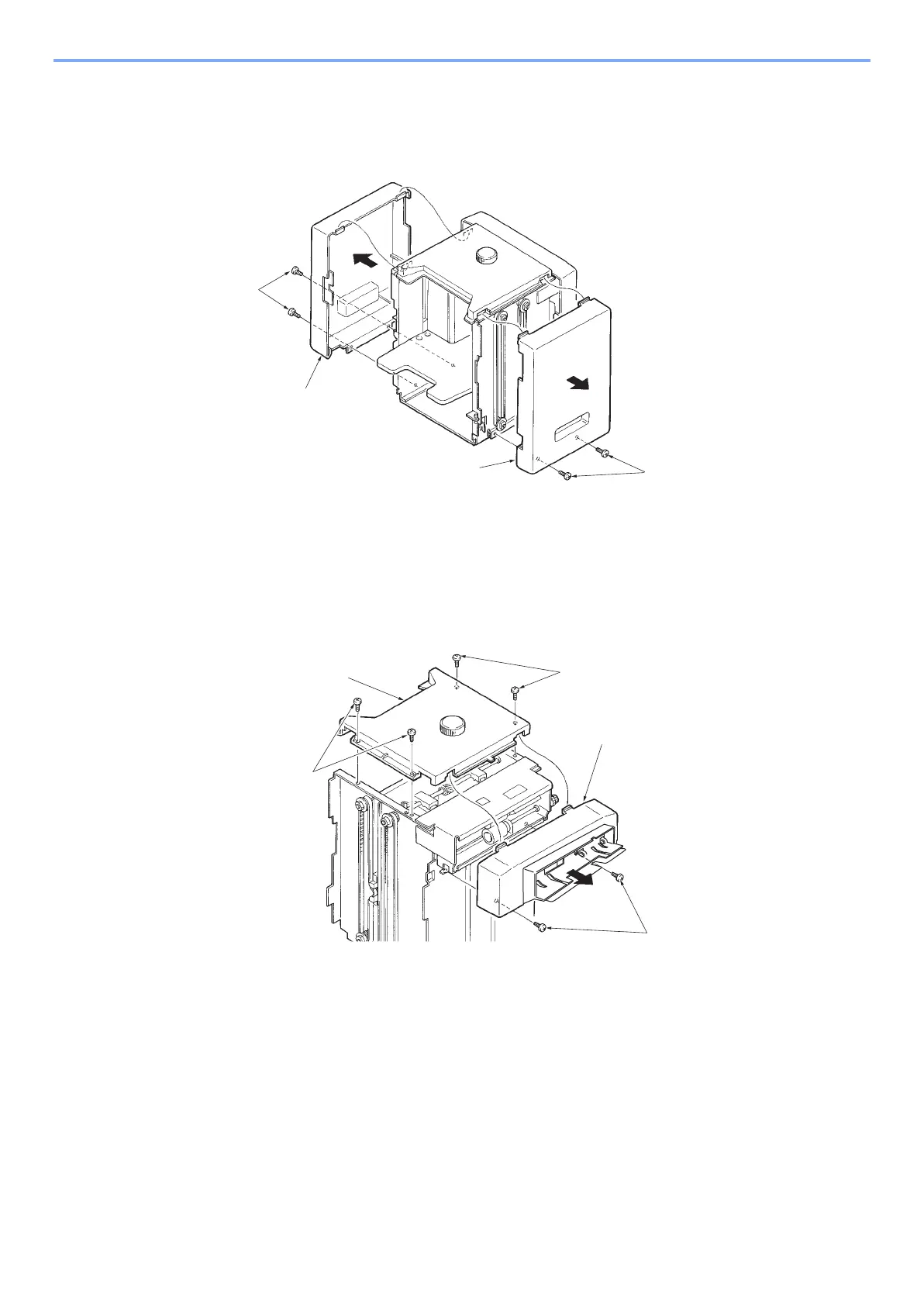
(2-3)Detach the side cover.
• Do this in case if access to parts inside.
1 Remove two screws (a) on lower side and detach the right/left side covers (b).
(2-4)Remove paper feed section and top cover
• In case of top cover removement, it recommends that the paper feed is removed either.
• Tray size adjust knob can not be removed unless removing top cover.
1 Remove 2 screws (a) and remove paper feed section (b).
2 Remove 4 screws (c) and detach the top cover.
(2-5)Remove printer base mount
1 Remove 2 screws (b) on mount rail (a).
2 Pull out the mount rail (a) from printer base (c).



 To Next Page