2-9
Installation > Installing the main unit
[CONFIDENTIAL]
(5-2)Set paper in the cassette
1
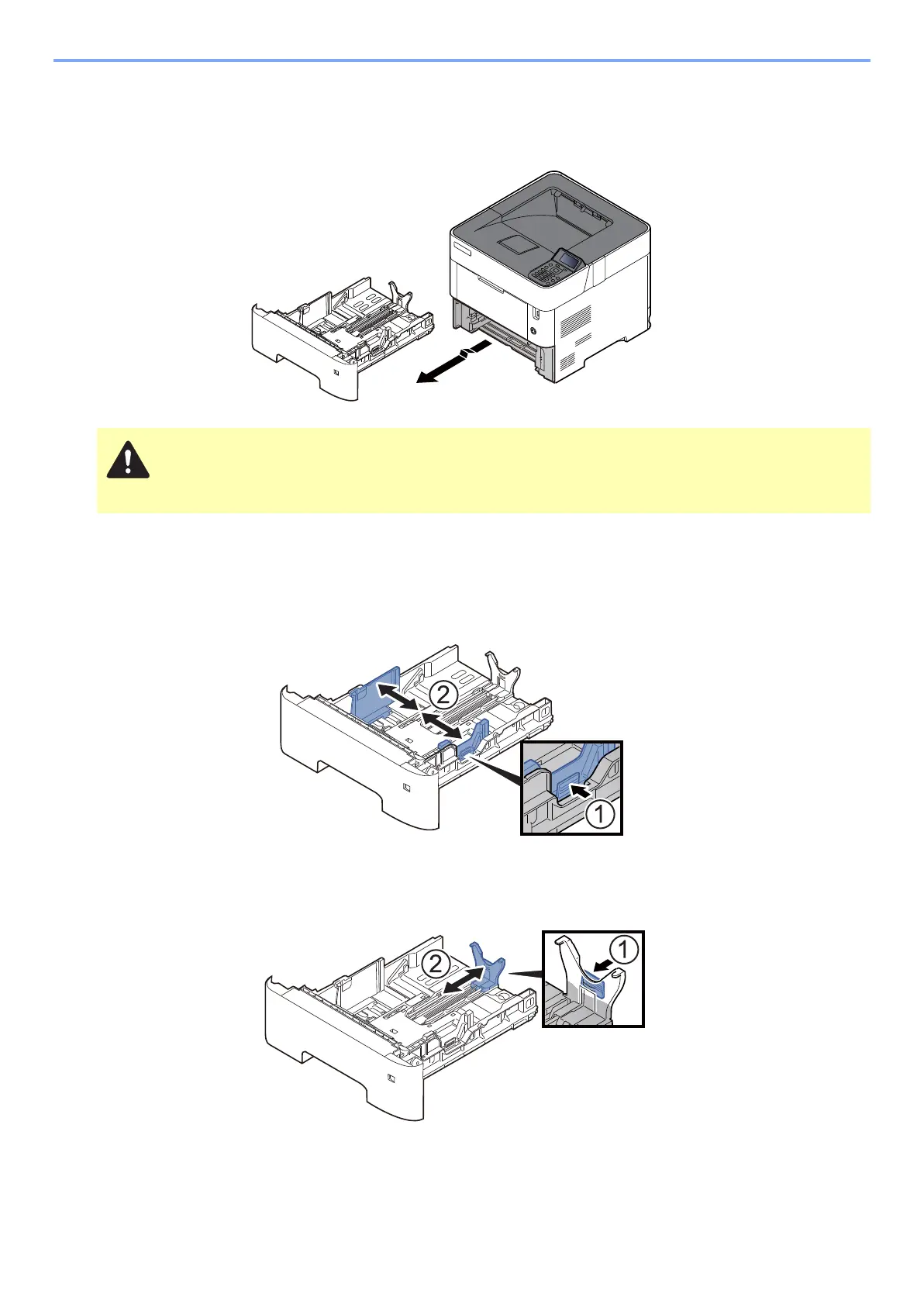
Pull the cassette completely out of the machine.
2
Adjust the cassette size.
1 Adjust the position of the paper width guides located on the left and right sides of the cassette. Press the paper
width adjusting tab and slide the guides to the paper size required.
Paper sizes are marked on the cassette.
2 Adjust the paper length guide to the paper size required. Press the paper length adjusting tab and slide the
guides to the paper size required.
When pulling the cassette out of the machine, ensure it is supported and does not fall out.



 To Next Page