4-5
Maintenance > Maintenance Parts replacement procedure
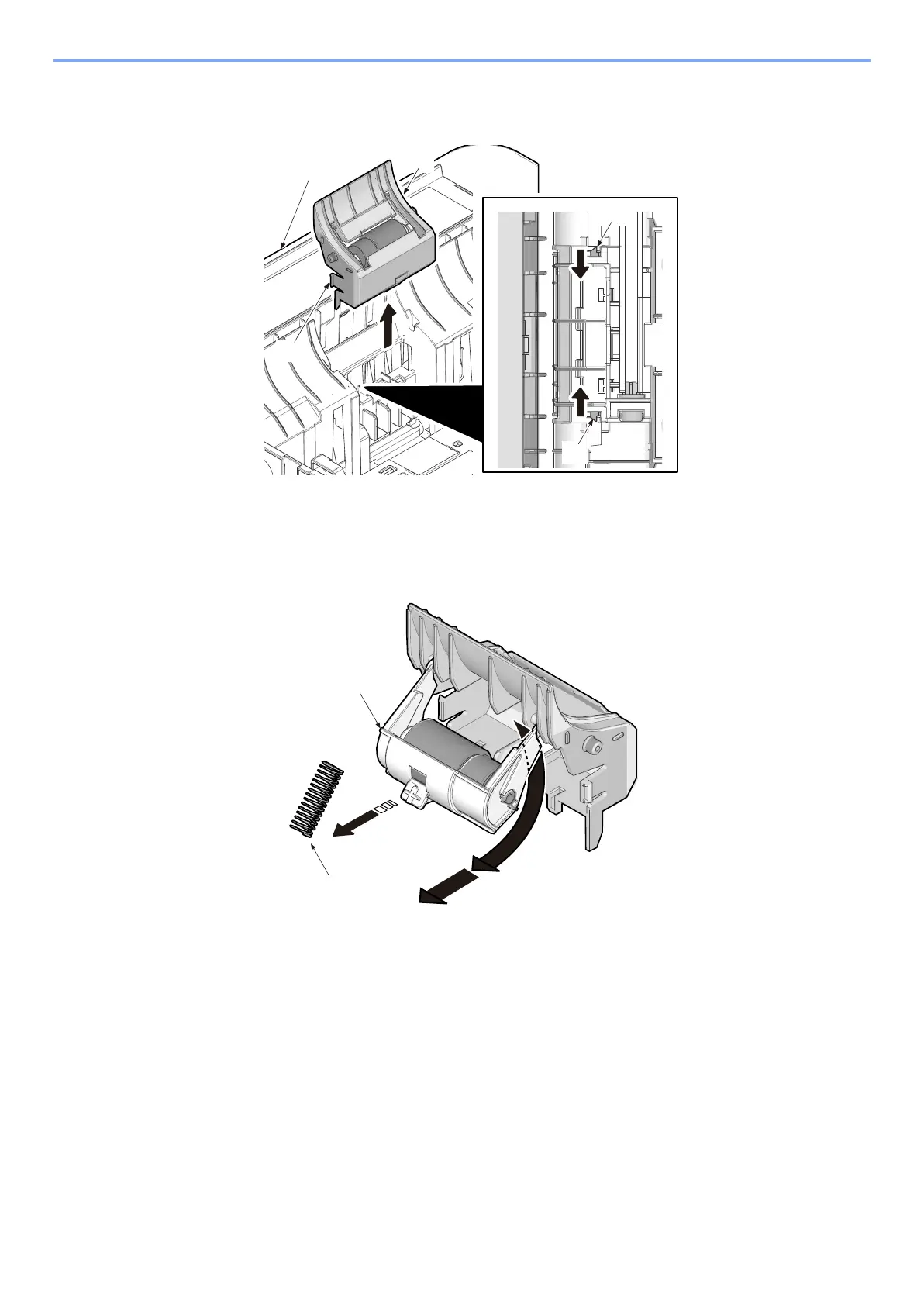
(1-2)Detaching and refitting the retard roller
1 Release two hooks (b) in backside of cassette (a) and then detach the retard roller assembly (c).
2 Remove spring (a).
3 Remove the retard roller holder (b) by rotating it.
4 Check or replace the retard roller and refit all the removed parts.
(2) Manual feed tray section
(2-1)Detaching and refitting the MP feed roller
1
Remove the manual feed tray
1 Open the top cover.
2 Open the front cover (a).
3 Bend the tray and remove from the printer.
c



 To Next Page