4-23
Maintenance > Assembly and disassembly
3
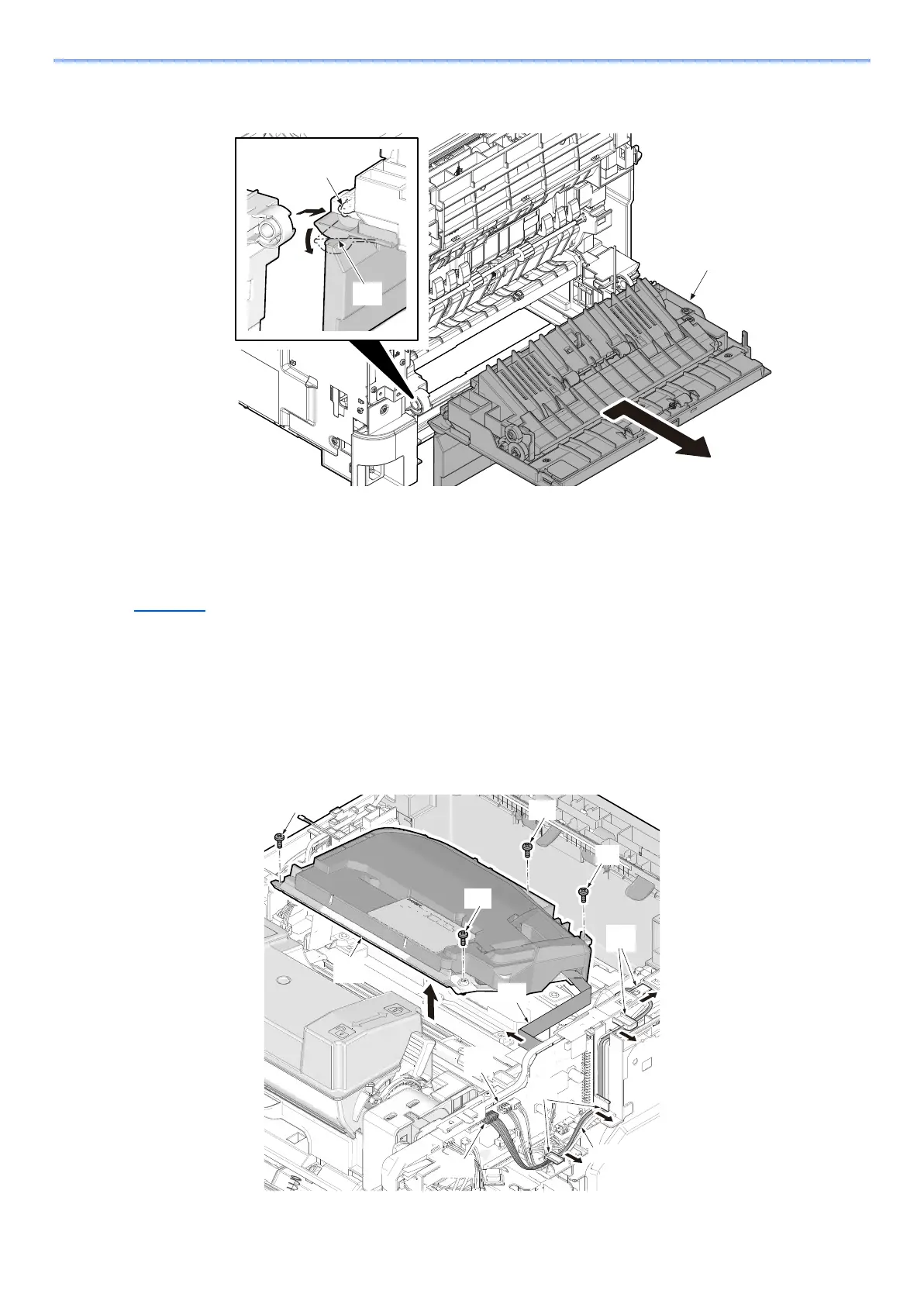
Remove the shaft (b) by sliding the rear cover (a) and then detach the rear cover
assembly (c).
(2) Optical section
(2-1)Detaching and refitting the laser scanner unit
1
Detach the top cover assembly.
(See Page 4-21)
2
Remove laser scanner unit.
1 Pull out the connector (b) and FFC (c) from engine PWB (a).
2 Release the wires (d) from the wire guide (e).
3 Remove 4 screws (f) and remove the laser scanner unit (g). (M3x8)
4 Check or replace the laser scanner unit and refit all the removed parts.
f



 To Next Page