2-6
Installation > Installing the main unit
[CONFIDENTIAL]
4
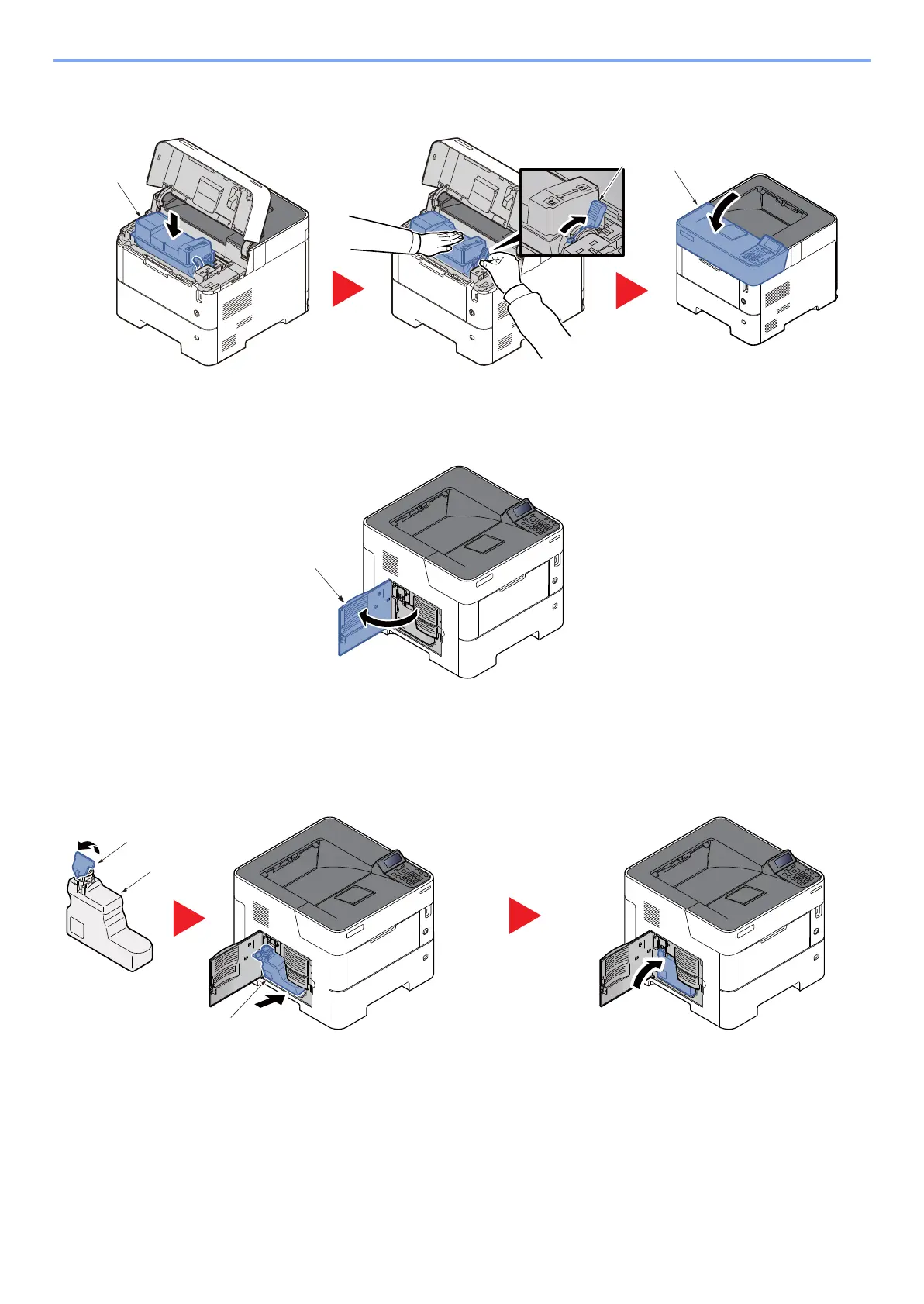
Set the toner container (a) to the main unit and then rotate the toner container lock lever
(b) to the lock position. Close the top cover (c).
(3) Installing the waste toner box
1
Open the waste toner box cover (a).
2
Installing the waste toner box
1 Open the cap (b) of the waste toner box (a).
2 Installing the waste toner box (a)
3
Close the waste toner box (a) cover.



 To Next Page