4-13
Maintenance > Maintenance Parts replacement procedure
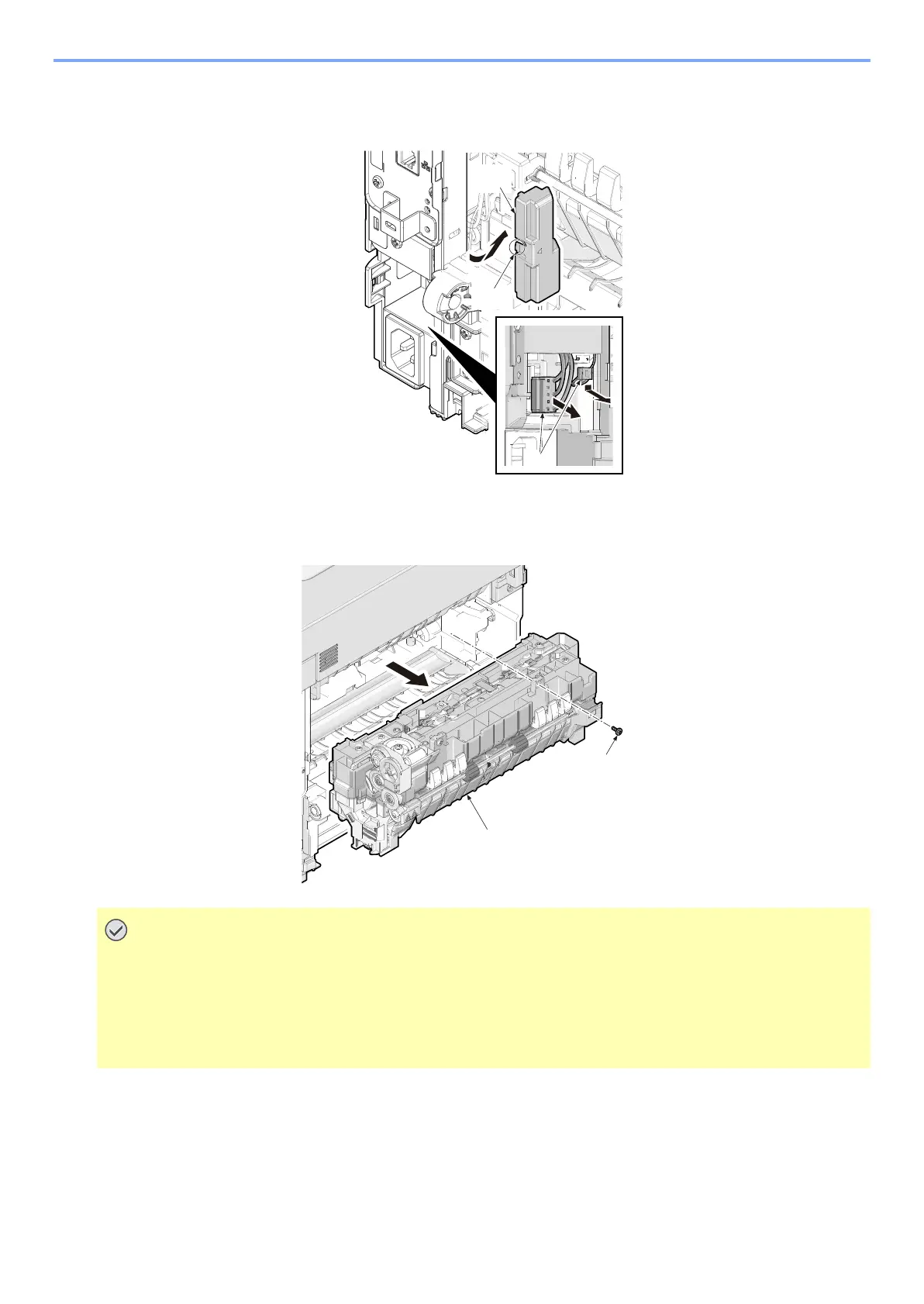
3 Rotate the connector cover B (a) and release the hook (b) and remove the cover.
4 Pull two connectors (c) out.
5 Remove the screw (a) and then detach the fuser unit (b) frontward.
6 Check or replace the fuser unit and refit all the removed parts.
• When refitting the fuser unit, perform the following procedures.
1 Turn on the power switch while opening the rear cover after removing the fuser unit.
2 Turn off the power switch in 5-second or more. (release state of fixing pressure)
3 Refit the fuser unit.



 To Next Page